Answered
Brush Strokes don't Appear while Layer underneath is Visible
Ever since I've changed to the newest Version of Photoshop, i've had this bug, in which when I paint/erase on a layer ontop of another visible layer, it forms a big white pixalted stroke ontop which covers the stroke I just made as well as thing on the layers below.
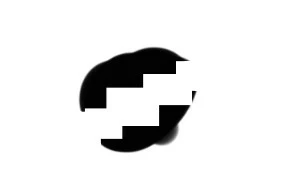

My current fix is to just hide the layer and make it visible again, or to hide the layer underneath, if possible. This however strongly influences my workflow, so I was wondering, if there were any ways to avoid this, or any better fixes?
I've already tried older versions, changed brush to check if it's that and tried different blending modes for the layers.
 AdChoices