

Question
Brush Stuck at Low Opacity
Hi, I'm trying to paint with Transfer + pen pressure checked so I can fade from dark to light. However when I press very hard, the brush won't go completely dark. It's as if the brush was set to 70% opacity, but it is set at 100%. Also my Flow and Layer is set to 100%. When I paint with the mouse it does go completely dark. And also when I paint with a brush without Transfer checked, it will go completely dark.
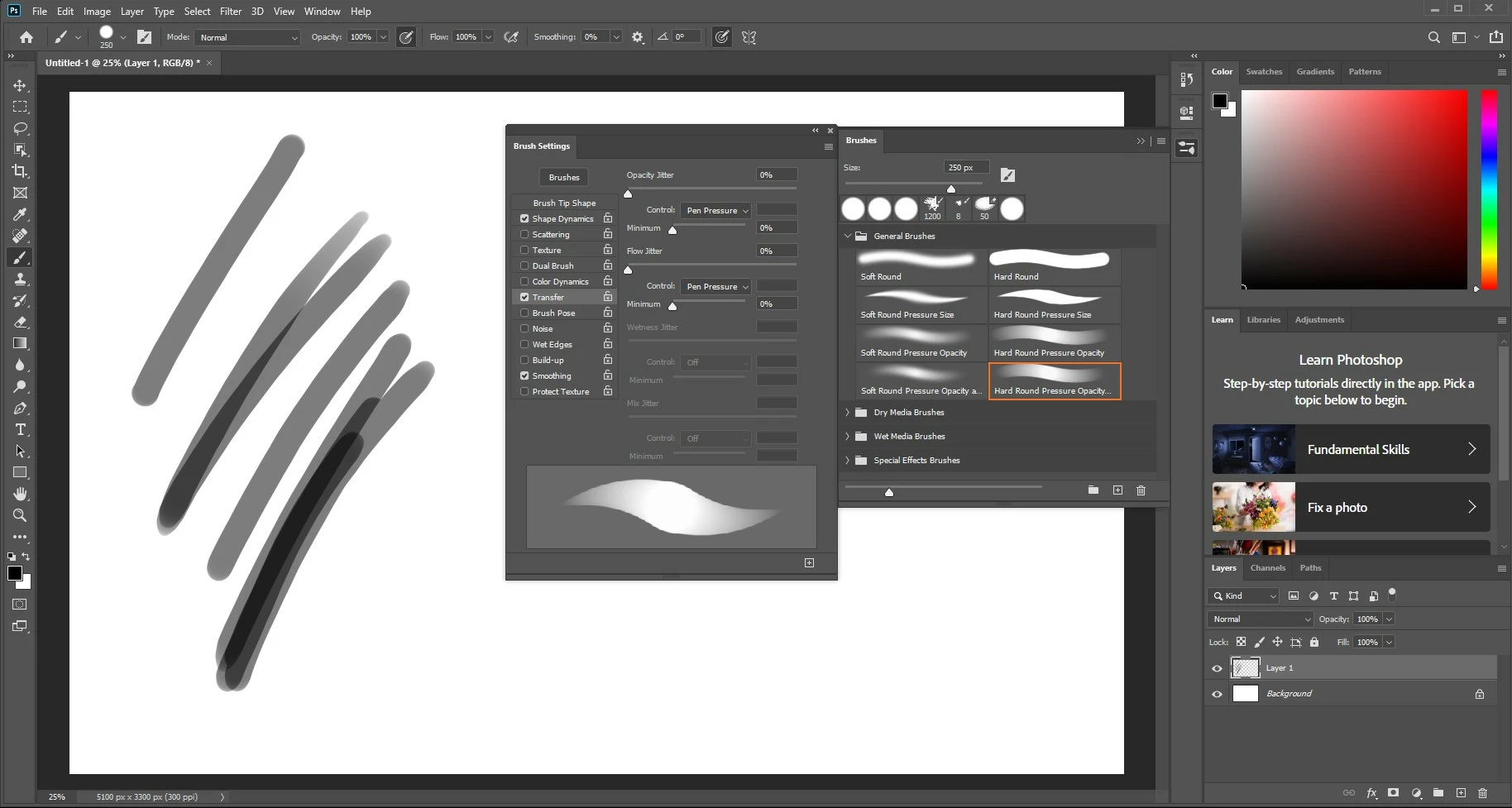
I tried reseting my preferences by holding Alt+Control+Shift but it never prompted me to "delete the Adobe Photoshop Settings File". I also tried uninstalling and reinstalling Photoshop but it didn't work either.
I'm working in Windows 10 with a Wacom Cintiq Pen Display and Photoshop 2020.
Please help!
Thanks,
- Joel
 AdChoices