

Brush Tilt Size Control Not Working
I'm trying to create some custom brushes and for some reason PS is not recognizing my pen tilt in a very specific way. It's clearly recognizing the pen tilt because it affects the brush preview, and the pen tilt works fine with bristle tip brushes. When I turn size control to tilt, it stretches out, as if the size control was working. But when I apply the stroke, it's as if control is set to Pen Pressure, and the tilt does not change the stroke, which does not match the brush preview.
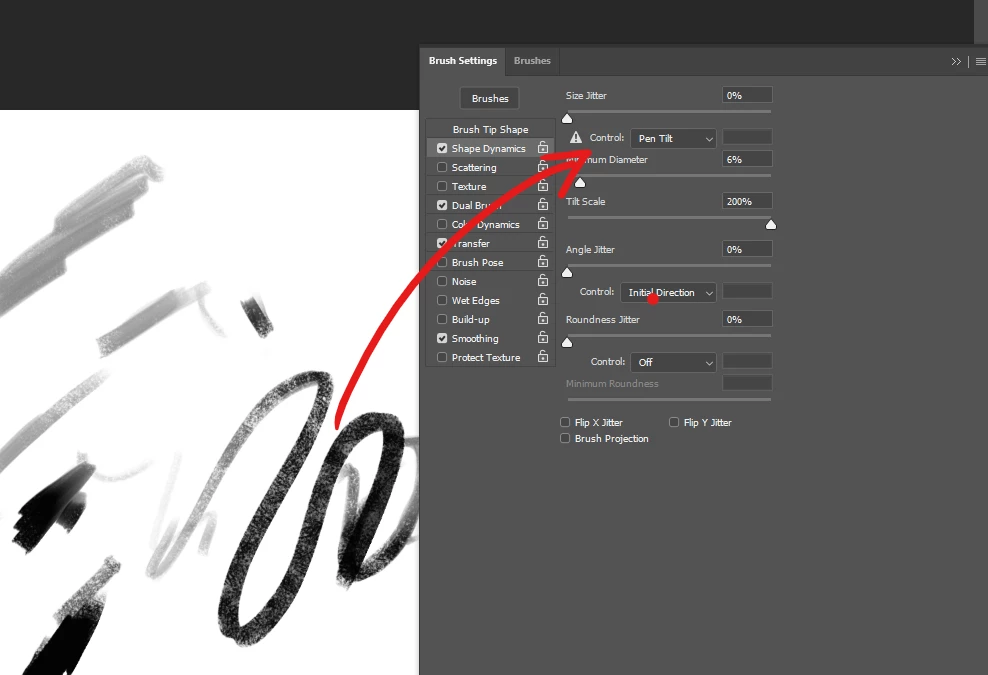
How can I fix this? I'm desperate to create a brush where tilt will affect the size dynamics.
I'm using a Huion Inspiroy Dial Q620M, and using Photoshop version 21.1.3., on Windows 10, 64-bit. I tried updating a couple of months ago but the new version introduced so many new issues that I had to revert, losing all my settings, which took weeks to restore manually. I'm done with Photoshop updates, as they always seem to mess with my settings and create more problems for me, so that's not a solution I'm looking at currently.
Thank you for your help!
 AdChoices