christopherb14240843
Participant
May 21, 2019
Answered

Brush tool disappeared from interface

  • May 21, 2019
  • 2 replies
  • 4931 views

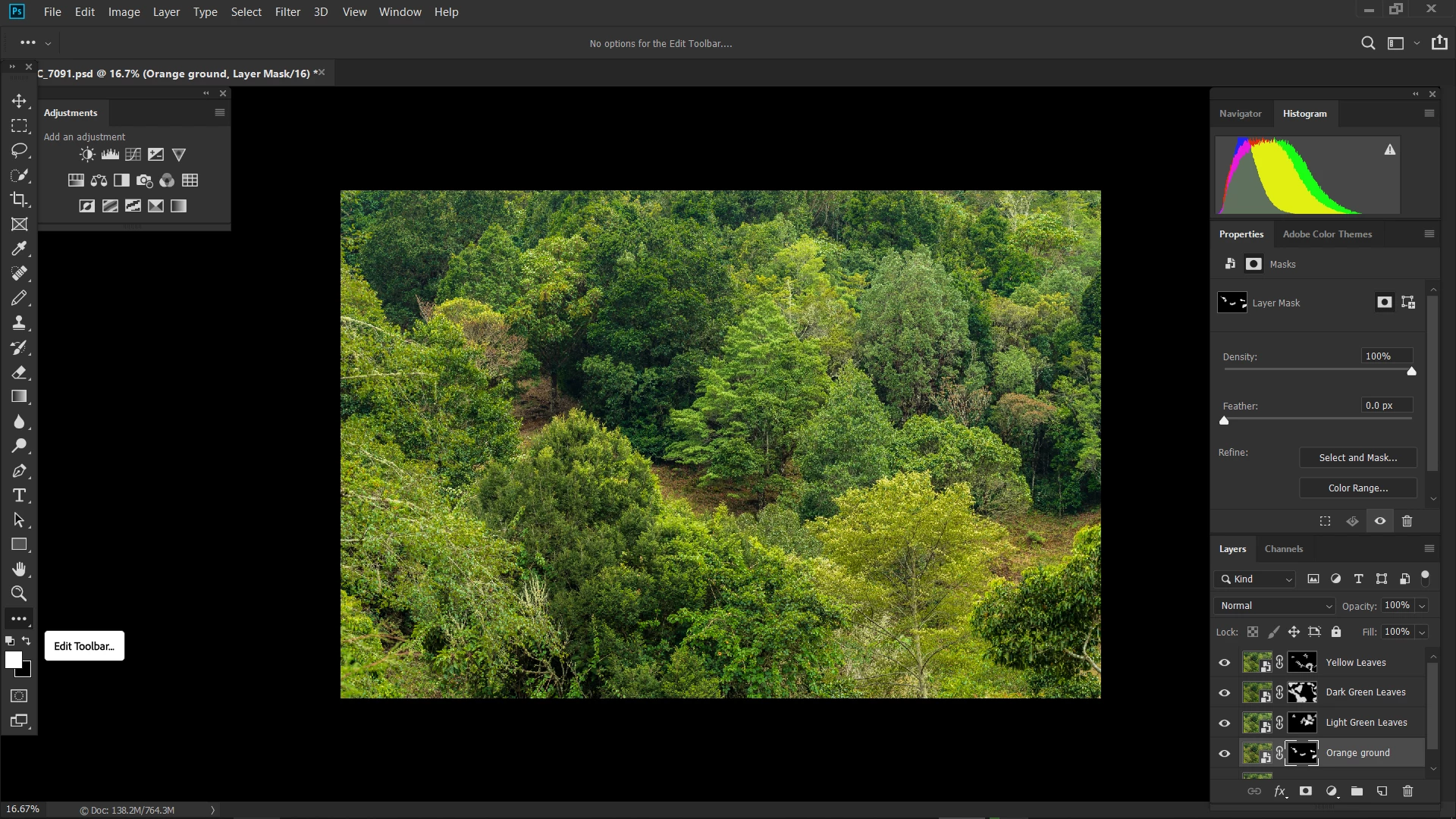
Just suddenly, the brush tool disappeared from the Edit toolbar. I can see any other tool (pencil, clone stamp, etc), it is just the brush tool that does not exist anymore. Anyone knows how to bring it back?
This topic has been closed for replies.
Correct answer Jeff Arola

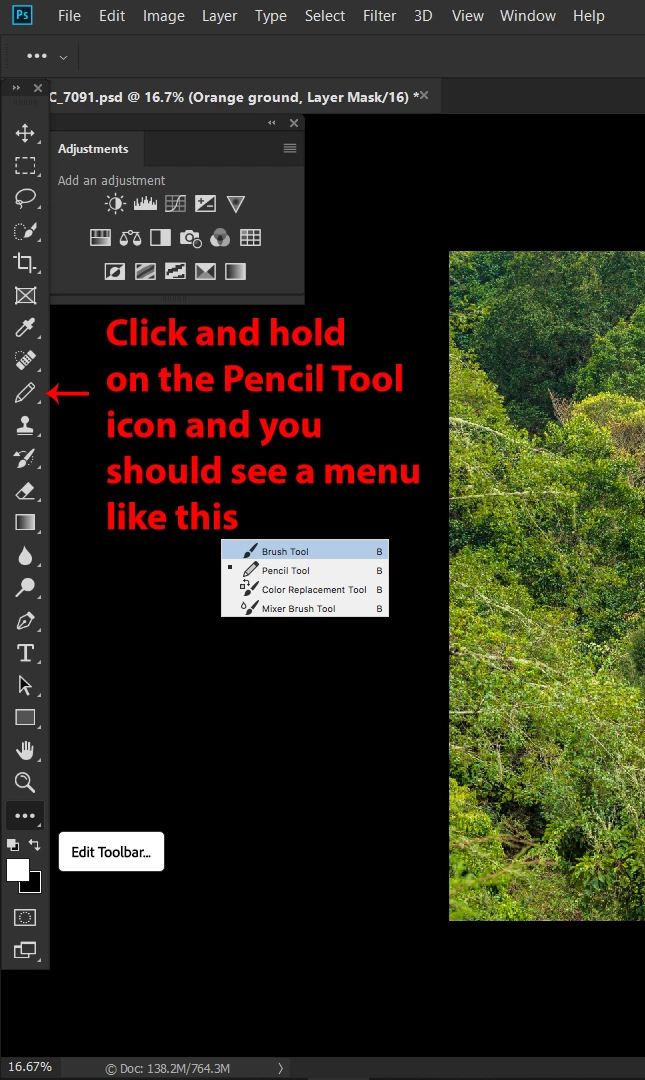
You can click and hold on the Pencil Tool icon in the Tool Box and you should see the Brush Tool or press Shift+B to cycle through the tools in that slot until you see the Brush Tool icon.

more about the tools in photoshop

Photoshop tool galleries

Use Photoshop tools

2 replies

Jeff Arola
Community Expert
Jeff ArolaCommunity ExpertCorrect answer
Community Expert
May 21, 2019

You can click and hold on the Pencil Tool icon in the Tool Box and you should see the Brush Tool or press Shift+B to cycle through the tools in that slot until you see the Brush Tool icon.

more about the tools in photoshop

Photoshop tool galleries

Use Photoshop tools

christopherb14240843
Participant
May 21, 2019

Thanks, click and hold did not work, but right click did what you showed in your example.

Michael Bullo
Community Expert
Community Expert
May 21, 2019

I can't tell for sure from your question. Have you gone into Cutomize Toolbar section accessible via the three dots (Edit Toolbar) at the bottom of the Tools panel (It's highlighted in your graphic)? Inside there you can restore the defaults.

If that doesn't work you could try resetting the Photoshop preferences…

Preferences in Photoshop

Press and hold Alt+Control+Shift (Windows) or Option+Command+Shift (Mac OS) as you start Photoshop. You are prompted to delete the current settings. The new preferences files are created the next time you start Photoshop.