Question
Brush tool will not fill circle at full pressure
I use a Huion Pen Tablet for Photoshop 2023 on Windows. The brush tool does not fill the circle even when at full pen pressure.
I have tripple checked the tablet pressure settings and made sure Shape dynamics is set to pen pressure in photoshop. The pressure is definitely working but even at full pressure the brush will not fill the circle.
in the image the top line was drawn with the mouse showing the filled cursor, but the bottom line was drawn with my pen and tablet. it shows working pressure but the right of the line is me pressing hard b ut that is the thickest the line gets.
Please help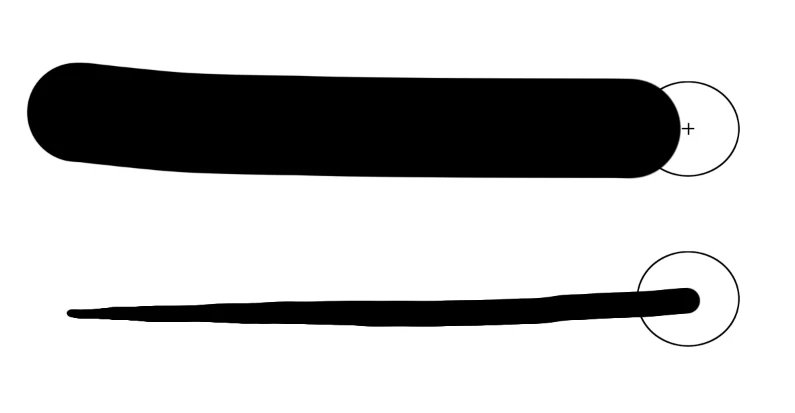
 AdChoices