
Participant
June 12, 2023
Answered

Bug in Photoshop (Beta)

  • June 12, 2023
  • 2 replies
  • 535 views

Hello!
I would like to report a problem with the new version of Photoshop that I am currently working with.
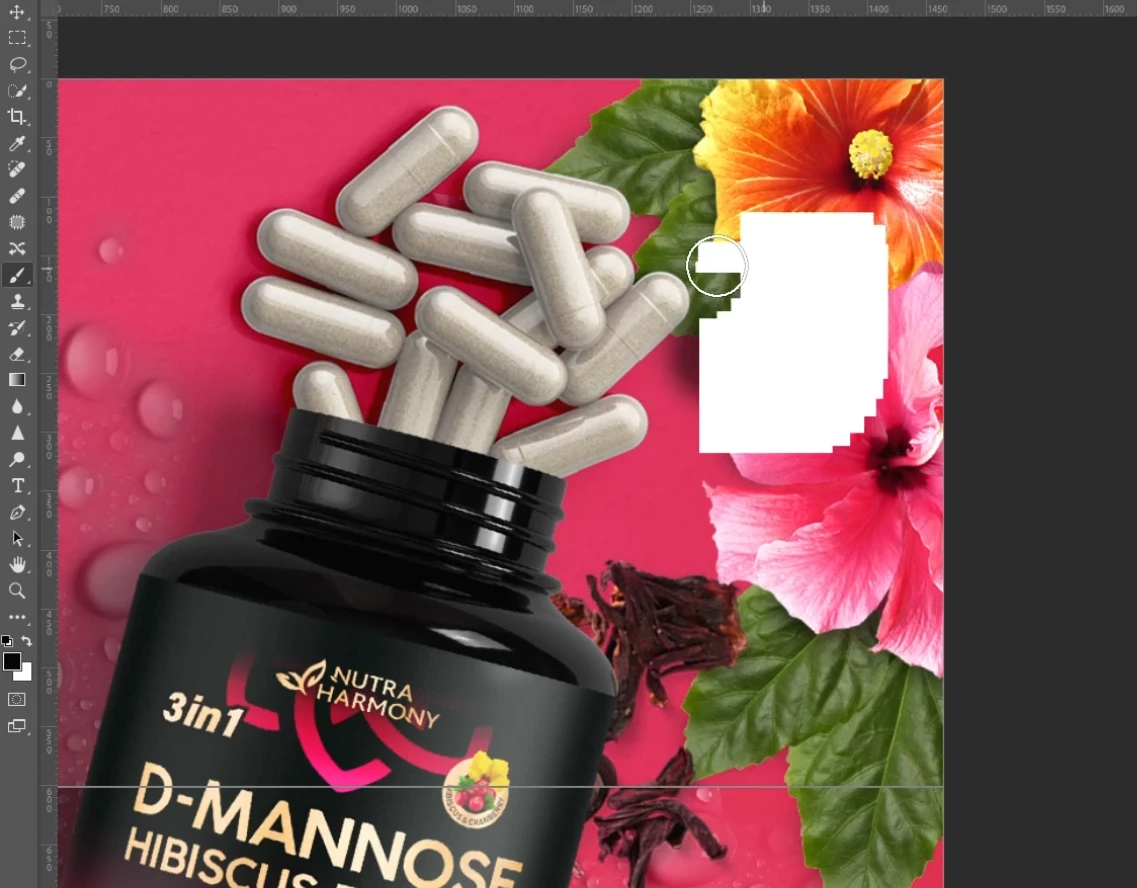
Until a certain time, the program worked fine, but recently there is a bug in the form of white squares when I use a brush or erase an object.
This is all due to the fact that the version is still trial, so there is such a problem? I won't be able to work in it right now?
as I would very much like to use it further and further test the artificial intelligence created by the company.
I would appreciate your feedback, thanks!

I'm also attaching a snippet of my work showing this bug when I'm working with a brush.
This topic has been closed for replies.
Correct answer AxelMatt

Try to enable the Older GPU Mode option in "Preferences" > "Technology Previews" > "Use Older GPU Mode (pre 2016)".

Then goto "Preferences" > "Technology Previews" and enable "Disable Native Canvas".

Restart Photoshop.

Is your system up-to-date? Please check if there an update for your graphical device driver is available. If yes, download and install it and check again.


2 replies

Participant
June 12, 2023

Thanks! I just tried it - it seemed to help and the bug disappeared.
I will try further at work.
Thank you again)

AxelMatt
Community Expert
AxelMattCommunity ExpertCorrect answer
Community Expert
June 12, 2023

Try to enable the Older GPU Mode option in "Preferences" > "Technology Previews" > "Use Older GPU Mode (pre 2016)".

Then goto "Preferences" > "Technology Previews" and enable "Disable Native Canvas".

Restart Photoshop.

Is your system up-to-date? Please check if there an update for your graphical device driver is available. If yes, download and install it and check again.


My System: Intel i7-8700K - 64GB RAM - NVidia Geforce RTX 3060 - Windows 11 Pro 25H2 -- LR-Classic 15 - Photoshop 27 - Nik Collection 8 - PureRAW 6 - Topaz Photo AI