
commpass
Participant
October 23, 2019
Question

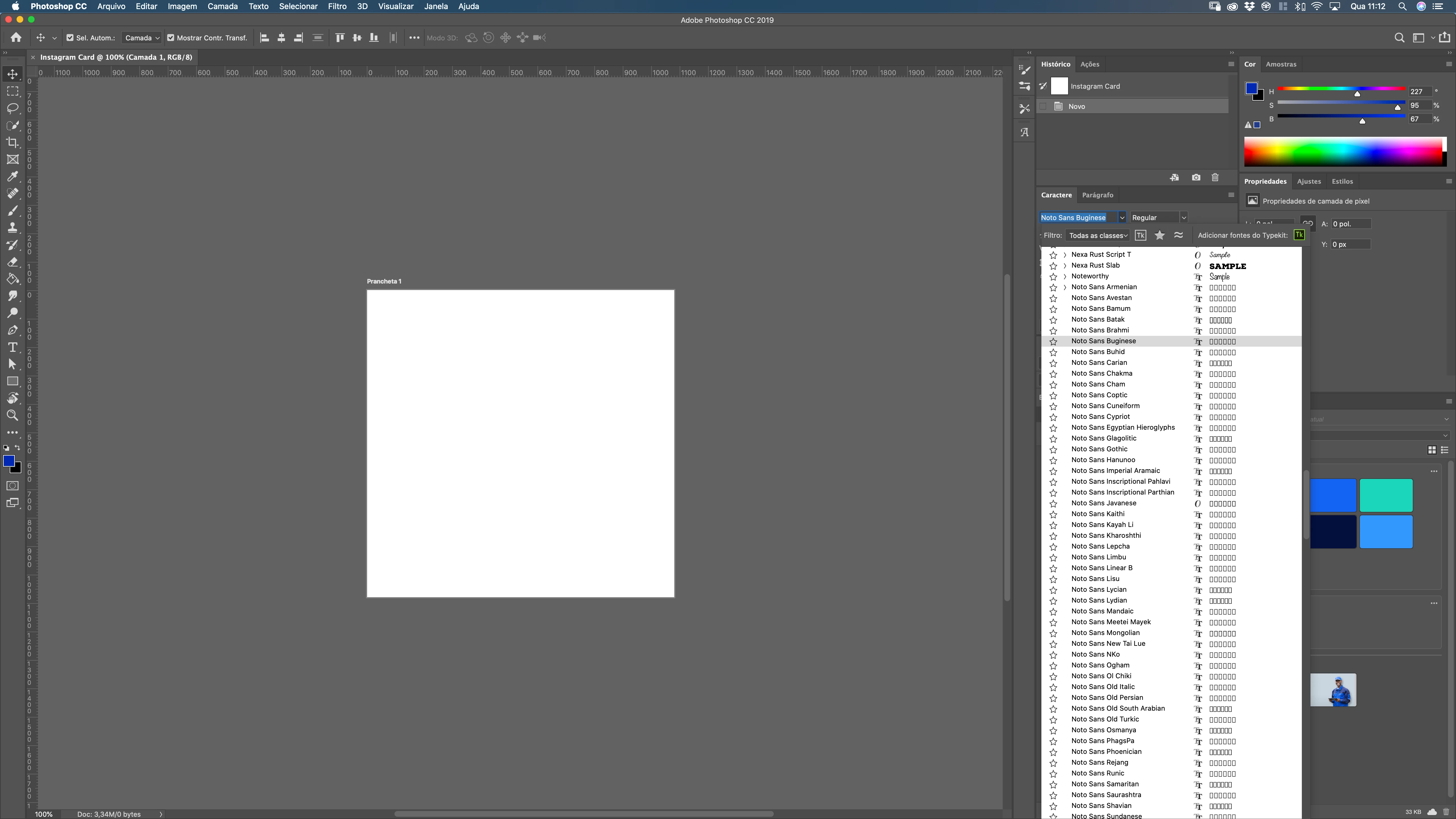
BUG in Photoshop with macOS Catalina: Noto fonts are crowding font list.

  • October 23, 2019
  • 11 replies
  • 6137 views

BUG in Photoshop with MacOS Catalina: Noto fonts are crowding font list. This is happening only in ADOBE Apps (PSD, AI, ...).    Hey ADOBE!  Could you please FIX THIS ANNOYING BUG?  
 

[Moved from generic Start/Help forum to the specific Program forum... Mod]
[To find a forum for your program please start at https://community.adobe.com/]


    This topic has been closed for replies.

    11 replies

    Chuck Uebele
    Community Expert
    Community Expert
    October 23, 2019

    Did you update Photoshop to the new version that is suppose to fix many of the Catalina issues?

    https://community.adobe.com/t5/Photoshop/Photoshop-20-0-7-is-now-available/td-p/10687924

    Chuck Uebele
    Community Expert
    Community Expert
    October 23, 2019

    Also, if you have a Nvidia card, I heard from a developer that Mac really screwed up with using those cards. Adobe apps tend to rely on graphic cards heavily, to Mac's issues with Nvidia will most likely show up there and not in other apps.