
gibsonion
Known Participant
December 10, 2018
Answered

Bug Report: Drop Shadow Shifting Position & Clipping

  • December 10, 2018
  • 2 replies
  • 1212 views

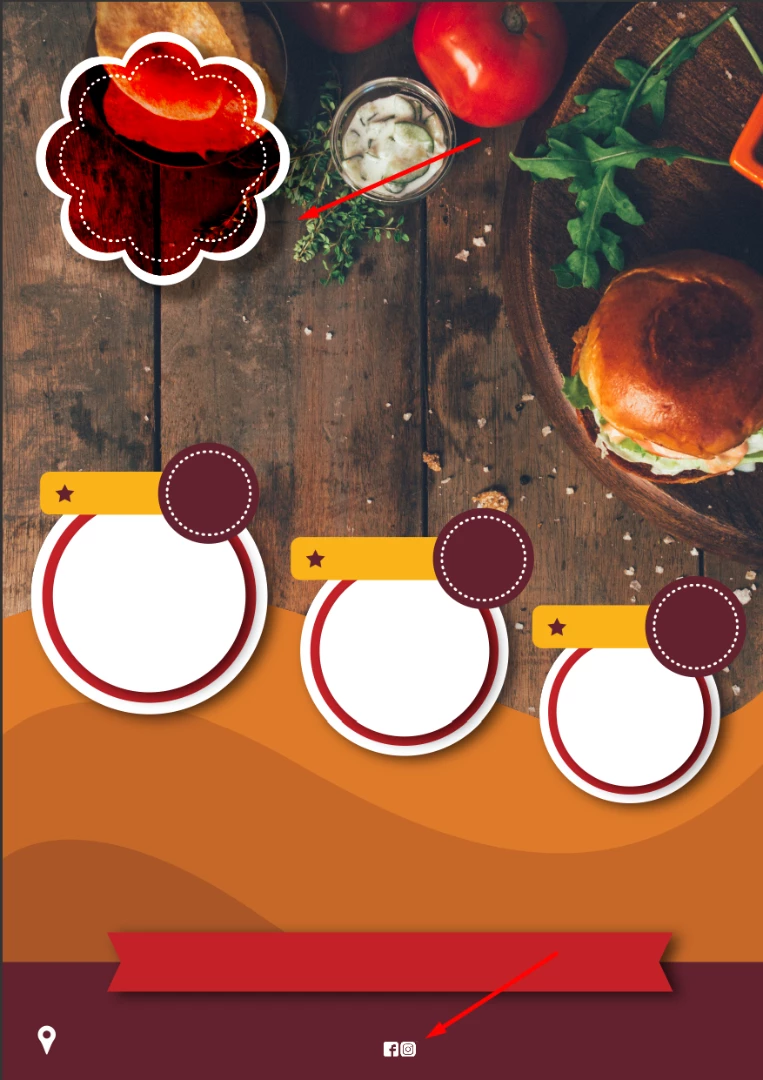
I'm using the latest release of Photoshop. I have a drop shadow on one layer which the distance changes drastically when enabling/disabling a color overlay of another layer which is completely unrelated, the color overlay is on group containing the social icons at the bottom of the page.

The layer with the drop shadow is outside of the group and above it in the layers panel. Enabling/disabling the entire group has the same effect. Enabling/disabling any or all of the layers inside the group has no effect.

The amount of shift seem to increase exponentially the higher the original drop shadow distance. At 20px the shift was fairly mild, below is set to 40pxonce the shadow jumps a certain amount of distance it starts to clip at the edges.

This topic has been closed for replies.
Correct answer c.pfaffenbichler

Does checking

Photoshop > Preferences > Performance > Legacy Compositing

and restarting Photoshop make a difference?

2 replies

ralphb40917586
Participant
October 14, 2020

I had same problem with drop shadow cutoff.  This solution worked!

c.pfaffenbichler
Community Expert
c.pfaffenbichlerCommunity ExpertCorrect answer
Community Expert
December 10, 2018

Does checking

Photoshop > Preferences > Performance > Legacy Compositing

and restarting Photoshop make a difference?

gibsonion
gibsonionAuthor
Known Participant
December 10, 2018

Yep that fixes it. Thanks.

c.pfaffenbichler
Community Expert
Community Expert
December 10, 2018

You may want to look if there is a bug report on the issue already and otherwise post one over at:

Photoshop Family Customer Community