
Inspiring
April 5, 2018
Answered

Camera Raw color doesn't match the exported file

  • April 5, 2018
  • 2 replies
  • 2259 views

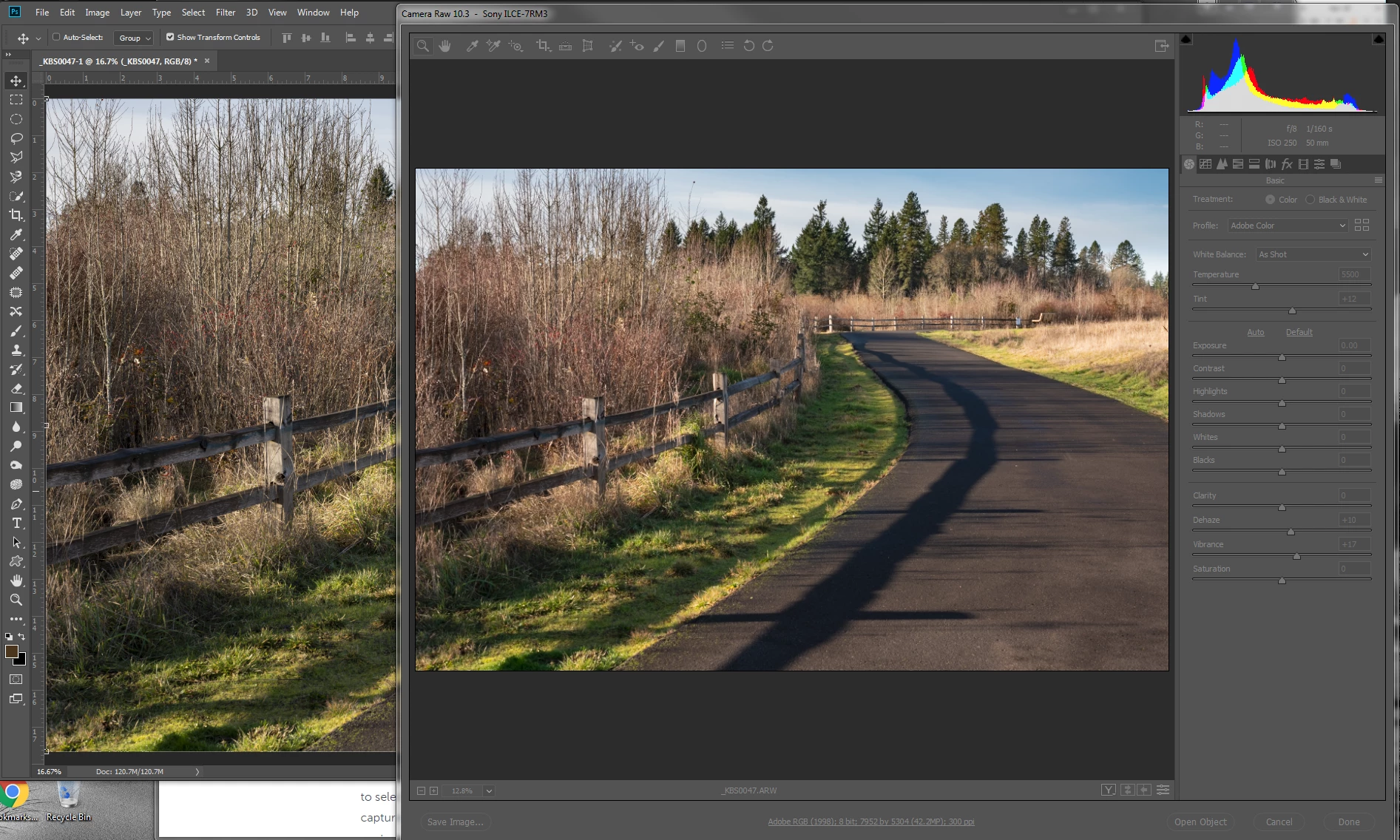
After updating Photoshop to the latest version as of 4/4/2018, I noticed that the screen rendering of the Camera Raw adjustments are not the same as the exported file in Photoshop.  Both are the same color space, Adobe 1998.  It seems that the reds do not translate nor some of the blue hues.  Here is a screen capture showing the difference in the red values.
    This topic has been closed for replies.
    Correct answer Kim Brun

    Thanks for the clarification.  Still both of the renderings were on the same monitor and they result in different colors.  This doesn't occur with Lightroom.  The exported file is identical to the Lightroom rendering.  So back to the problem, why isn't ACR accurate?


    Decided to profile both monitors.  It has been at least six weeks since I last calibrated them. This seems to have been the solution.  All windows in ACR, Photoshop and Lightroom match when view the same file.  Odd that only ACR seems to have been significantly skewed.  

    2 replies

    D Fosse
    Community Expert
    Community Expert
    April 5, 2018

    Do you have a dual screen setup (like laptop + external)? If you do, try to set display assignments in the OS so that both ACR and Photoshop open on the main display, not the secondary.

    I suspect what happens here is that ACR uses the wrong monitor profile. It's been reported quite a few times.

    This is clearly a bug, but whether it's a bug in ACR or the operating system or both is impossible to say.

    Kim BrunAuthor
    Inspiring
    April 5, 2018

    Both of the examples I provided are screen captures of my Main monitor.  That is the reason for the extreme overlap of the ACR rendering and the Photoshop rendering. So it isn't a monitor profile issue.

    D Fosse
    Community Expert
    Community Expert
    April 5, 2018

    https://forums.adobe.com/people/Kim+Brun  wrote

    So it isn't a monitor profile issue.

    I don't think you understand. This isn't about how the monitor is calibrated. Most people confuse calibration with monitor profile. A monitor profile doesn't adjust anything - it is a description of the monitor's response in its calibrated state (but much more detailed). If that description is incorrect, the displayed image is incorrect.

    The monitor profile is a standard icc profile, just like any other icc profile, used in a standard profile conversion from the source color space into the destination (monitor) color space. If the application converts to two different profiles, the results will be different, even on the same screen. The profile needs to be the correct one.

    Kim BrunAuthor
    Inspiring
    April 5, 2018

    Found this file in the SDK folder for ACR and Lightroom Profile SDK.  The screen capture below shows the color shift from ACR to Photoshop for Adobe Color Example;

    Adobe, we have a problem!

    April 5, 2018

    I'm not noticing any differences between PS and ACR both using Adobe 1998

    Kim BrunAuthor
    Inspiring
    April 5, 2018

    I do.  The same color shift to cyan though not as pronounced as my two examples.