Participant
August 3, 2017
Answered

Camera Raw filter on Photoshop CC 2017 "freezing" the iMac

  • August 3, 2017
  • 2 replies
  • 742 views

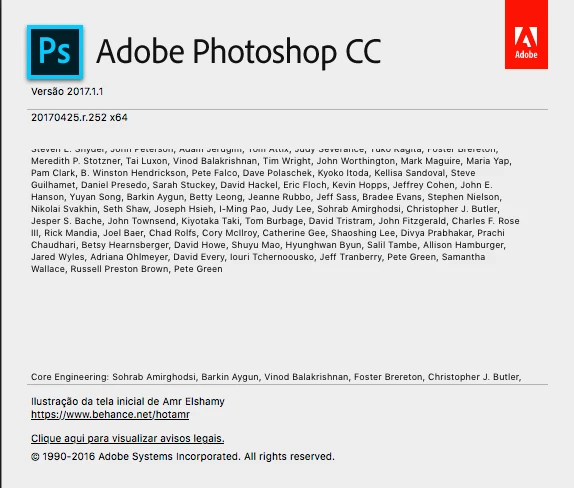
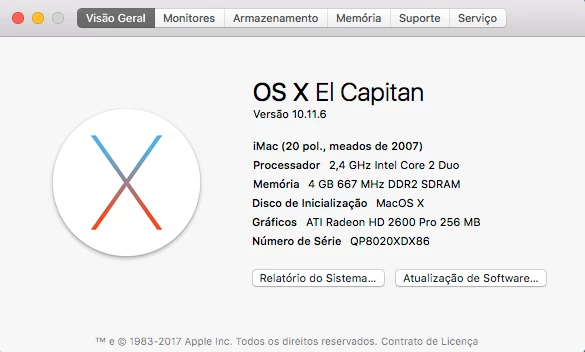
I have a serious problem with an iMac mid 2007. After the last Camera Raw update, when I use the Camera Raw filter on Photoshop, it's completely freezing the iMac. The only thing i can do, is to restart it with the power button. Anyone has faced this same problem? I have no ideia what to do, tried to reinstall the Photoshop but didn't work.

Here is the iMac and Photoshop infos:
This topic has been closed for replies.
Correct answer SteveWeinrebe

Try launching Camera Raw (not the filter) and clicking the "preferences" button in the tool bar at top (between the radial filter and the rotate buttons), and uncheck Use Graphics Processor at the bottom of preferences. See if that helps.

Steve

2 replies

Participant
January 23, 2018

Where is camera raw if not in the filters I have cc 2018

SteveWeinrebeCorrect answer
Inspiring
August 4, 2017

Try launching Camera Raw (not the filter) and clicking the "preferences" button in the tool bar at top (between the radial filter and the rotate buttons), and uncheck Use Graphics Processor at the bottom of preferences. See if that helps.

Steve

Participant
August 7, 2017

Thank you Steve, that worked fine!