
Question
Camera RAW Image Preview is Oversaturated
Hi,
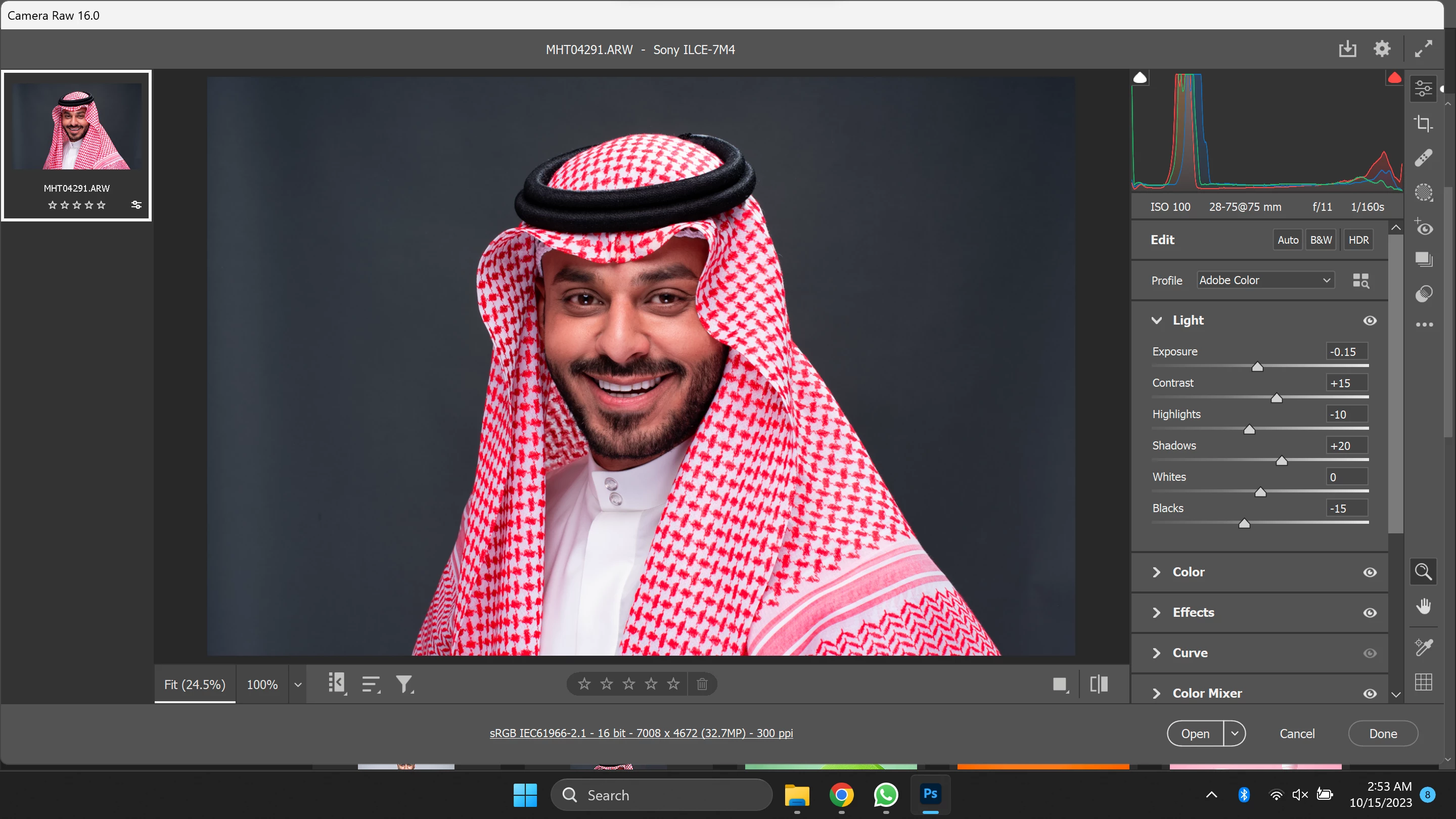
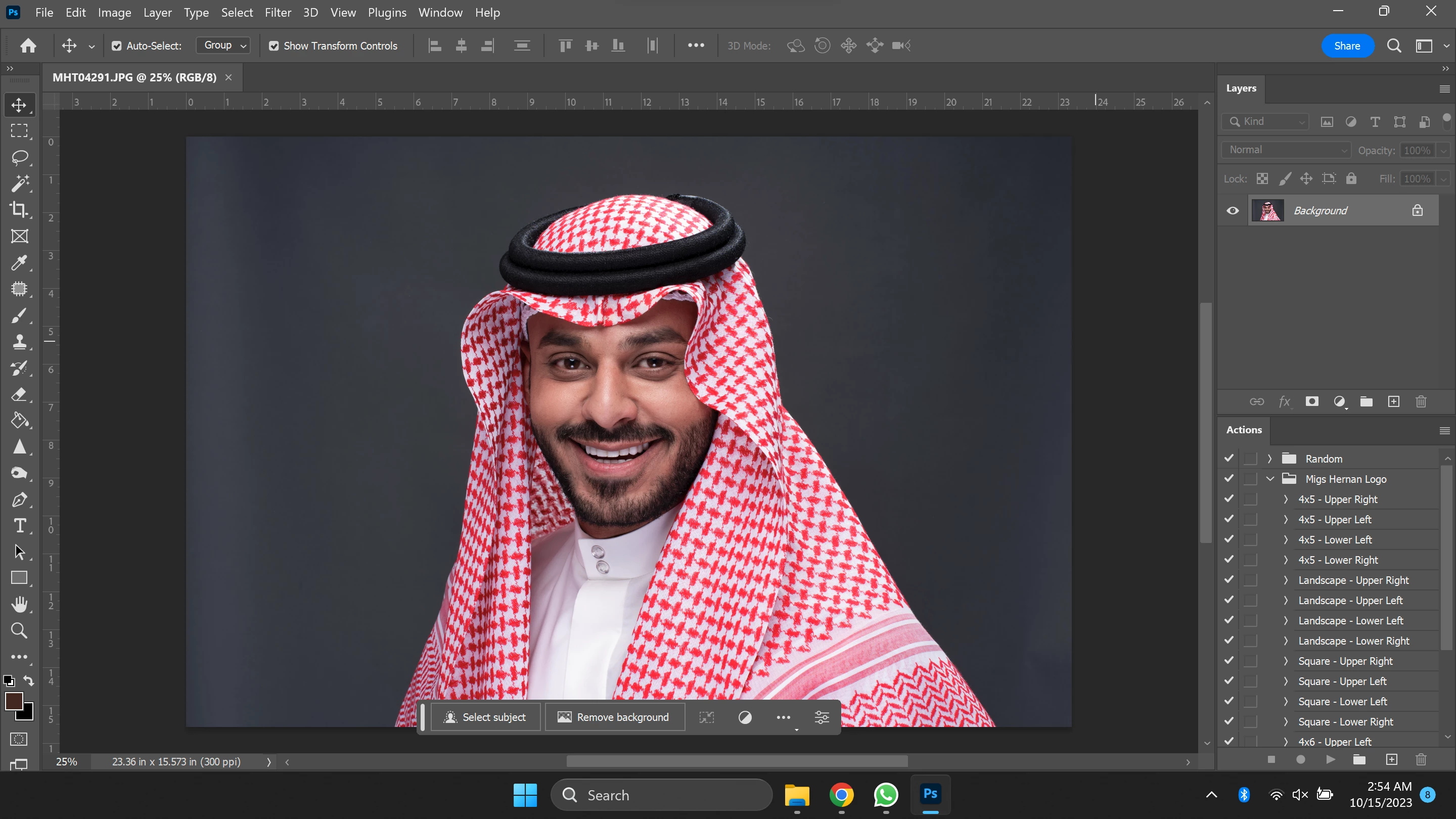
I just updated my Camera RAW yesterday to Version 16.0.0.1677 and since then, I noticed that everything that I open on it is oversaturated. All of the photos I export from it to Photoshop will look normal but while in the Camera RAW, it will look over saturated.
Here is the screenshot of a photo in Camera RAW.
And here is the screenshot after exporting the same photo.
Because of this, it become so hard to edit in Camera RAW now because of the oversaturated preview of photos. Please help!
I am using Windows 11 Home Single Language Version 22H2 on my Asus Vivobook Pro 15 Laptop.
 AdChoices