Participant
November 24, 2019
Answered

Can I delete Ps 2019 after upgrade to Ps 2020

  • November 24, 2019
  • 2 replies
  • 1070 views

When I opened PS both versions opened.  Can I delete Ps 2019 without losing work? If so, how?


[Moving from generic Start/Help forum to the specific Program forum... Mod]
[To find a forum for your program please start at https://community.adobe.com/]
This topic has been closed for replies.
Correct answer Derek Cross

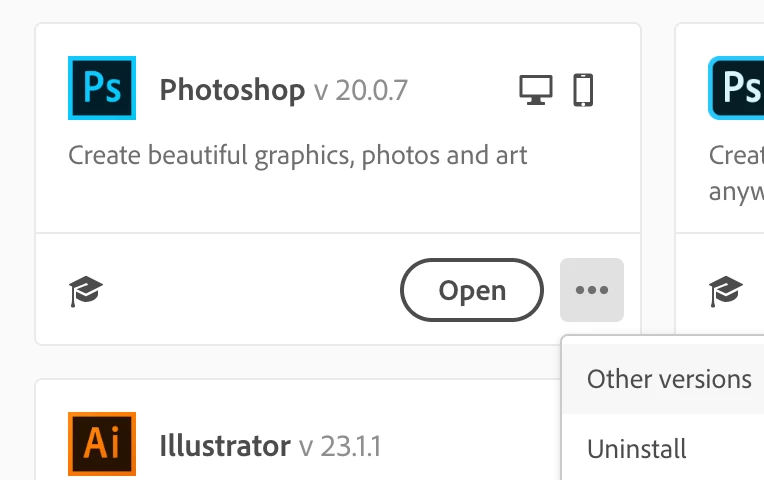
You can unistall Photoshop CC2019 using the drop-down menu in the Creative Cloud app.

2 replies

Juanjo5E34
Participant
August 21, 2020

And how can I do it if 2019 version doesn't appear inside Creative Cloud app as installed?  Don't know why! I also want to save my 2019 aspects into the new one. 
If I try to uninstall PS as we do any other programm in MAC Catalina I couldnt do it neither. 

Derek Cross
Community Expert
Derek CrossCommunity ExpertCorrect answer
Community Expert
November 24, 2019

You can unistall Photoshop CC2019 using the drop-down menu in the Creative Cloud app.

chris6768Author
Participant
November 24, 2019

Thanks very much Derek.