
Answered
Can I enlarge focal points image in Colorization window?
When manually colorizing, the image provided to apply "focal points" is much too small as it comes up in the colorization window. Can I make it larger?

When manually colorizing, the image provided to apply "focal points" is much too small as it comes up in the colorization window. Can I make it larger?
Thanks! The diagonal on the preview is just shy of 5 inches on a 20 inch monitor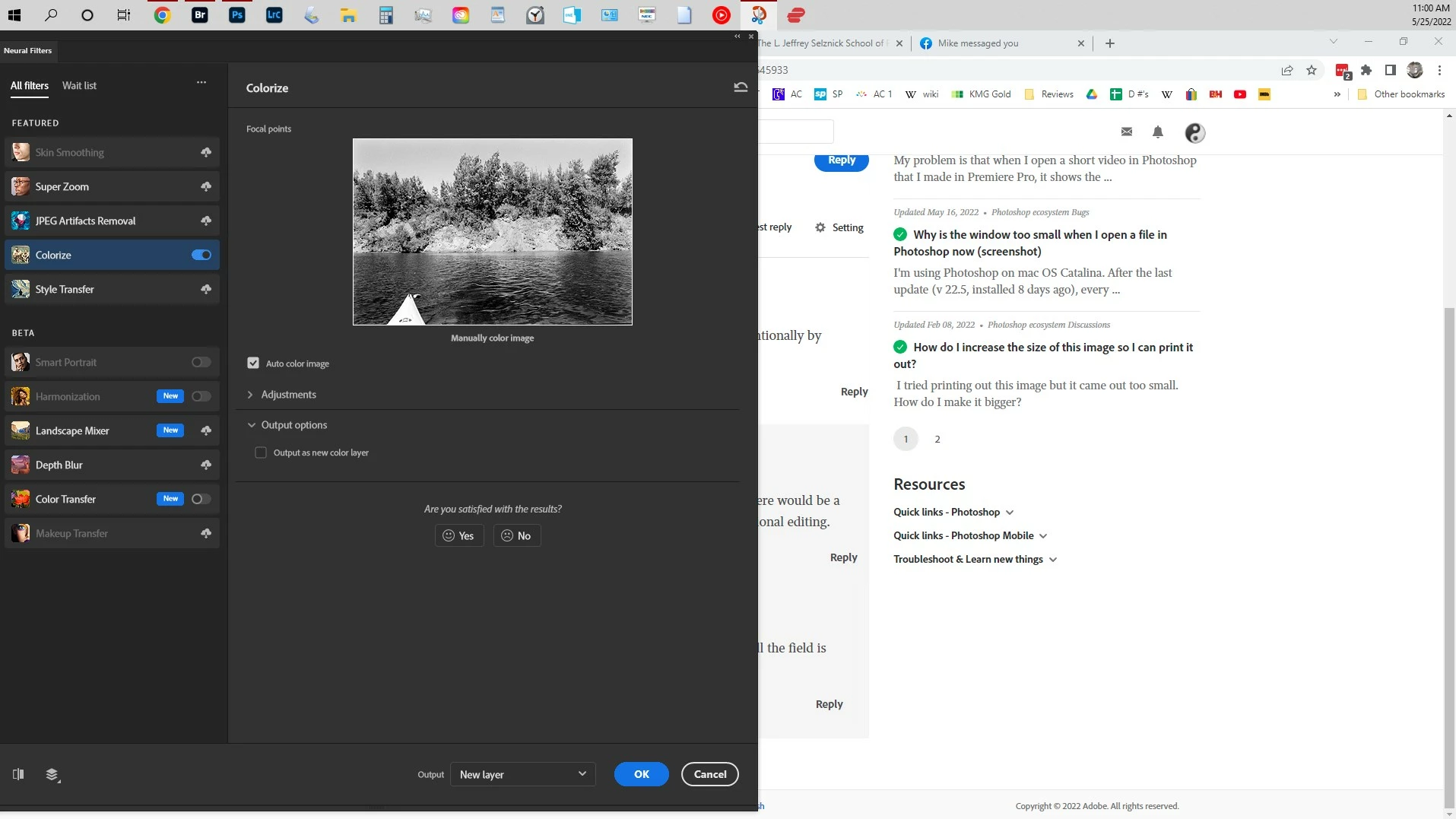
I don’t seem to be able to get the preview bigger than 368px (for a square image).
Did you try hitting »No« unter the »Are you satisfied …«-section?
Is there some option to provide specifics as to why one is not dissatisfied with teh Filter?
Otherwise I guess you should probably post a Feature Request about more (size) options for the Neural Filters Panel, that way others could add their vote.
Already have an account? Login
Enter your E-mail address. We'll send you an e-mail with instructions to reset your password.
 AdChoices