Participant
July 2, 2021
Answered

Can I get Photoshop CC 2015 still?

  • July 2, 2021
  • 1 reply
  • 18209 views

I'm on a trial version of Photoshop CC 2021 right now but since my computer was manufactured 2014, I am not able to access certain tools in the software. I am unable to afford a new computer, and regardless, what I have works amazing and I have no need to upgrade. Am I able to find and download CC 2015 if I become a paying subscriber?

Correct answer Ged_Traynor

JJMack,

 
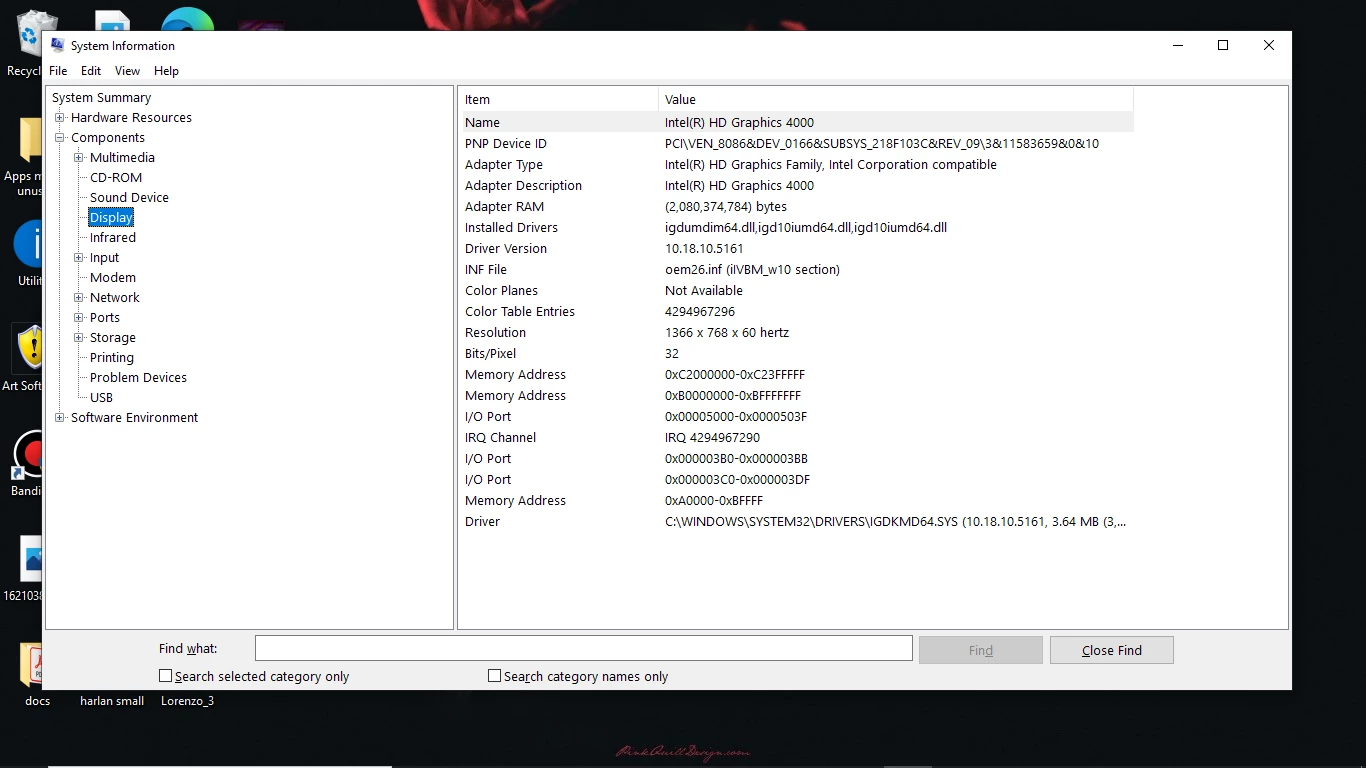
Here are the basics of my system info:


HP 15 Touchsmart Notebook (manufactured 2014)
OS: Windows 10

Processor: Intel Core i3
Graphics: Intel HD Graphics 4000


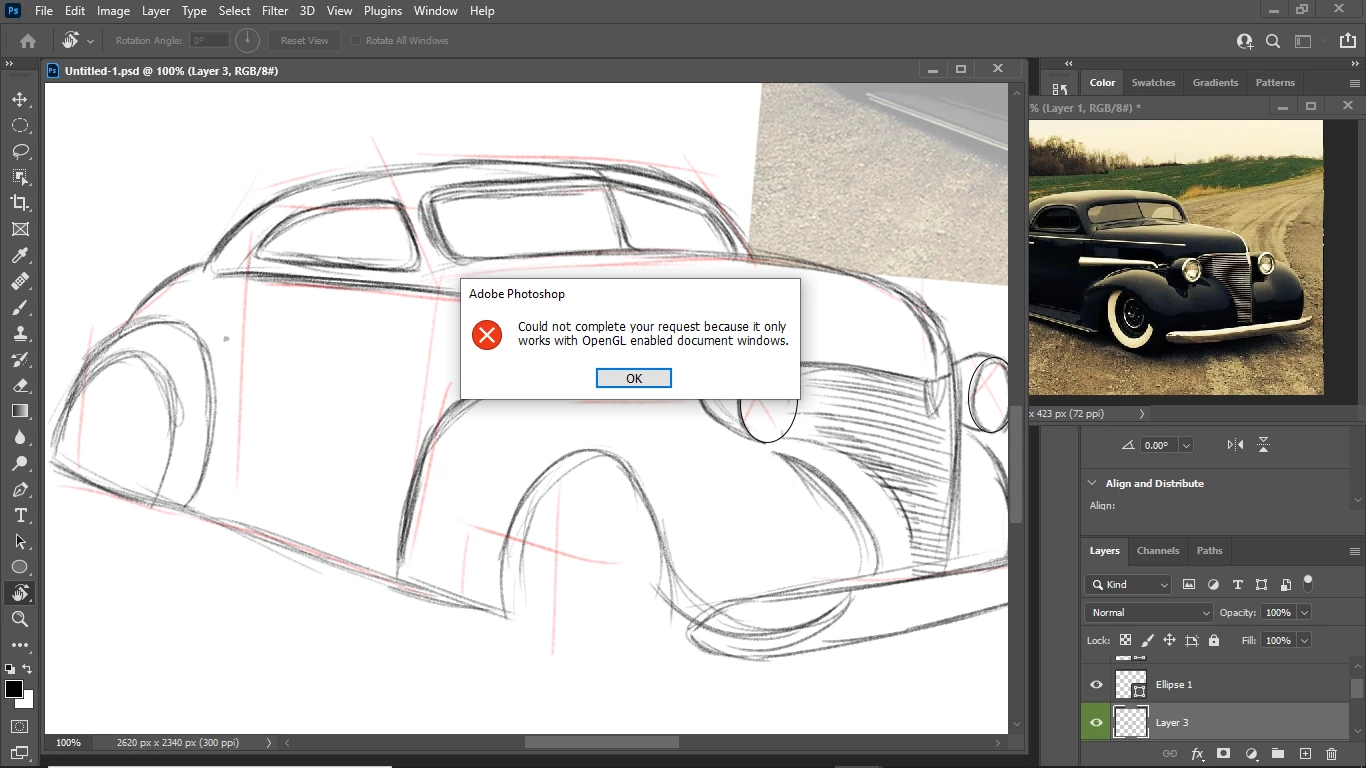
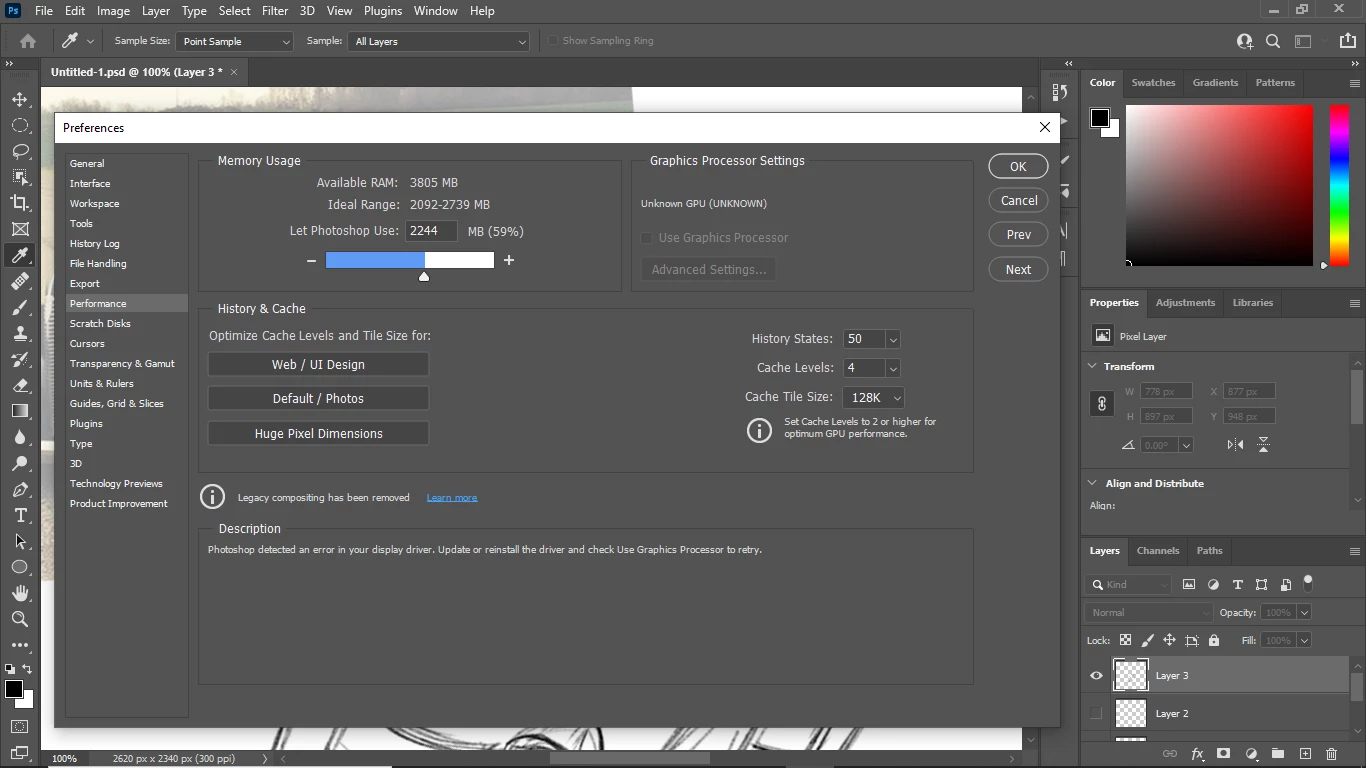
The compass rotate tool is the only thing so far I'm unable to use because of this. I read somewhere else in the forum that a person with the same HD Graphics 4000 I have was able to use CC 2015. I haven't downgraded to the 2020 version yet but going by my research it appears my integrated graphics system will be a problem to make the compass work regardless unless I get 2015 (if that still works).

There's more info in the attached screenshots

Hi

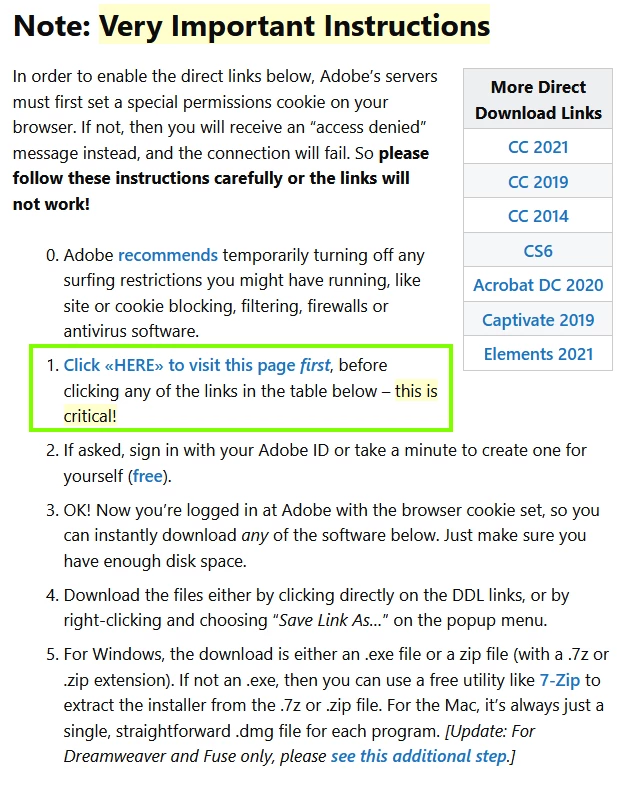
You're using a seriously under powered PC to run the most recent versions of Photoshop, you can download Photoshop CC 2015 from here, you have to follow the very important instructions

https://prodesigntools.com/adobe-cc-2015-direct-download-links.html
 

1 reply

JJMack
Community Expert
Community Expert
July 2, 2021

The Creative Cloud Desktop application will install Photoshop 2020 as well as Photoshop 2021.  Photoshop 2020 is better than  Photoshop CC 2015 and CC 2015.5.   Photoshop 2020 Machine requirements are the same as CC 2015. Photoshop 2020 is more stable than Photoshop 2021 and does not have all the issues the Photoshop 2021 has. So install  Photoshop 2021 version 21.2.9 using the Creative cloud desktop application and see how it works on your machine.  My PC was manufactured in 2013.  version 21.2.9  works well on it. You can Download  older version from the web and install them like cc 2015.  The Creative Cloud Desktop will activate them if you sign with your account that has a subscription.

JJMack
Participant
July 2, 2021

Oh alright, thank you for the information!


One final question. Will the hand free-rotate tool work in the 21.2.9 version? That's the tool I'm having issues with because of my laptop's integrated graphics. This is what I'm dealing with currently:

JJMack
Community Expert
Community Expert
July 2, 2021

If you are having Problems with you GPU in Photoshop 2021 version 22.x you may not have a problem in Photoshop 2020.  Adobe change GPU requirements in Photoshop 2021.  2GB of VRAM is now required and faster GPU are suggested some older GPU are no longer supported.  You fails to state what version you have  a gpu problems in.  All the rotate tool I used ine photoshop required me to use at least my fingers which are attached to my hands.  The Rotate tool that rotate the canvas so you can paint easier the one with the big compass requires the use of a gpu it must be detected and  set to be used in your Photoshop preferences.

JJMack