


Participant
August 5, 2022
Question

Can only view a corner of an opened filed in Photoshop CS6

  • August 5, 2022
  • 3 replies
  • 611 views

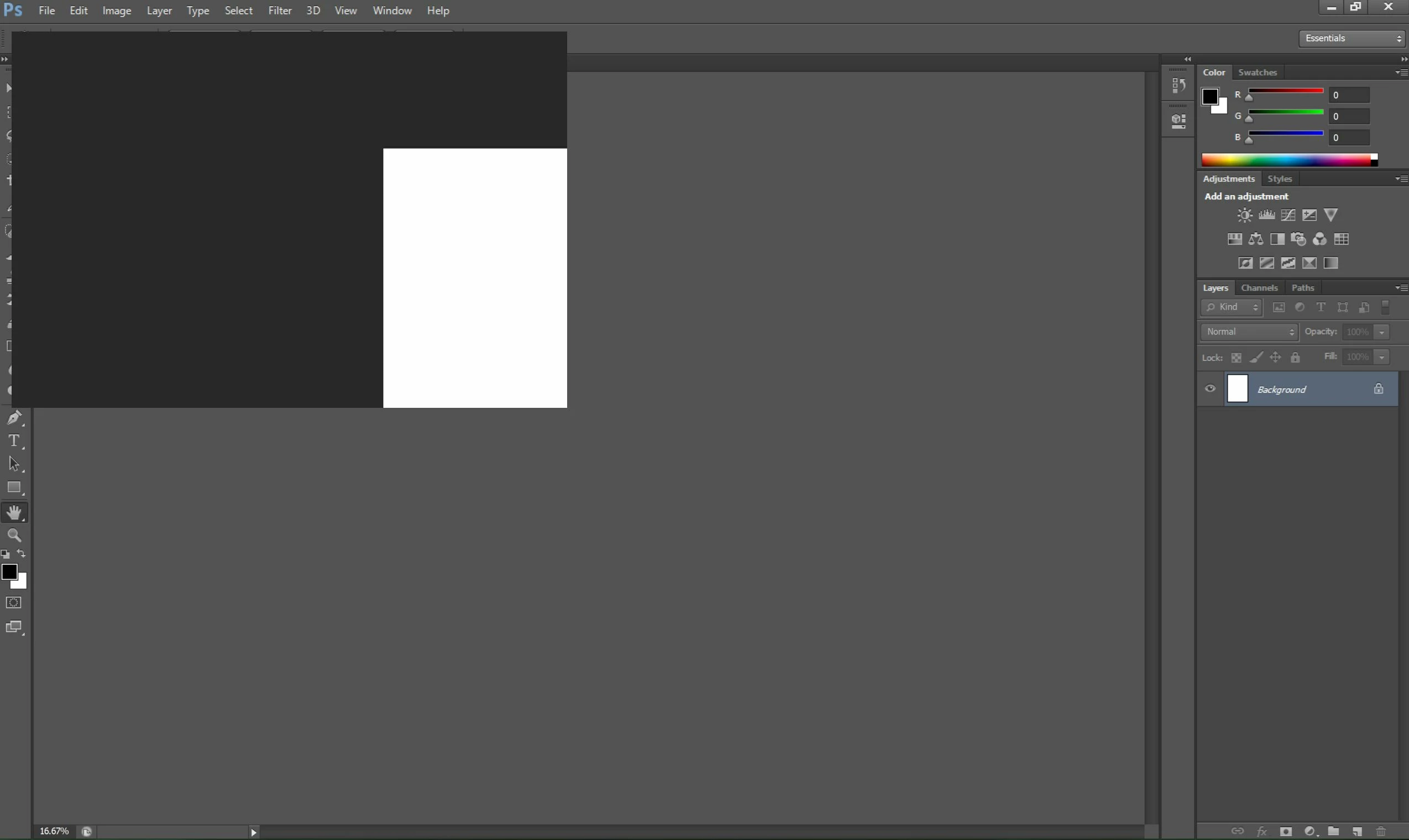
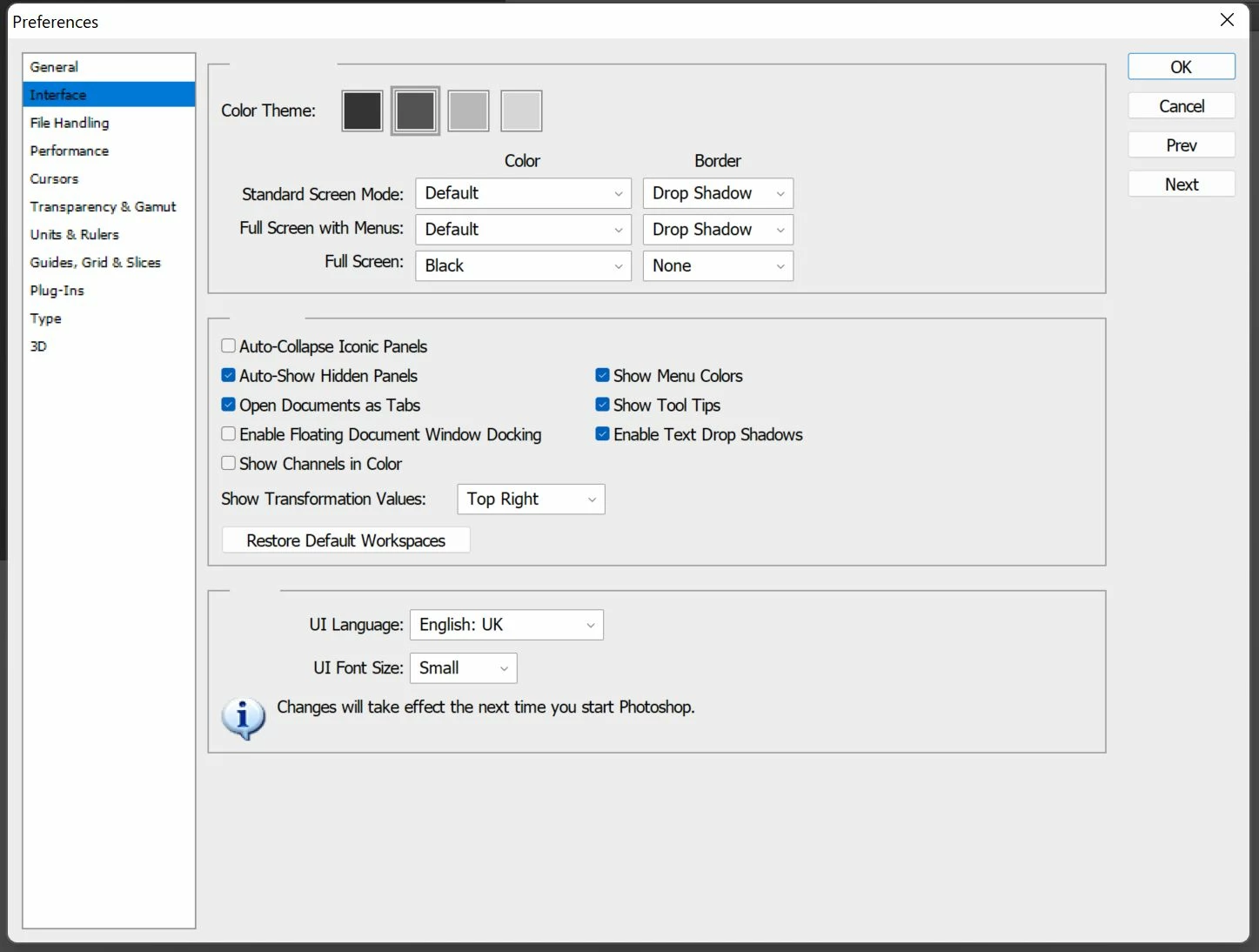
Hi, I have recently installed Photoshop CS6. When I tried to open a file, only a corner of the file appeared at the left hand corner of the screen. I tried dragging the layer and enlarging it. When I am holding onto the picture, I see the whole of it, but once I released the corner, it is back to the same problem. I tried unchecking the floating window under Preferences - Interface, but it did not solve the problem. Somehow, the files do not open as tabs, even though the option is checked. Could anyone advise me on this problem.
This topic has been closed for replies.

3 replies

Jeff Arola
Community Expert
Community Expert
August 6, 2022

Are you using a laptop/computer with two graphics cards (gpu)


One intergrated and the other dedicated.


Also in photoshop go to Help>Updates and see if you can get the 13.0.1.3 update

Participant
August 16, 2022

I have updated the program, but doesn't help either. Ya, I realised that I have an integrated and dedicated graphic cards. Does this affect photoshop?


Jeff Arola
Community Expert
Community Expert
August 16, 2022

Yes turning off the intergrated card will let photoshop use only the one dedicated card.

Photoshop doesn't do well wth two different graphics cards so one needs to be disabled and usually the intergrated card is the one to disable.

Jeff Arola
Community Expert
Community Expert
August 5, 2022

Do you have the windows Taskbar at the top or side of the screen?


If so, try moving it to the bottom and see if that makes a difference.

Participant
August 6, 2022

No, my task bar is at the bottom.

Derek Cross
Community Expert
Community Expert
August 6, 2022

Have you tried resetting the preferences back to the factory defaults?

1) Close Photoshop.
2) Double click on the Adobe Photoshop icon to launch it
3) QUICKLY hold down Ctrl+Alt+Shift. (for Windows) or CTL+OPT+CMD+Shift (for Mac OS X)
4) When a dialogue appears, asking you “Delete Photoshop Preference Files?” Click Yes.
If you don't see the question repeat the procedure again.

Ged_Traynor
Community Expert
Community Expert
August 5, 2022

"I have recently installed Photoshop CS6" Photoshop CS6 has not been sold for many years and is not supported any longer, you failed to mention what operating system you're using, more than likely this is a screen resolution isuue.

Participant
August 6, 2022

Thanks for your reply. Mine is Windows 11. My screen display is 2560 x 1600