
bartonlew
Legend
September 18, 2021
Answered

can't access shape tool options

  • September 18, 2021
  • 1 reply
  • 4620 views

I need to create shapes and access the Fall and other options.  Julianne Kost says to make sure to first access the drop down menu in the Options bar to choose between creating a Shape Layer, Path, or Filled Pixel regions.  
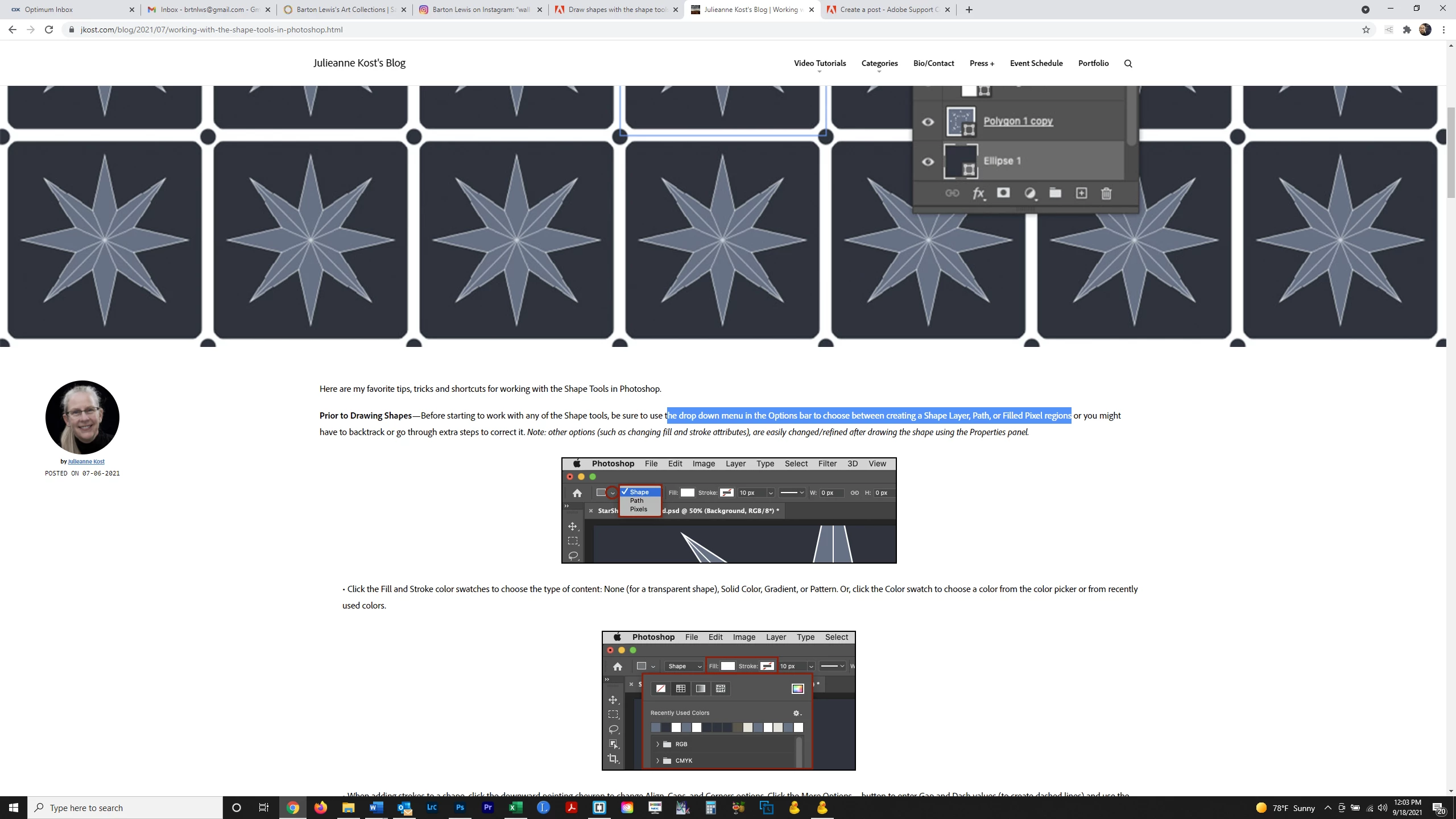
When I click on the same icon I don't get what she is showing.  I get:
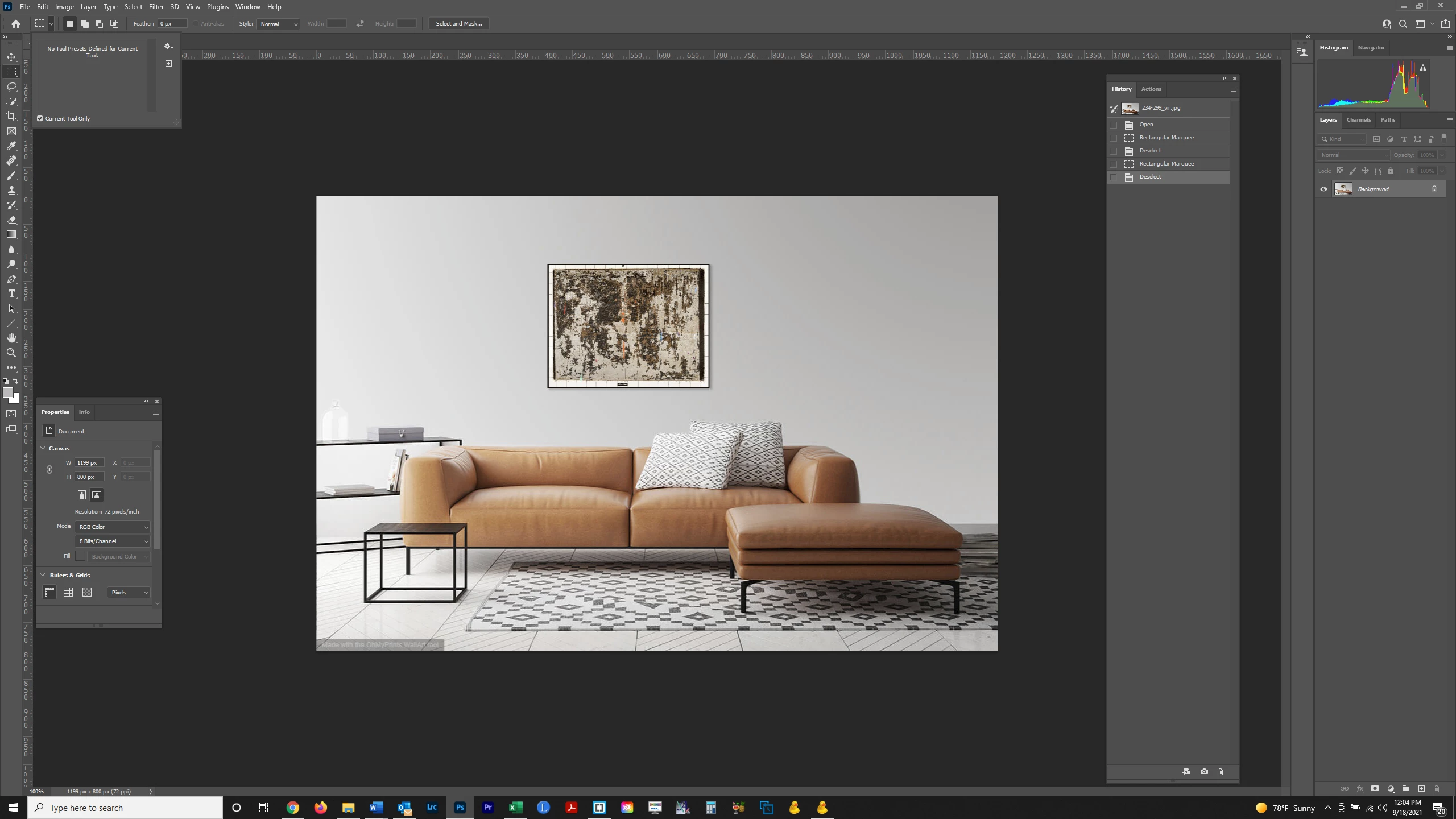
The drop down says "No tool presets designed for current tool."  What am I doing wrong?  Thanks.  
This topic has been closed for replies.
Correct answer jane-e

You are showing Properties for the document. You are creating Selections not Shapes.


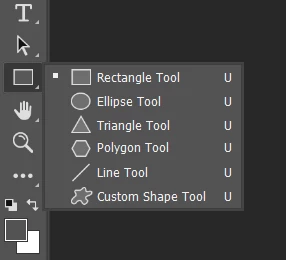
Your toolbar is not showing the Shape tools. Go Edit > Toolbar > click Restore Defaults

https://helpx.adobe.com/photoshop/kb/bringing-back-tools.html


Then use the Shape tools instead of the Selection tools:

https://helpx.adobe.com/photoshop/using/drawing-shapes-a.html


If you want to draw Shapes and not Paths or Pixels, set the option for Shapes in the options bar as per Julieanne's instructions.


When you draw a Shape, you will see a Shape layer in the Layers panel and your History panel will tell you that you have drawn a Shape.


Jane

1 reply

jane-e
Community Expert
Community Expert
September 18, 2021

@bartonlew wrote:

The drop down says "No tool presets designed for current tool."  What am I doing wrong?  Thanks.  


Hi

To access Properties for a Shape, first you must draw a Shape and have it selectied. You don't have any shapes in your document, and the tool you have selected is the Rectangular Marquee Selection tool. What version of Photoshop are you using?

~ Jane


bartonlew
bartonlewAuthor
Legend
September 18, 2021

Thank you.  I am using Adobe Photoshop Version: 22.5.1 20210907.r.441 de74e1a x64


I selected the portion of the image at the bottom left (I don't beleve the selection shows up in a screenshot).  But I still get that same option when I click on the upper right toolbar icon:


jane-e
Community Expert
jane-eCommunity ExpertCorrect answer
Community Expert
September 18, 2021

You are showing Properties for the document. You are creating Selections not Shapes.


Your toolbar is not showing the Shape tools. Go Edit > Toolbar > click Restore Defaults

https://helpx.adobe.com/photoshop/kb/bringing-back-tools.html


Then use the Shape tools instead of the Selection tools:

https://helpx.adobe.com/photoshop/using/drawing-shapes-a.html


If you want to draw Shapes and not Paths or Pixels, set the option for Shapes in the options bar as per Julieanne's instructions.


When you draw a Shape, you will see a Shape layer in the Layers panel and your History panel will tell you that you have drawn a Shape.


Jane