
Participating Frequently
March 22, 2018
Question

Can't add a duplicate layer style in Photoshop CS6. Help!

  • March 22, 2018
  • 3 replies
  • 2045 views

Hi,

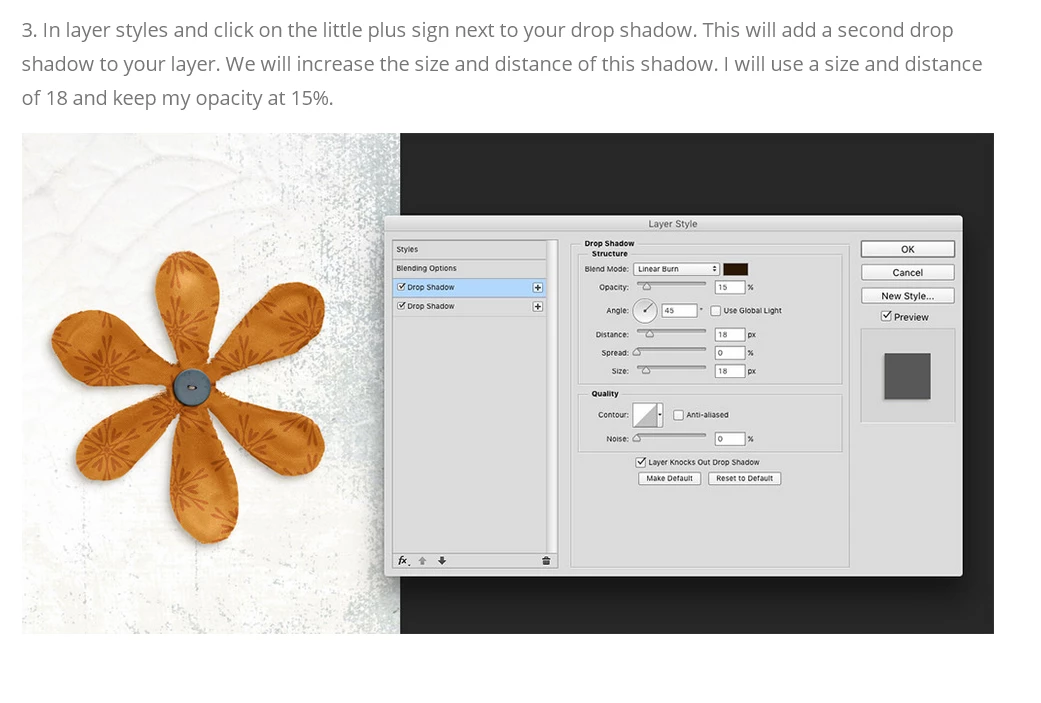
I'm following a tutorial which says "In layer styles and click on the little plus sign next to your drop shadow. This will add a second drop shadow to your layer". See attached.

I don't have that option in CS6, so how do I do this?

Thanks!CS6

.
This topic has been closed for replies.

3 replies

Participating Frequently
March 24, 2018

Hi!

Thank you for your responses. I'm basically trying to do this:

http://scrapaneers.com/realistic-drop-shadows-photoshop-cc-2015/

I want to add 4 drop shadows and save it as a reusable style. Is this option not available in CS6?

Thanks!

Participating Frequently
March 24, 2018

No it's not an option in CS6.

JohanElzenga
Community Expert
Community Expert
March 22, 2018

Change the layer (with its layer style) to a smart object. That enables you to add the same layer style again and still keeps both editable.

-- Johan W. Elzenga
Participating Frequently
March 22, 2018

Add your drop shadow and click OK. From the menu bar, Layer-Layer Style-Create Layer. That will place the drop shadow on its own layer. Now add a 2nd drop shadow to the original layer.

Participant
September 16, 2024

thanks mate