
December 20, 2016
Question

Can't add brushes to a CC library?

  • December 20, 2016
  • 2 replies
  • 5169 views

Hey all,


I heard Kyle's brushes would be useable in Adobe Sketch, so I decided to try to get that working. Unfortunately, aside from the free ones, nothing else would work. Kyle uses all Tool Presets anyway, so that's a bit misleading. I couldn't find any information on how to convert Tool Presets into Brushes that could be used in the library either. I also can't get Brush Presets to drag into a library (colors and graphics work.) (Gif below.) Using PS CC 2015.
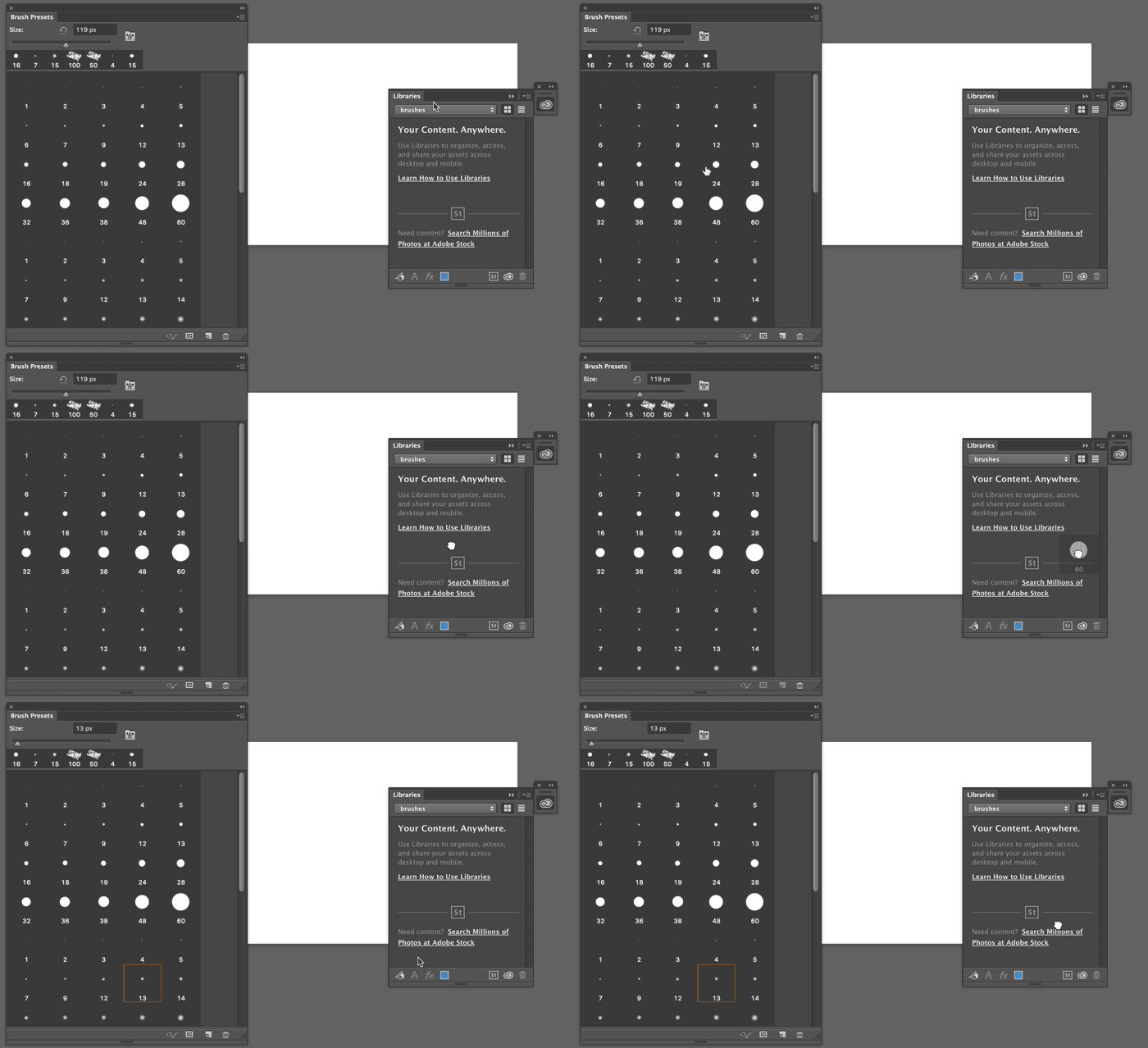
Any help on any of these issues is appreciated! Thanks so much!

This topic has been closed for replies.

2 replies

Inspiring
April 18, 2017

Mine will only save a brush from the preset manager, not the brush presets.

Kanikas
Legend
December 20, 2016
zenginejulia
Participating Frequently
April 15, 2017

Will there ever be an answer to this question?

All tutorials on adobe say, that one could drag and drop brushes into the library, but it doesn't work.

Trevor.Dennis
Community Expert
Community Expert
April 15, 2017

zenginejulia  wrote

Will there ever be an answer to this question?

All tutorials on adobe say, that one could drag and drop brushes into the library, but it doesn't work.

It's working for me.  Is there anything about your workflow that might be causing your issue?  I wonder if the way you display the brushes makes a difference?  No, I just tried setting to small list and it still works, so I can't think what is going on.  What version of Photoshop are you using?