
Participant
August 31, 2023
Question

Can't add or interact with scratch disks!

  • August 31, 2023
  • 5 replies
  • 405 views

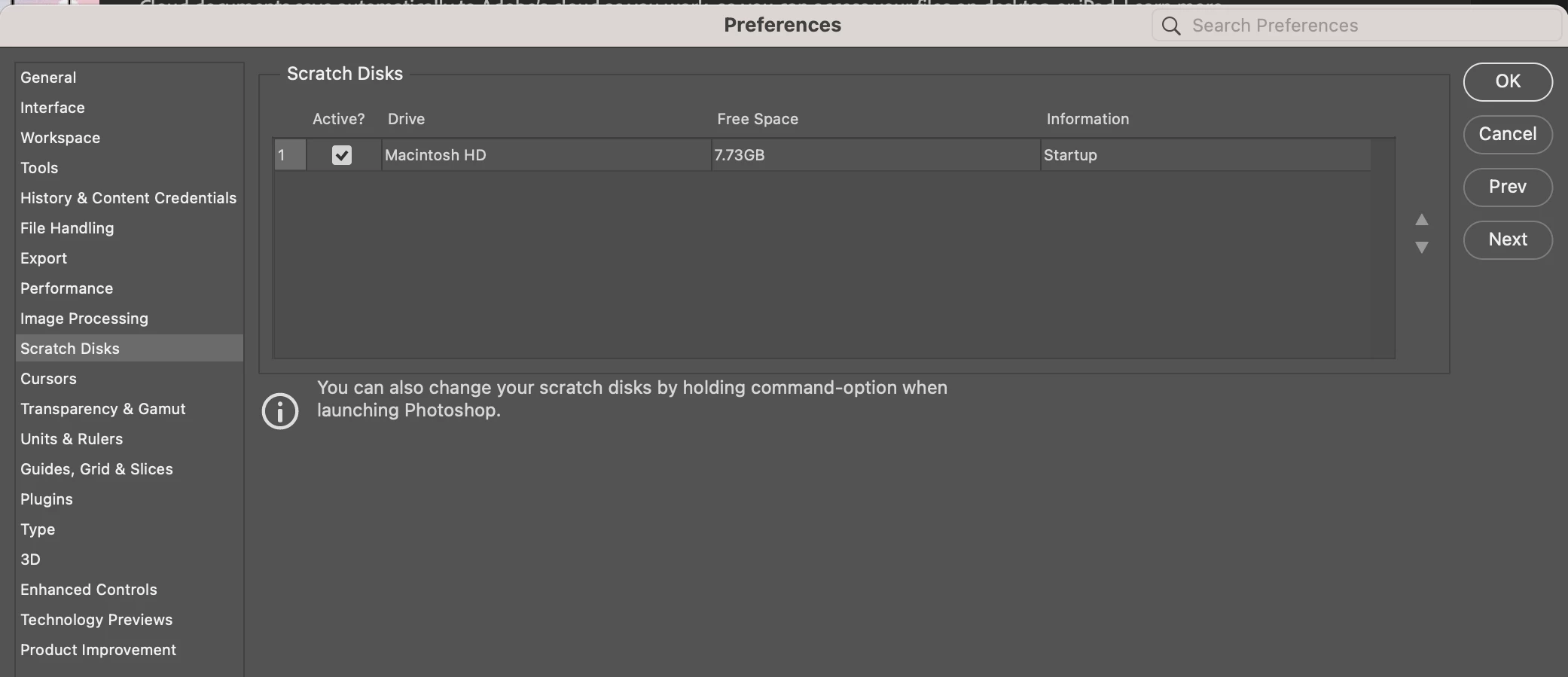
My MacBook keeps saying that my scratch disk is full. I try to plug in and add my new external hard drive and click on the check of the scratch disk I already have in the settings, but nothing seems to happen. Is there a way to possible fix this? All the help I could find on getting more storage space requires adding another scratch disk this way.
This topic has been closed for replies.

5 replies

Inspiring
October 23, 2023

Has this been resolved?!

I'm having the exacrt same issue. My external SSD hard disk (2 TB, 1.67 TB free, USB C 3.1) https://www.adorama.com/vdlstks20400.html?gclid=EAIaIQobChMIwKyjmqiMggMVwkxHAR3YsANSEAQYBiABEgIWyPD_BwE&gclsrc=aw.ds&utm_source=inc-google-shop-p
is properly formatted and connected via the MacBook's Thunderbolt 3.
While Illustrator let's me add a second/external scratch disk in Settings, Photoshop doesn't let me do that. There's no other option besides the MacBook's hard disk in PSD.

Kevin Stohlmeyer
Community Expert
Community Expert
August 31, 2023

How is it connected?

Participant
August 31, 2023
It’s already in APFS. Still doesn’t seem to work.

Get Outlook for iOS<>
Kevin Stohlmeyer
Community Expert
Community Expert
August 31, 2023

@Jackson23880438gid8 proper format as @Earth Oliver mentioned but also it has to be a fast enough connection minimum USB-C.

In the end adding an external scratch disk can help but if your Mac HD has only 7 GB available, the application itself will crash - the minimum HD space is 20 GB for Photoshop to run effectively. Even your Mac OS requires 12 GB free...
https://helpx.adobe.com/photoshop/system-requirements.html


Earth Oliver
Legend
August 31, 2023

you probably need to reformat the new disk using a native Mac format, like APFS.