Answered
Can't change font size
Using the latest version of Photoshop (24.6.0) on a Windows10 system.
The font size can't be changed. It will default to either 11 or 18 pixels. This is new since the last update.

Using the latest version of Photoshop (24.6.0) on a Windows10 system.
The font size can't be changed. It will default to either 11 or 18 pixels. This is new since the last update.
I don't think they can be locked, or you would not even have the the limited choice you mentioned.
Is this regardless of the font selected, or with a specific font?
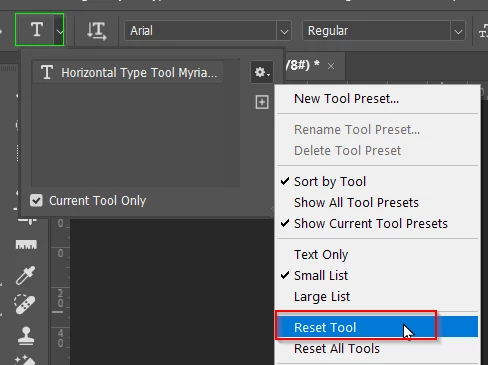
The quick fix would be to Reset the Type tool, but then you wouldn't know what was going on for the next time.
Already have an account? Login
Enter your E-mail address. We'll send you an e-mail with instructions to reset your password.
 AdChoices