marcusdiablo
Participant
December 10, 2019
Answered

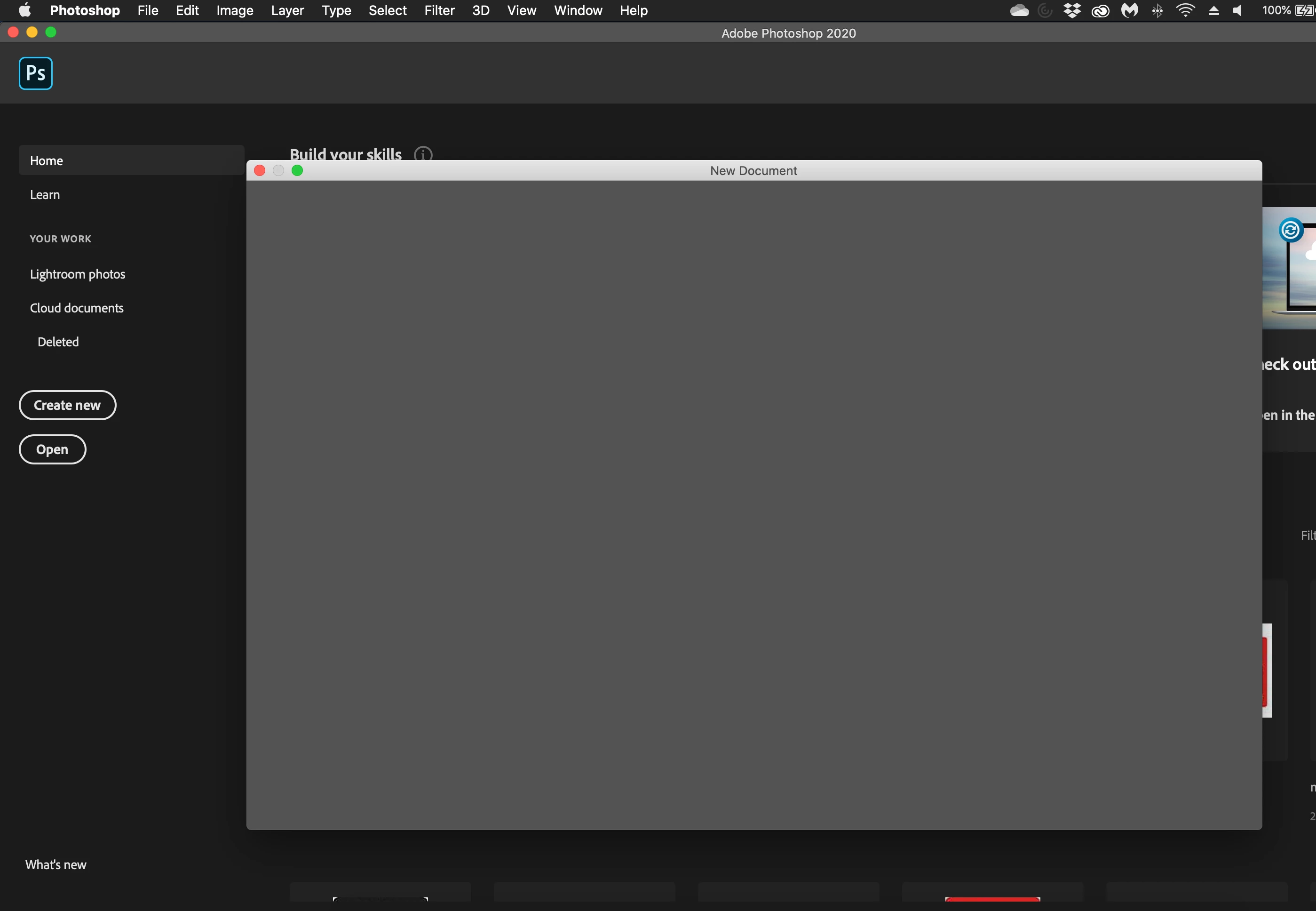
Can't create new file in Photoshop (Grey Window) in Photoshop 21.0.2

  • December 10, 2019
  • 2 replies
  • 4566 views

Hi all,


Hopefully someone can help me with this. 

Using the latest update for PS (21.0.2).


When I try to create a new file, I just get a grey window with no option to create new file.

Is anyone else experiencing the same issue or is there a known fix for this?


Thanks in advance. 
 

This topic has been closed for replies.
Correct answer Akash Sharma

Hi there,


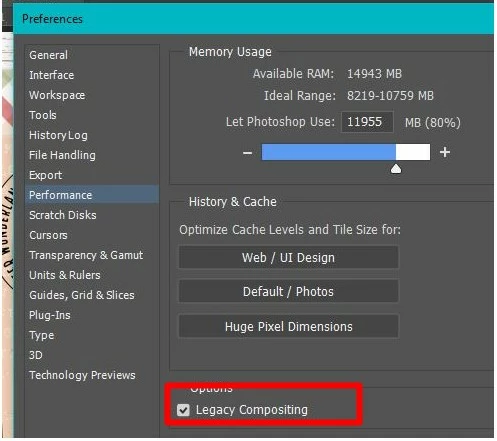
Sorry that you cannot create a new document in Photoshop 21.0.2. Could you please turn on the Legacy Compositing option in Performance preferences?

  • Choose Edit > Preferences > Performance (Windows) or Photoshop > Preferences > Performance (macOS). Select Legacy Compositing. Quit and relaunch Photoshop.


  • Also, use the Legacy new document interface under Preferences> General in Photoshop.


Let us know how it goes.
 
Thanks,
Akash

2 replies

Akash Sharma
Akash SharmaCorrect answer
Legend
December 11, 2019

Hi there,


Sorry that you cannot create a new document in Photoshop 21.0.2. Could you please turn on the Legacy Compositing option in Performance preferences?

  • Choose Edit > Preferences > Performance (Windows) or Photoshop > Preferences > Performance (macOS). Select Legacy Compositing. Quit and relaunch Photoshop.


  • Also, use the Legacy new document interface under Preferences> General in Photoshop.


Let us know how it goes.
 
Thanks,
Akash

marcusdiablo
Participant
December 11, 2019

Hi Akash!


Thank you very much - that worked. 

Thank you for your help on this - it's really helped me out! 


Have a wonderful day! 

Marc

Akash Sharma
Legend
December 17, 2019

Thanks for the update. Glad to know that helped. 🙂


~Akash

Michael Bullo
Community Expert
Community Expert
December 11, 2019

Try resetting the Photoshop preferences.


https://helpx.adobe.com/au/photoshop/using/preferences.html


Press and hold Alt+Control+Shift (Windows) or Option+Command+Shift (Mac OS) as you start Photoshop. You are prompted to delete the current settings. The new preferences files are created the next time you start Photoshop.

marcusdiablo
Participant
December 11, 2019

Hi Michael,

Thanks for the response - unfortunately this did not work - the problem persists.   

Michael Bullo
Community Expert
Community Expert
December 11, 2019

Within the General section of the Photoshop Preferences is the setting Use Legacy "New Document" Interface. If you use this option are you able to create files? This isn't a solution, necessarily, but trying to isolate the problem.