Participant
February 27, 2023
Question

Can't find match the color in my photo

  • February 27, 2023
  • 2 replies
  • 792 views

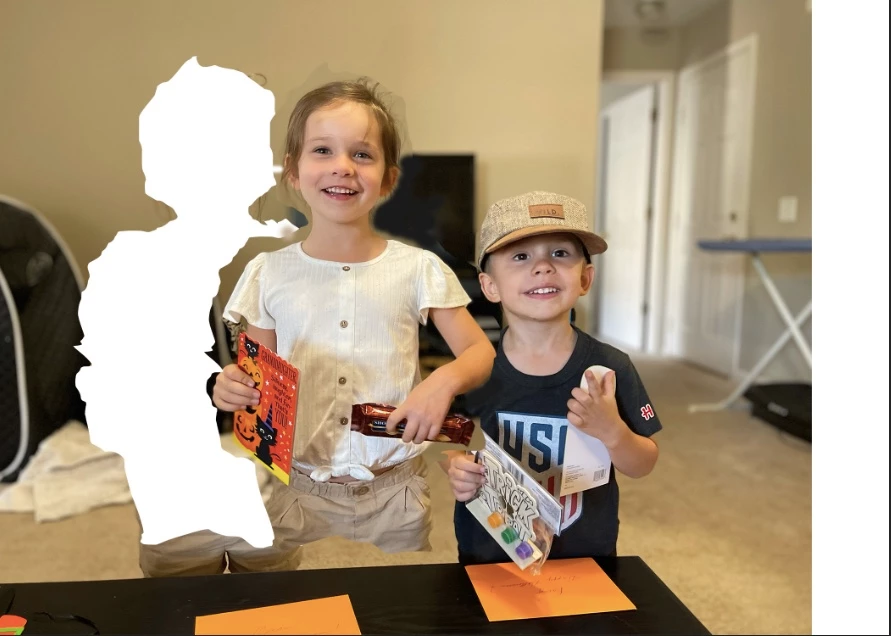
How to capture a wall color, put it in PS and use it to fill in where I moved a person from a photo. (MacBk Air).  I can't find that specific color in PS.
This topic has been closed for replies.

2 replies

melissapiccone
Community Expert
Community Expert
February 27, 2023

What Kevin said. You can also try the patch tool and content aware fill. 

Melissa Piccone | Adobe Trainer | Online Courses Author | Fine Artist
Participant
February 27, 2023
Thanks for your help. I used the eyedropper tool to take a color sample. I tried it and it worked.
John
Kevin Stohlmeyer
Community Expert
Community Expert
February 27, 2023

Hi @john2861574541de have you used the eyedropper tool to take a color sample?

Otherwise filling in that area with solid color wont look accurate, you should try using the stamp, healing tools or content aware features to remove the person seamlessly:

https://helpx.adobe.com/photoshop/how-to/remove-person-from-photo.html

Participant
February 27, 2023
Thanks for your help. I used the eyedropper tool to take a color sample. I tried it and it worked. Correct answer.
John Hitchcock