scotwllm
Inspiring
February 25, 2022
Answered

Can't get rid of graphic on t-shirt

  • February 25, 2022
  • 3 replies
  • 693 views

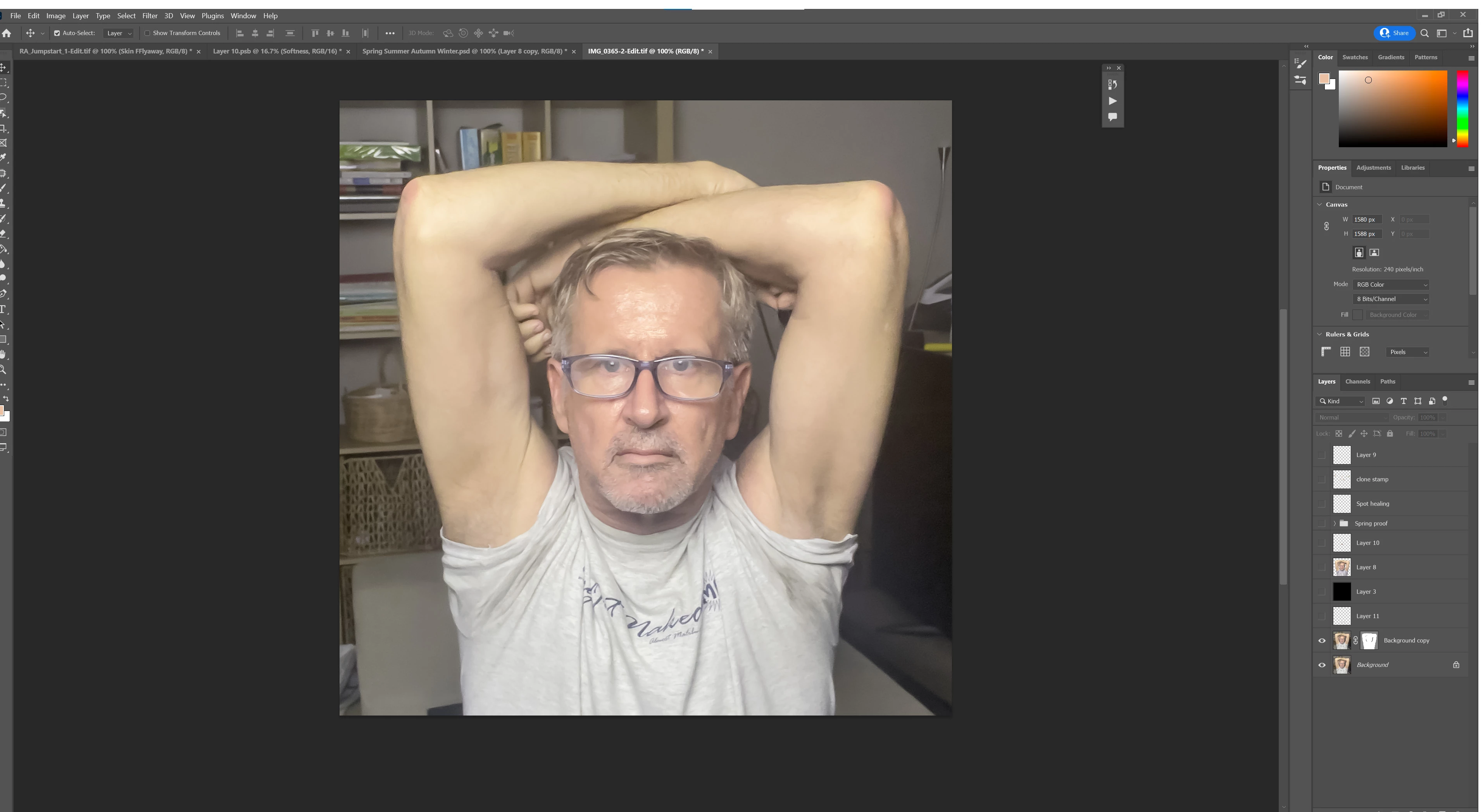
I cannot get rid of the logo on this t-shirt. I've tried every trick I know, but it's always still there. Any ideas?

This topic has been closed for replies.
Correct answer barbara_a7746676

I have often found that by adjusting smaller portions one at a time, the results are quite good.

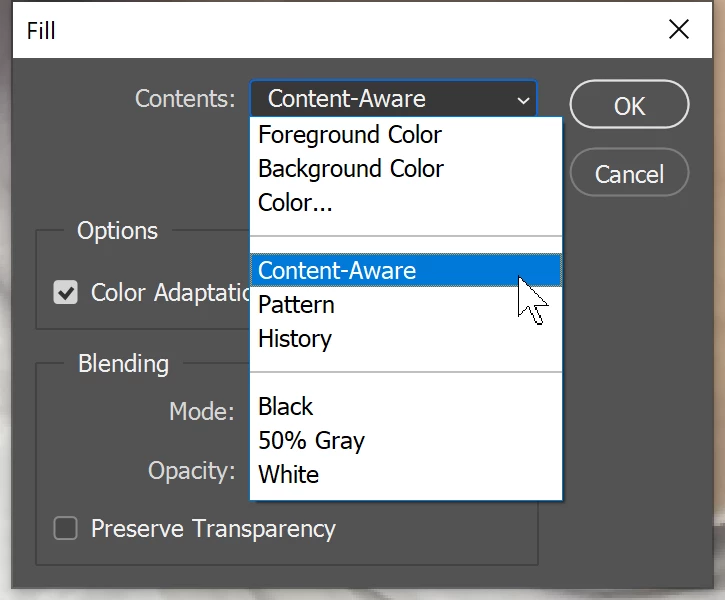
Here I circled small portions using the patch tool. The selections don't need to be very accurate but should be a little past the problem area. And then Shift-Backspace to quickly Content Aware Fill. Sometimes I need to go over an area twice but it goes very fast.

Make sure the fill dialog says Content Aware and not one of the other choices.
 

You might also want to touch up the right underarm which seems to have a sweat mark.

3 replies

barbara_a7746676
Community Expert
barbara_a7746676Community ExpertCorrect answer
Community Expert
February 25, 2022

I have often found that by adjusting smaller portions one at a time, the results are quite good.

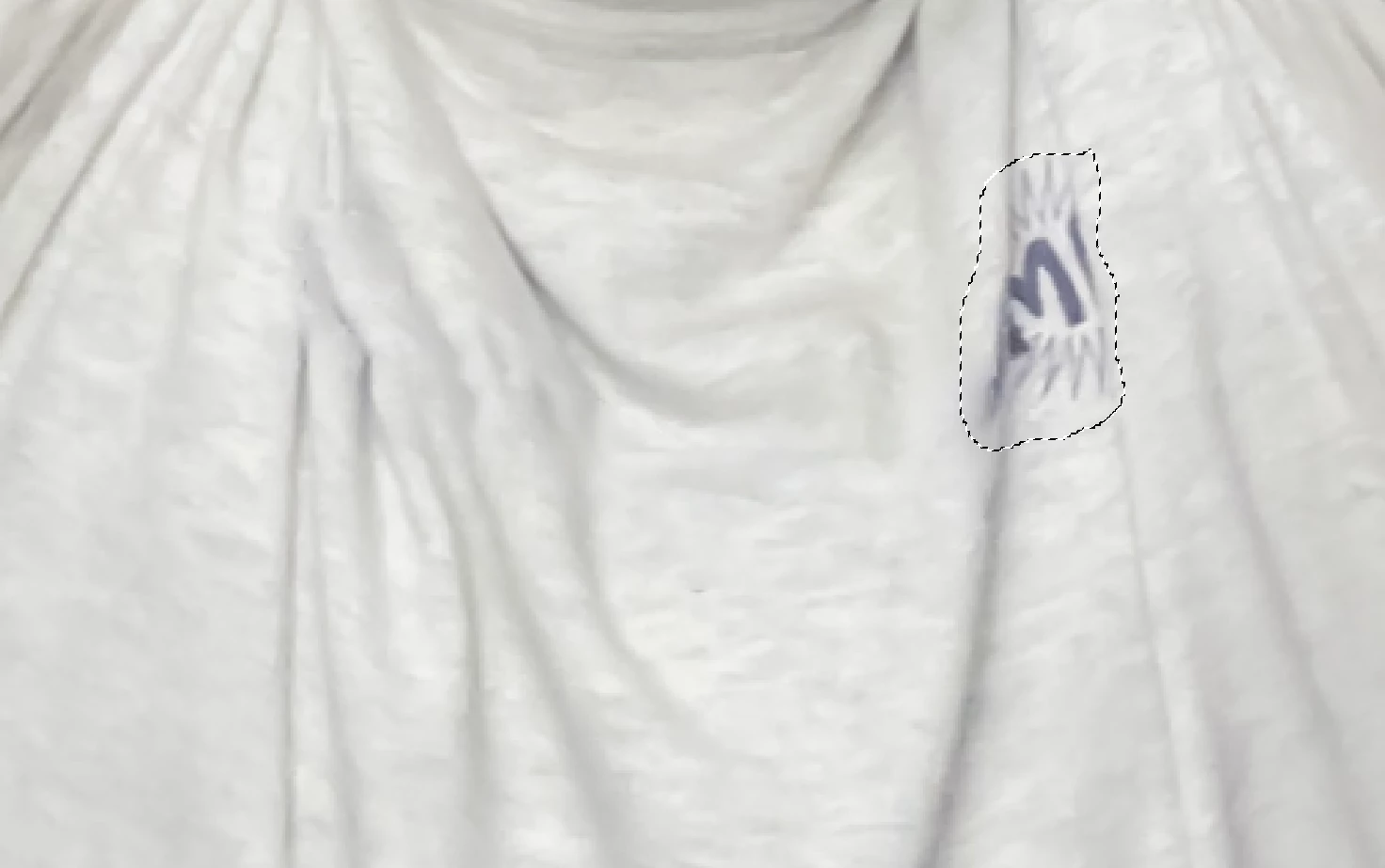
Here I circled small portions using the patch tool. The selections don't need to be very accurate but should be a little past the problem area. And then Shift-Backspace to quickly Content Aware Fill. Sometimes I need to go over an area twice but it goes very fast.

Make sure the fill dialog says Content Aware and not one of the other choices.
 

You might also want to touch up the right underarm which seems to have a sweat mark.

scotwllm
scotwllmAuthor
Inspiring
February 25, 2022

That works beautifully, Barbara. It requires a minimal amount of touching up along the folds in the fabric. I'm laughing now at the solution I posted earlier.


You are also correct -- that's a sweaty armpit.  I think it coordinates very nicely with the shiny forehead, don't you think?


Scott

scotwllm
scotwllmAuthor
Inspiring
February 25, 2022

Here's what I ended up doing. I used the curves tool to make the text as dark as possible and the background as light as possible. I burned and dodged to increase the contrast. I turned the black logo with a white background into a mask that removed the logo. I found the average color of the t-shirt and put it on a layer beneath the primary layer. I combined the layers. I could still see a faint logo. Then I used the clone stamp tool, going up and down and staying within the folds of the fabric. I also used the tool to make sure the fold shadows were continuous.

davecourtemanche
Inspiring
February 25, 2022

You've tried the "patch" tool? this was quick & dirty, but between the patch tool & clone, you can clean it easy.

scotwllm
scotwllmAuthor
Inspiring
February 25, 2022

That worked. I took small chunks. There was lots of cleanup after.  There are still some areas that Photoshop won't touch, though.