Can't initialize because of a disk error...?
Hi,
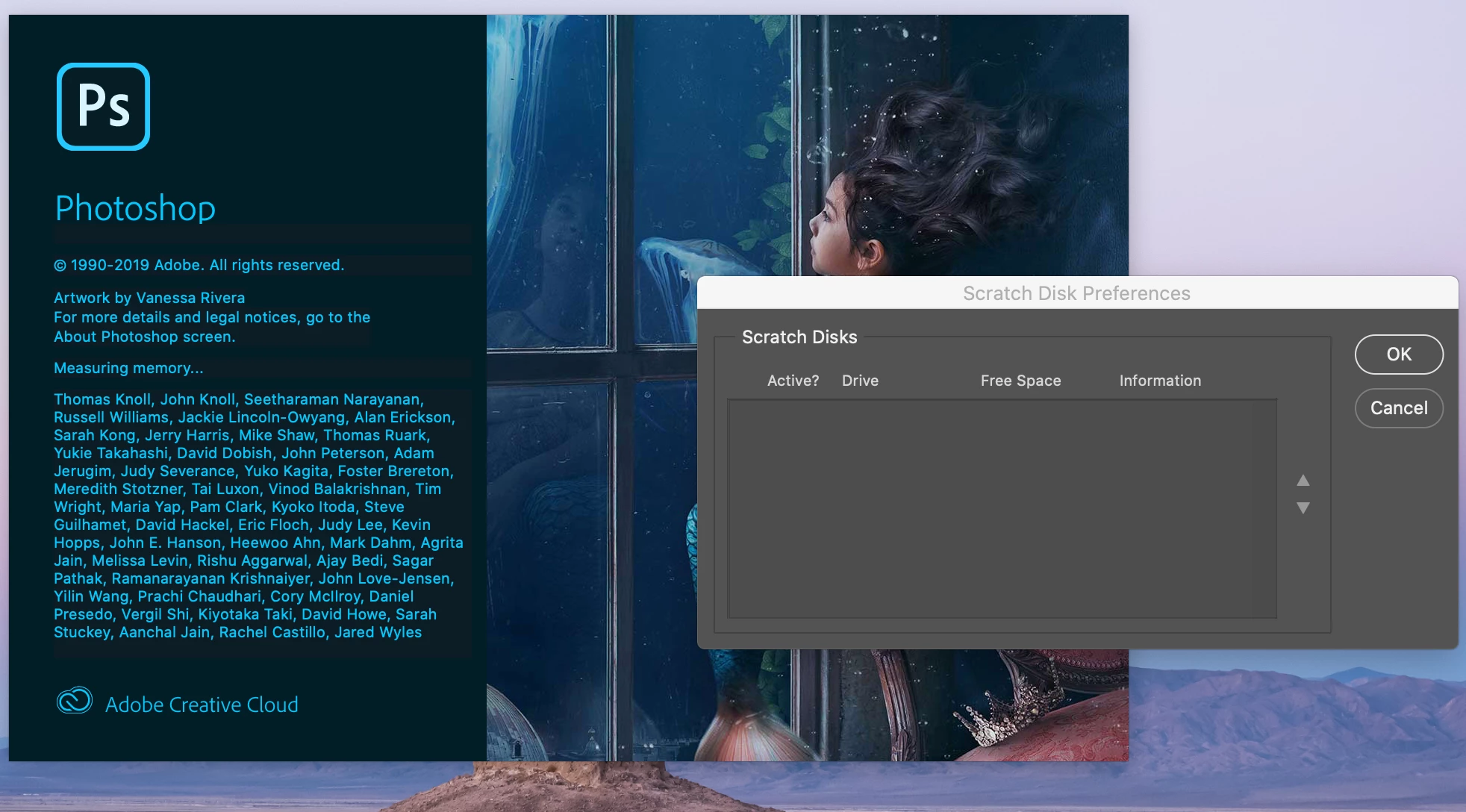
Recently, I have been receiving a lot of messages in Photoshop that I can't do anything because the scratch disks are full. Usually, to resolve this I would just delete a big file and it would go back to normal for a bit, but then it would come back. I come to find that there are no scratch disks in my settings...? I thought it was weird, but I didn't do anything about it because Photoshop was still somewhat functioning.
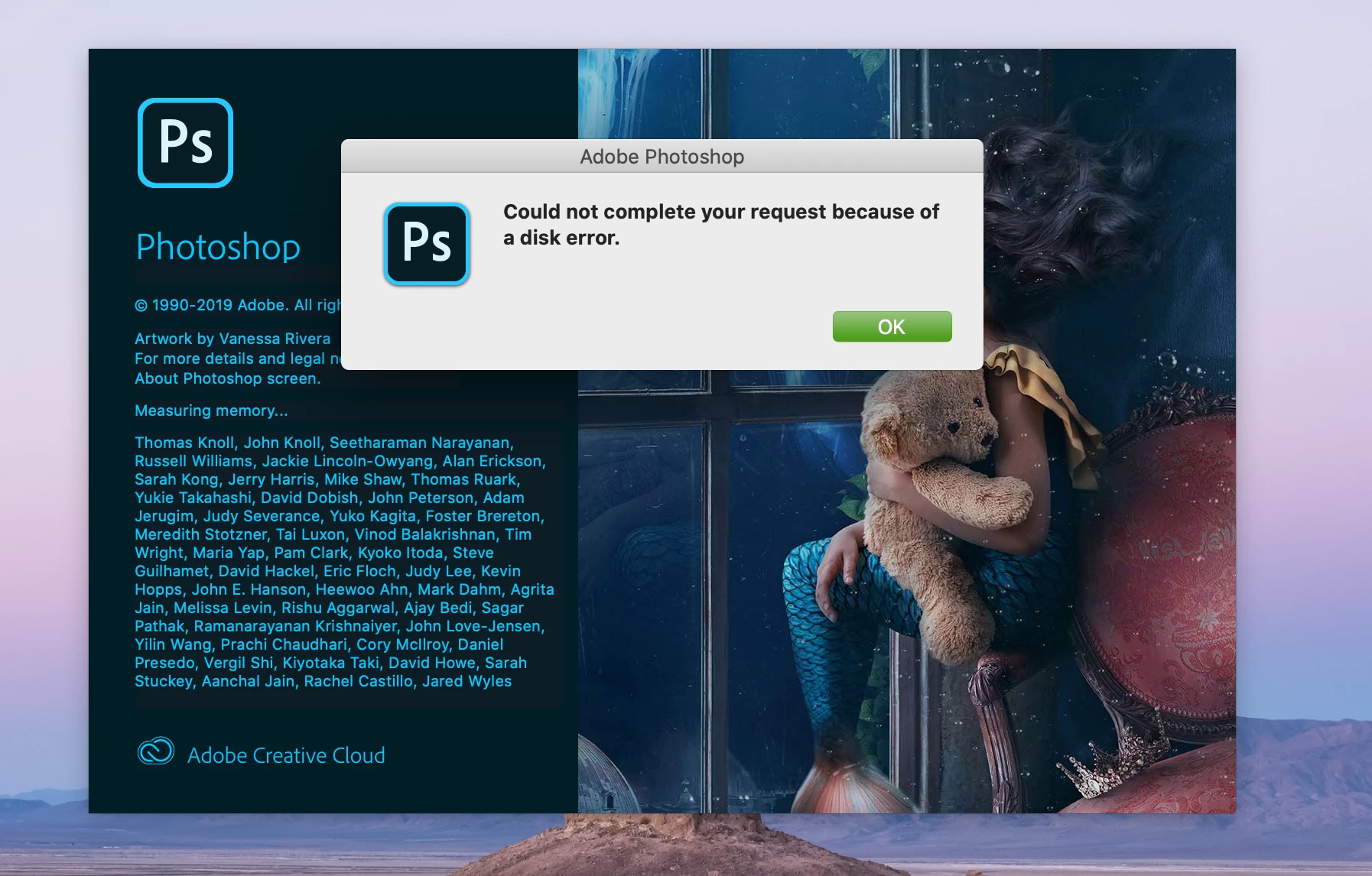
Today, I updated Photoshop, and when I try to open it I cannot because of a disk error. I've removed pretty much all of the large files on my laptop, but no luck so far. I have another disk I could change Photoshop to that has a lot of space, but I can't even figure out how to change it since my scratch disks preferences just show up as blank. I've looked around on lots of different forums, but I can't seem to find anyone with the exact same problem as me.
Any help would be appreciated!
 AdChoices