
Inspiring
December 24, 2022
Question

Can't open Camera Raw (hidden dialogue?)

  • December 24, 2022
  • 3 replies
  • 1332 views

Hi, 

I have a smart object in Photoshop. When I open it in Camera Raw, Camera Raw starts and shows a dialogue.
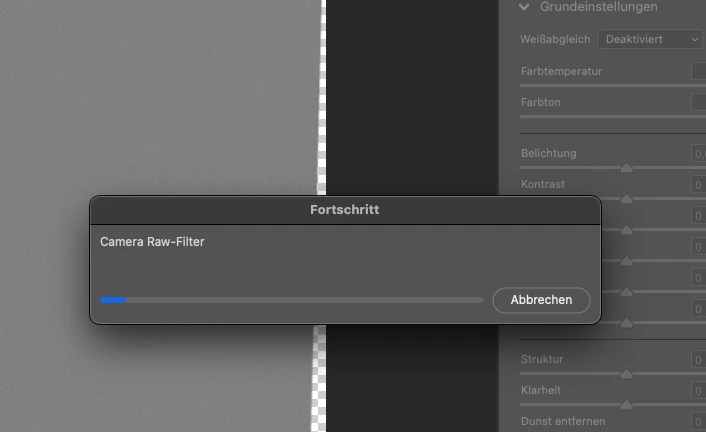
 

But there was no progress and I can't click cancel (Abbrechen). Maybe there is an other hidden dialogue?!
My only option is to kill Photoshop and restart 😞

I'm using PS 24.1.0 on a M1 Mac.

Merry Christmas,
Stefan

This topic has been closed for replies.

3 replies

Inspiring
January 7, 2023

Hi, I updated to CR 15.1.1

Now I see the dialog, but it doesn't work. And I can't stop the preparation of the smart object. The only way to close the window is to kill PS 😞

TheDigitalDog
Inspiring
January 7, 2023

Try resetting your Photoshop preferences. Press and hold Alt+Control+Shift (Windows) or Option+Command+Shift (macOS) immediately after launching Photoshop. You will be prompted to delete the current settings. You can also reset preferences on quit if Photoshop is running by going into General Preferences>General>Reset on Quit.


Author “Color Management for Photographers" & "Photoshop CC Color Management/pluralsight"
Inspiring
January 12, 2023

I still have the same problem 😞

The only solution I figured out is to save my PSD before opening CR from PS. Than I'm able to open my last changes again. 

Can I post some more infos about my system or settings to fix this problem?

mglush
Community Expert
Community Expert
December 27, 2022

Hi!

Are you running Photoshop in Rosetta or native on your M1 Mac?

Michelle

Inspiring
December 27, 2022

Hi, I'm running it native on my M1 Mac

Best regards, Stefan

TheDigitalDog
Inspiring
December 24, 2022

Try resetting the Camera Raw preferences:
Hold down the Command key and select Photoshop > Preferences > Camera Raw (macOS) or hold down the Ctrl key and select Edit > Preferences > Camera Raw (Windows).
Click Yes in the dialog that asks "Delete the Camera Raw Preferences?"
See also:
https://helpx.adobe.com/camera-raw/using/camera-raw-settings.html 

Author “Color Management for Photographers" & "Photoshop CC Color Management/pluralsight"