
Participant
December 16, 2019
Resuelto

Can't open or save directly to a folder
  • December 16, 2019
  • 2 respuestas
  • 2233 visualizaciones


Hi, everyone. I need help.


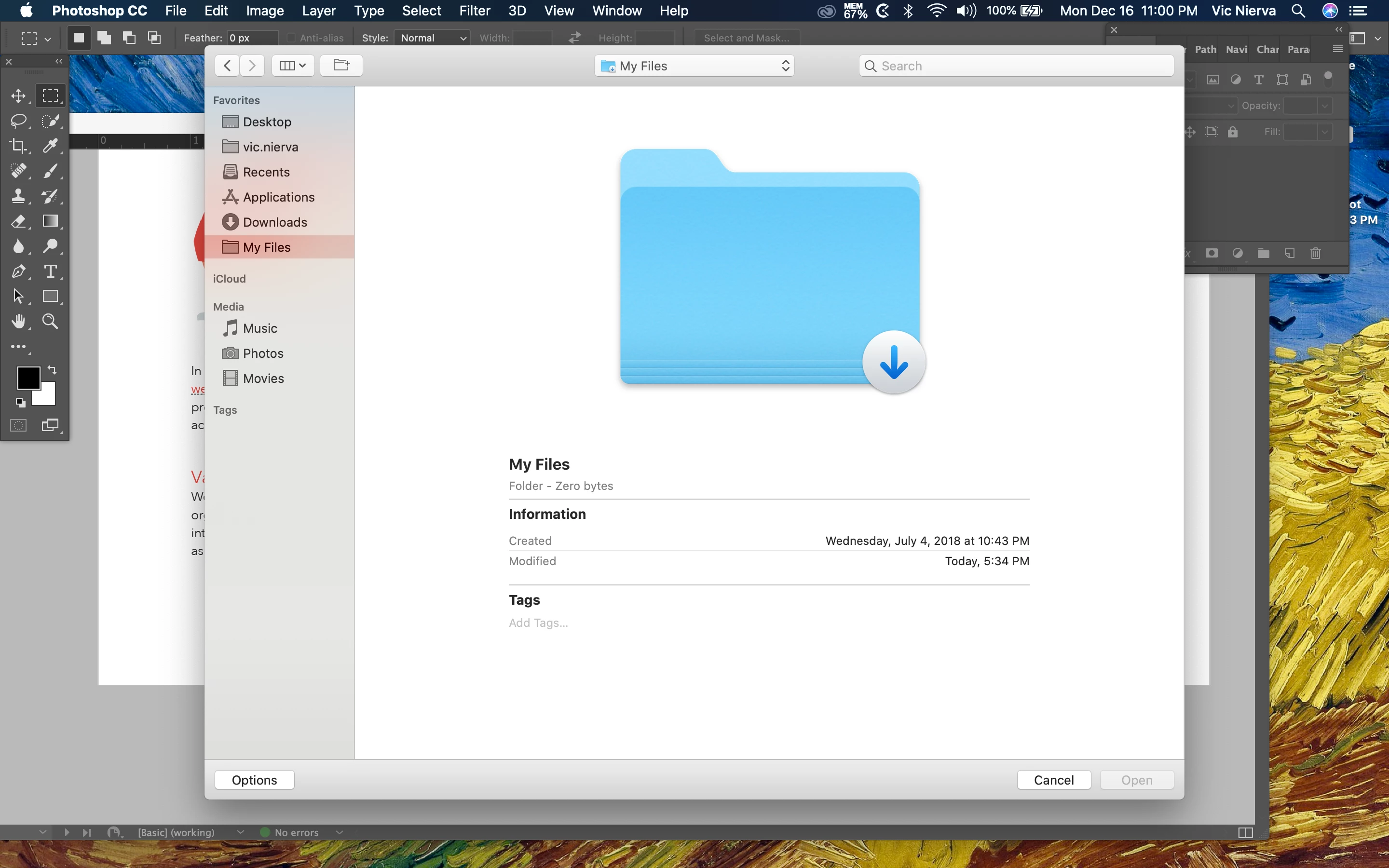
I can't seem to open or save directly to my main folder. This only happens with Photoshop and not with other Adobe programs on my Mac. Whenever I tried opening "My File," the shortcut on my sidebar deletes itself. I can't figure out what to do with this. 


Thank you!
Este tema ha sido cerrado para respuestas.
Mejor respuesta de Vic Nierva

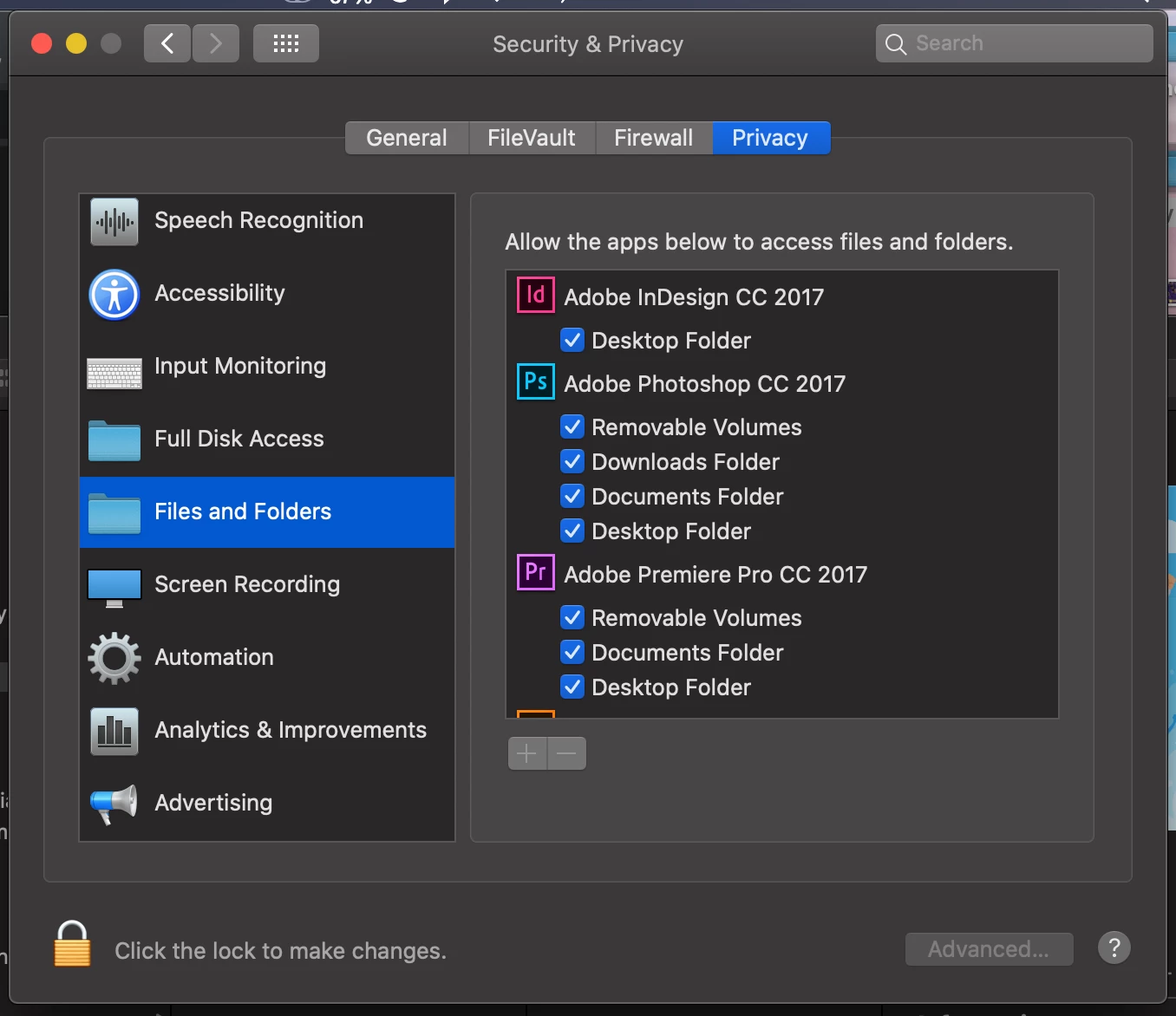
I've found the culprit. It's the feature of Catalina OS that asks for access desktop folders. I opened the Privacy and Security options in Systems Preferences and checked the Desktop Folders option to give Adobe Photoshop access to files from there.


2 respuestas

Participant
September 2, 2021

Why on earth basic features are disabled by defaut? Devs out of their fking mind?

Vic NiervaAutorRespuesta
Participant
December 16, 2019

I've found the culprit. It's the feature of Catalina OS that asks for access desktop folders. I opened the Privacy and Security options in Systems Preferences and checked the Desktop Folders option to give Adobe Photoshop access to files from there.


junebee
Participant
January 14, 2023

Oh my gosh thank you so much.