Participant
May 30, 2024
Question

Can't Open Photoshop

  • May 30, 2024
  • 4 replies
  • 302 views

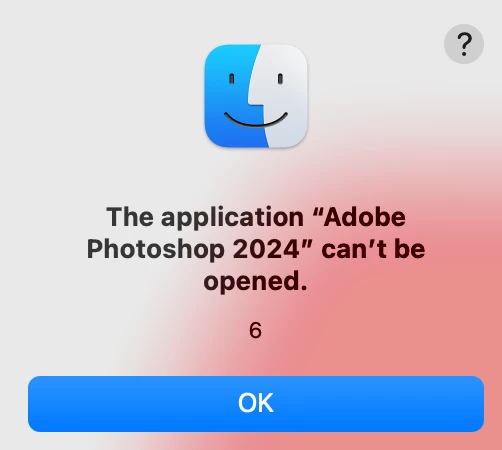
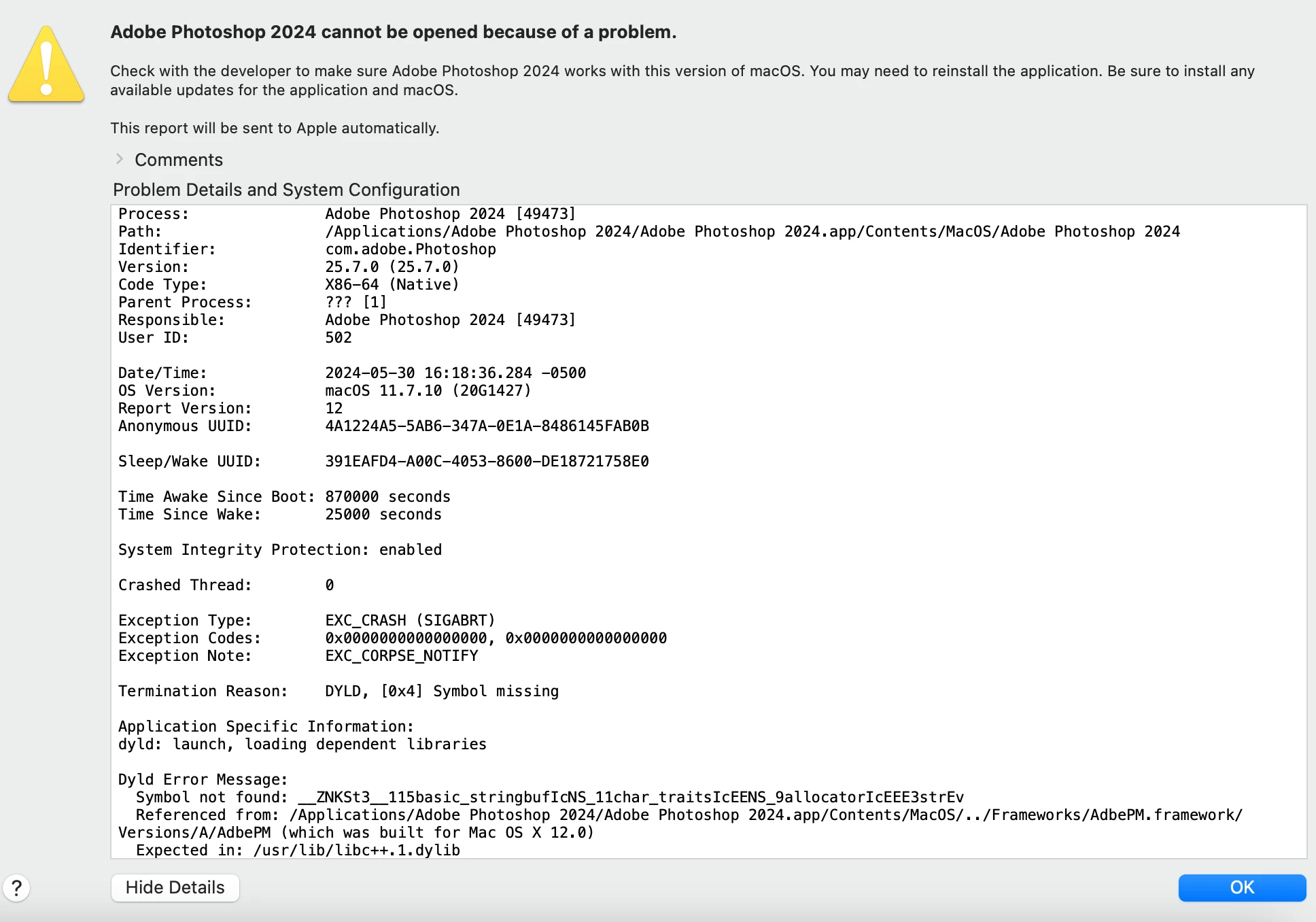
I'm not getting this message when I go to open Photoshop. Never had an issue opening it before.
This topic has been closed for replies.

4 replies

Jeff Arola
Community Expert
Community Expert
May 31, 2024

Update Photoshop to 25.9 that has a fix for the not starting on macOS Big Sur.

In Photoshop go to Help>Updates.

kglad
Community Expert
Community Expert
May 30, 2024

use the cc desktop apo to uninstall and then to reinstall ps.


still a problem?

jane-e
Community Expert
Community Expert
May 31, 2024

@Brett37743246rf7s 


Before you uninstall, try resetting Preferences manually by renaming the file so it can be restored. 

https://helpx.adobe.com/photoshop/using/preferences.html

Follow the links at the top to back up preference and to restore preferences manually.


Was it working before and this just started or is this a new installation?


Jane


kglad
Community Expert
Community Expert
May 30, 2024

in the future, to find the best place to post your message, use the list here, https://community.adobe.com/

p.s. i don't think the adobe website, and forums in particular, are easy to navigate, so don't spend a lot of time searching that forum list. do your best and we'll move the post (like this one has already been moved) if it helps you get responses.


<"moved from cc services">
Participant
May 30, 2024

meant to type "I'm now getting this message"
