
Participant
March 30, 2017
Resuelto

Can't open some photoshop files after saving them.

  • March 30, 2017
  • 1 respuesta
  • 1837 visualizaciones

Hey there

Recently, I updated to 2017.0.1 20161130.r.29 x64 and I've been having an issue where I save a file, and then can't open it again. Other photoshop users can open it, then save it with a new name, and then I can open it again. It's very strange.

When I try to open one of the files, I get:
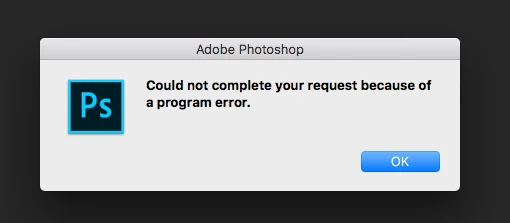
If i check the log, this is what I find:

/Volumes/workarea/PS_18_Mac_Daily_Retail/20161130.r.29/photoshop/main/photoshop/sources/UPattern.cpp : 1694 : REQUIRE failed

I have no idea what this means and can't find it anywhere. Any ideas on how to fix this?

Thanks!

    Este tema ha sido cerrado para respuestas.
    Mejor respuesta de bfevid

    So I don't know what the problem was, but essentially we had to go remove the Adobe Photoshop CC 2017 Prefs.psp file found here:

    /Users/<username>/Library/Preferences/Adobe Photoshop CC 2017 Settings. That seems to have solved it for us.

    We didn't delete it, we just added .old to the end of it.

    1 respuesta

    JJMack
    Community Expert
    Community Expert
    March 31, 2017

    Today this is the practice, most C++ implementation files will use the ".cpp"extension and ".h" for the declaration of header files (the last one is still shared across most assembler and C compilers). There are other common extensionsvariations, such as, ".cc", ".C", ".cxx", and ".c++" for "implementation" code.

    Have you added Photoshop Add ons? I use a PC not a Mac  the error you listed seems more related to computer programming the to Digital images.

    Try startik Photoshop with the Shift key held down When you get the popup have Photoshop skip loading optional software.

    JJMack
    bfevidAutor
    Participant
    March 31, 2017

    So there is one plugin installed. Coolorus  2.5. We've tried saving and loading the psd without the plugin and still received the error. We also tried with CS6 on the same machine which doesn't have the plugin and the file still won't open. But, again, it opens on other machines.

    Something interesting we found is that we tried once with only a brush stroke in the doc and it was fine, but when we used a shape we had the problem. We've tried a bunch more times and it really seems to be based around shapes...

    bfevidAutorRespuesta
    Participant
    April 5, 2017

    So I don't know what the problem was, but essentially we had to go remove the Adobe Photoshop CC 2017 Prefs.psp file found here:

    /Users/<username>/Library/Preferences/Adobe Photoshop CC 2017 Settings. That seems to have solved it for us.

    We didn't delete it, we just added .old to the end of it.