Inspiring
April 9, 2023
Answered

Can't render PNG file with 100% Transparency

  • April 9, 2023
  • 1 reply
  • 699 views

Hello everyone,

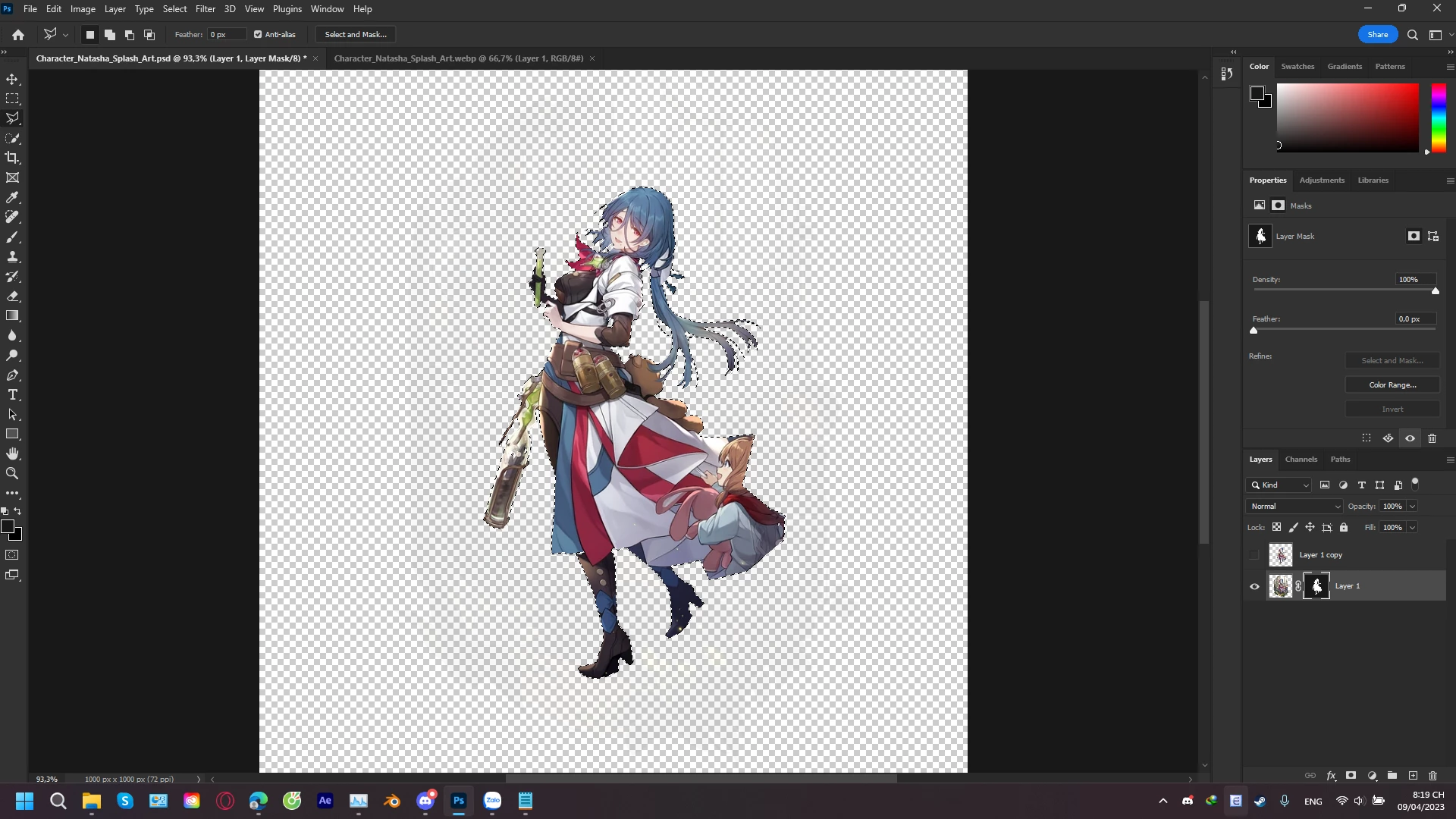
I'm posting because I'm facing a little problem with my masking that could affect my work.

The problem is when I try masking the picture and then Export As PNG, the background that supposes to be 100% transparent is only faded. I tried PNG-24 but no different. Can anyone please help me? Thank you very much.


Sorry in advance if my English is inappropriate since I'm not a native speaker.
 

This topic has been closed for replies.
Correct answer jane-e

@SaturdaySeventh 


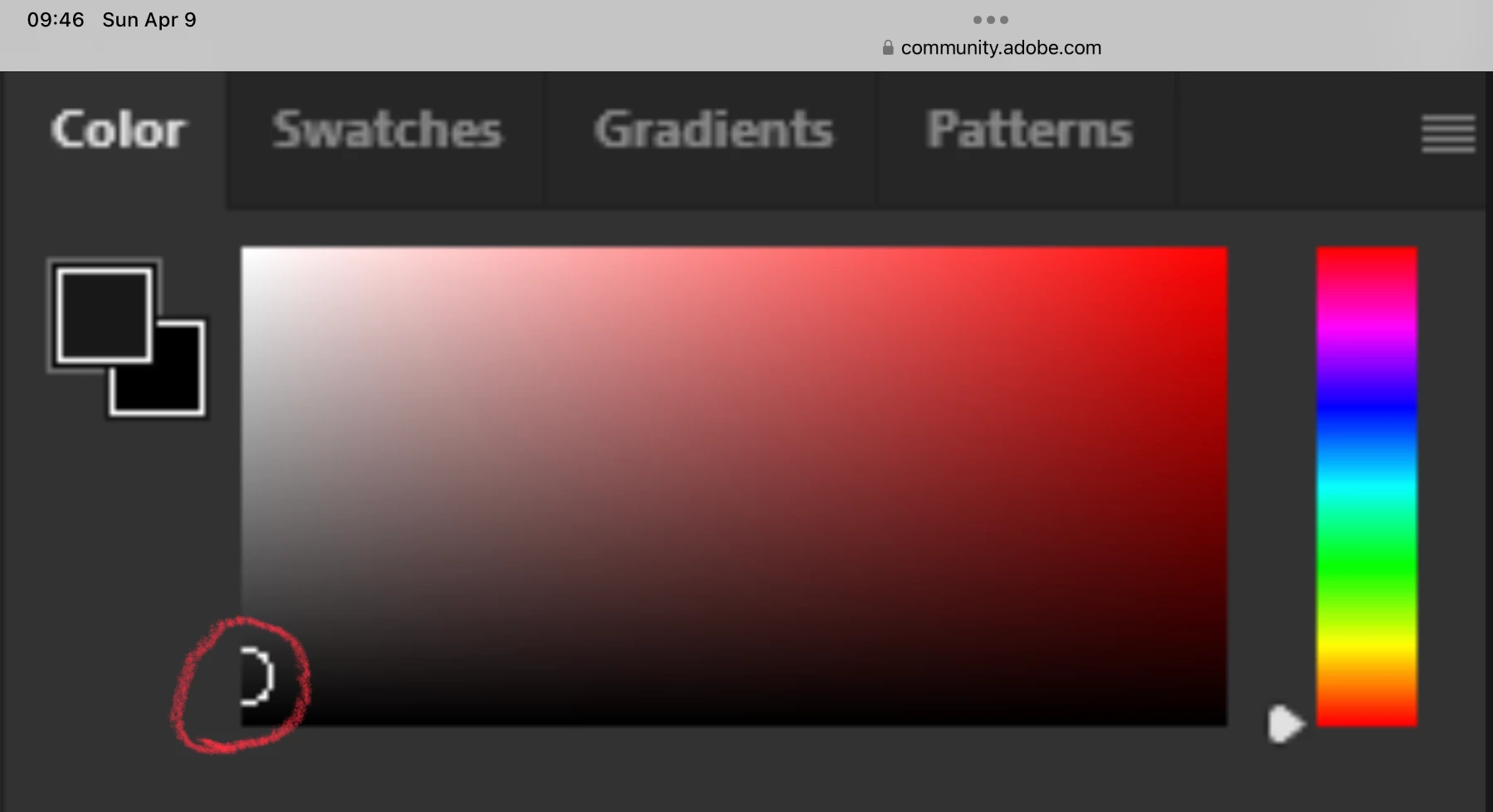
Thank you for including your Color panel. It shows that you are not using 100% black. Type "D" to reset your foreground and background swatches and try again.


Jane

1 reply

jane-e
Community Expert
jane-eCommunity ExpertCorrect answer
Community Expert
April 9, 2023

@SaturdaySeventh 


Thank you for including your Color panel. It shows that you are not using 100% black. Type "D" to reset your foreground and background swatches and try again.


Jane

Inspiring
April 9, 2023

Thank you very much, it works!

jane-e
Community Expert
Community Expert
April 9, 2023

You're welcome, @SaturdaySeventh , I'm glad it's working for you now 😊


Jane