

Answered
Can't rotate around a chosen point
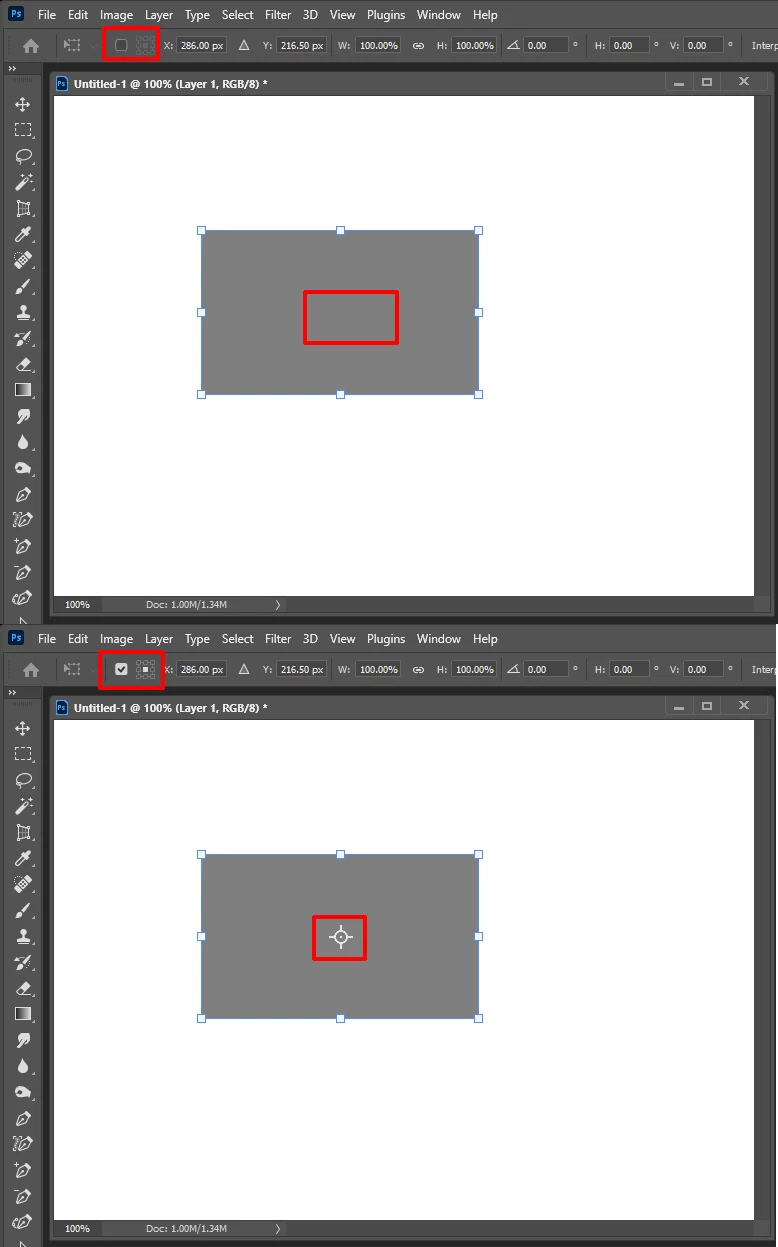
I used to be able to rotate a layer or selection around a chosen point using transform. I'd hit Apple-T then when it was selected there was a rotation point in the very centre; I could drag this point to wherever I wanted it and rotate the selection around that point.
Now when I Apple-T there is no middle/rotation point.
Is this a loss of functionality in later released? Or am I doing something wrong? Is there a more modern way to do what I want?
Many thanks,
K.
Mac OS 10.14 | Photoshop 22.4.1
 AdChoices