
Can't Save Brushset Error: "The file Is locked, you do not have the necessary access permissions"
Hello Adobe Support Community!
As far as I know, this issue started yesterday. I have in the past saved/edited Photoshop brushsets with no issue by navigating to the Preset Manager, & saving the brushset file to the Brushes folder under Presets. Now when I try to do that, I receive the error below:
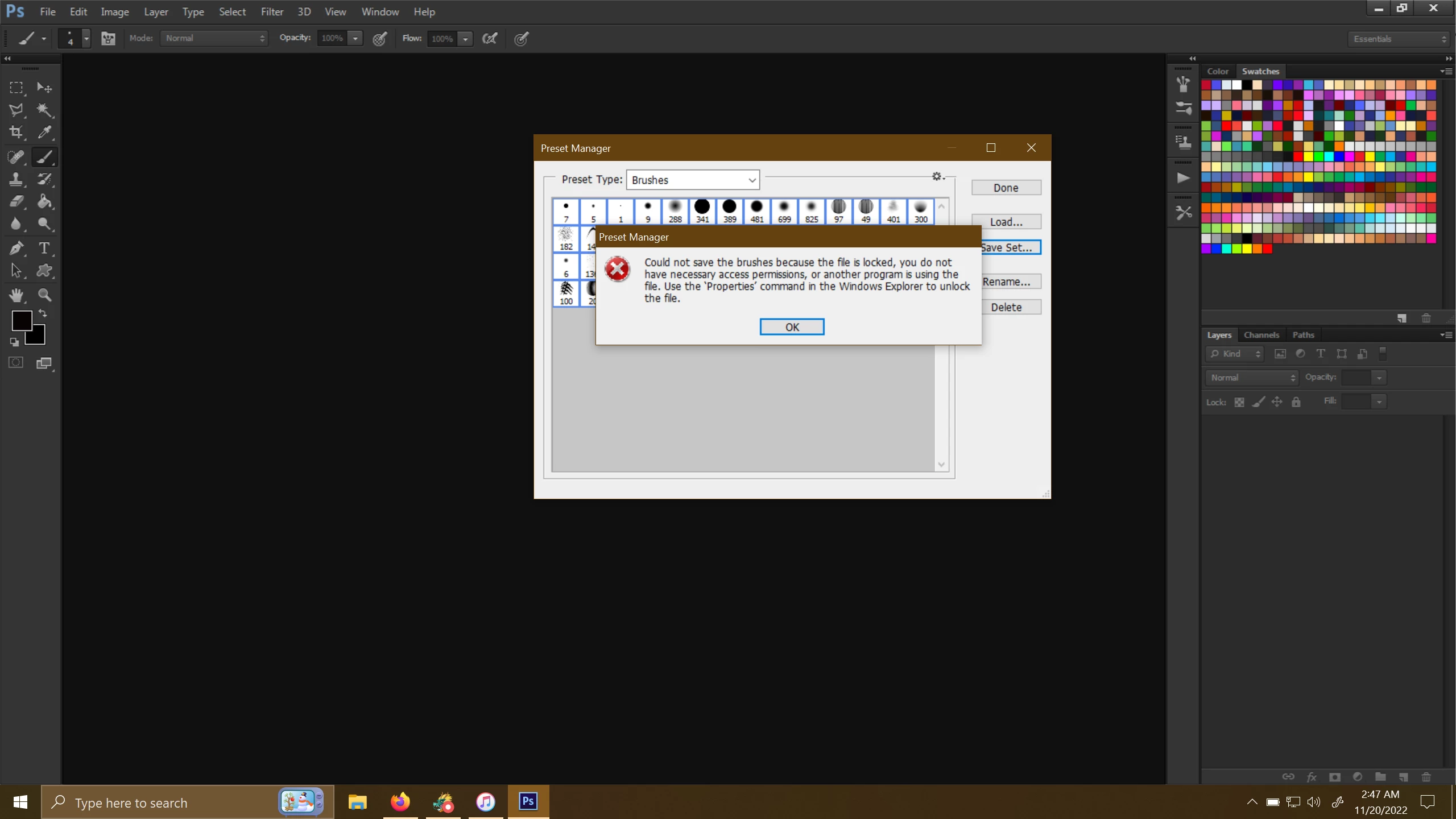
I have searched this error on these forums, & previous advice simply says to make sure that the file is not Read Only. I have done this, & I'm still getting the error. I don't know what else to do, & no other guides online have been remotely helpful. I hope that this forum can help me.
Specs:
Device name LongMarch
Processor Intel(R) Core(TM) i9-10900K CPU @ 3.70GHz 3.70 GHz
Installed RAM 32.0 GB
Device ID 6257A951-02EC-42BB-8032-A0AB419A1A27
Product ID 00326-00889-11108-AAOEM
System type 64-bit operating system, x64-based processor
Pen and touch Pen support
Edition Windows 10 Home
Version 21H2
Installed on 8/16/2022
OS build 19044.2251
Experience Windows Feature Experience Pack 120.2212.4180.0
Photoshop Specs:
Adobe Photoshop Version: 13.0 (13.0 20120315.r.428 2012/03/15:21:00:00) x32
Full Specs Attached As Notepad File
 AdChoices