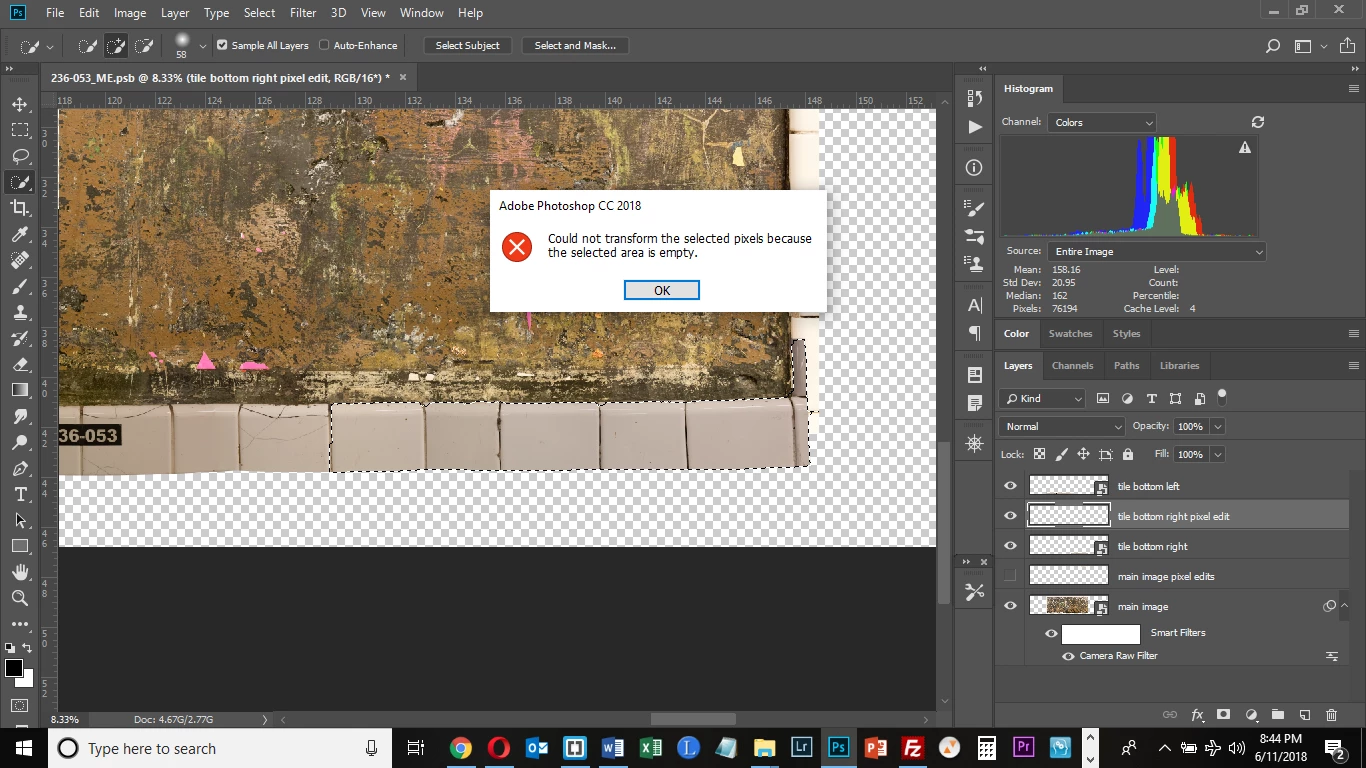
I know you can't transform a selection in a Smart Object Layer, that's why I created a new Layer above it and tried to do it there. This worked with the Clone-Stamp tool. Why does that not work here?
If I can understand you correctly then you have pixels on Smart Object layer which cannot be transformed. To be able to transform pixels you have created a blank new layer above it and you are trying to transform blank layer right? It won't work because there aren't actual pixels. Transforming pixels and cloning from some source are two different things. When transforming something there must be actual content on the selected layer to transform while when cloning or copying you must have something to copy to any layer which can be and a blank layer which is targeted/selected.
In case that you have copied pixels from Smart Object layer to a new layer using Clone Stamp then select that layer, Ctrl + click on that layer thumbnail to ensure that you have selected actual content and then use transform command.


 AdChoices