

Can't Use Custom Brush with Pencil Tool
- May 29, 2020
- 2 replies
- 2475 views
Hi all. First time here, and I'm not particularly a Photoshop expert...
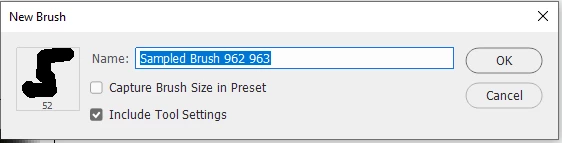
I've created a brush from a three pixel pattern that I can use either with the Brush tool or the Pencil too. That's great. But when I went to define a second brush preset (albeit days later in a new file), my new preset only works with the Brush Tool and not the Pencil tool. ...which is bizarre because I believe I did the same thing? Anti-aliasing is turned off, I made the defined preset using the pencil tool...
What's more is that when I tried to recreate my first brush, the same thing happened. So, it seems I can no longer make presets that work for both the Brush tool and the Pencil tool.
If you can see it, there is a tiny little dot in the darker drawing. That's what my second preset turns to when I use the pencil tool.
The reason why I want to do this is because I'm working on pixel art, and I want to use it as a stamp that modifies each time I click (you know...jittered angles and such), but I can't use the Brush Tool because it shouldn't have anti-aliasing.
Aplogies if I place this in the wrong topic or something~
 AdChoices