
scottmosher
Inspiring
April 17, 2019
Question

Can't use the arrows in the text panel to increase/decrease text size.

  • April 17, 2019
  • 2 replies
  • 1392 views

Yet another in a long line of issues with an updated version of Photoshop.
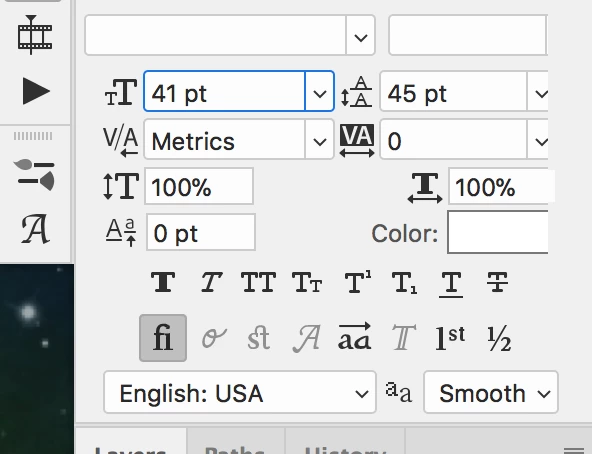
So normally, I can use the arrow keys (up/down) to increase/decrease the type size/leading in the character panel. No longer. I can make it 1 size bigger or smaller, then it beeps and me and I can't incease/decrease the size in any of the option blocks. Any idea what the problem is? This is driving me nuts...

This topic has been closed for replies.

2 replies

Participant
August 30, 2021

same thing was happening to me with the 2021 update on Catalina and it was SO annoying!! Really didn't want to reset my pref's but I did — and it solved the problem.

Bojan Živković11378569
Community Expert
Community Expert
April 17, 2019

I am on Win 10 with the latest and greatest Photoshop and everything works fine to increase text size and leading as it use to. Perhaps you can try to reset preferences what is general advice when Photoshop starts with strange behavior?

scottmosher
Inspiring
April 26, 2019

This is literally driving me nuts. Any ideas? Besides resetting my preferences?

Jeff Arola
Community Expert
Community Expert
April 26, 2019

It seems to work fine here with photoshop 20.0.4 (cc 2019) running on macOS 1014.4 Mojave.

Resetting the preferences as suggested by Bojan is usually the first thing to try if photoshop has problems that other users aren't having. Unfortunately, photoshop preferences seem to get corrupted more often than one would hope.

Edit>Preferences>General>Reset Preferences On Quit (windows)

Photoshop CC>Preferences>General>Reset Preferences On Quit (mac)