Participant
October 5, 2023
Answered

Can the pen draw in a straight line.?

  • October 5, 2023
  • 3 replies
  • 2495 views

Is there any option to make the pen draw in a straight line in photoshop for iPad?

 

This topic has been closed for replies.
Correct answer jane-e

@Jeff Leese 


This is a very awkward work-around for PS on the iPad, and I wouldn't want to do it more than once or twice in an image.
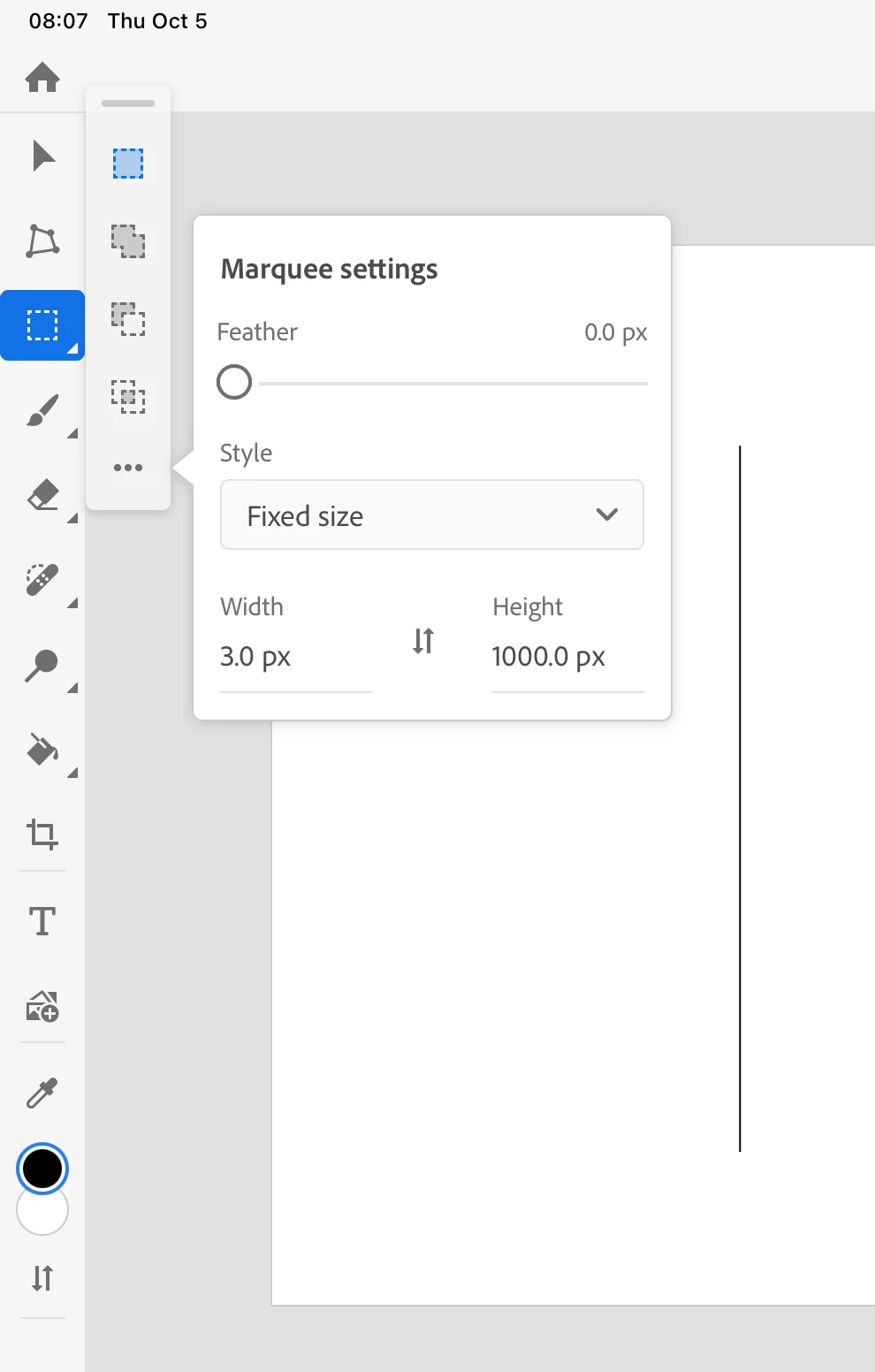
  • Set the Rectangular Marquee tool to Fixed Size and type a Width and Height
  • Click and drag to create and position the Selection marquee
  • Fill with the foreground color (Option+Delete or Paintbucket)
  • Deselect
  • (Reset the tool if necessary)


Jane


3 replies

jane-e
Community Expert
jane-eCommunity ExpertCorrect answer
Community Expert
October 5, 2023

@Jeff Leese 


This is a very awkward work-around for PS on the iPad, and I wouldn't want to do it more than once or twice in an image.

  • Set the Rectangular Marquee tool to Fixed Size and type a Width and Height
  • Click and drag to create and position the Selection marquee
  • Fill with the foreground color (Option+Delete or Paintbucket)
  • Deselect
  • (Reset the tool if necessary)


Jane


Leslie Moak Murray
Community Expert
Community Expert
October 5, 2023

If you mean the Pen Tool, do this:

-Set your brush to the desired thickness

-Drag a guide to where you want your line to be

-Place your points along it to the desired length (or height if it's vertical)

-With the Pen Tool selected, right-click, and from the dropdown menu choose Stroke Path.


Participant
October 5, 2023

I should have said brush, sorry. In Photoshop for Ipad, I don't think this program offers guides. 

Trevor.Dennis
Community Expert
Community Expert
October 5, 2023

Do you mean the brush?  If yes, then try holding down Shift.  In the full version shift forces the brush to move perpendicular to the screen, or at 45°.  Touching down with the brush, and them holding down shift while touching down at a different location will force a straight line between the two locations.

Participant
October 5, 2023

Just wanted to note there is no keyboard on iPad. I was hoping there might be a way to reprogram the touch modifier, but not as far as I can see.

Trevor.Dennis
Community Expert
Community Expert
October 5, 2023

OK, I have an iPad Pro around here somewhere. I'll try and find it and see if I can work it out.