

michaelyonke
Participant
April 9, 2020
Answered

Can you create a clipping mask on a layer mask?

  • April 9, 2020
  • 1 reply
  • 1361 views

Hey community,


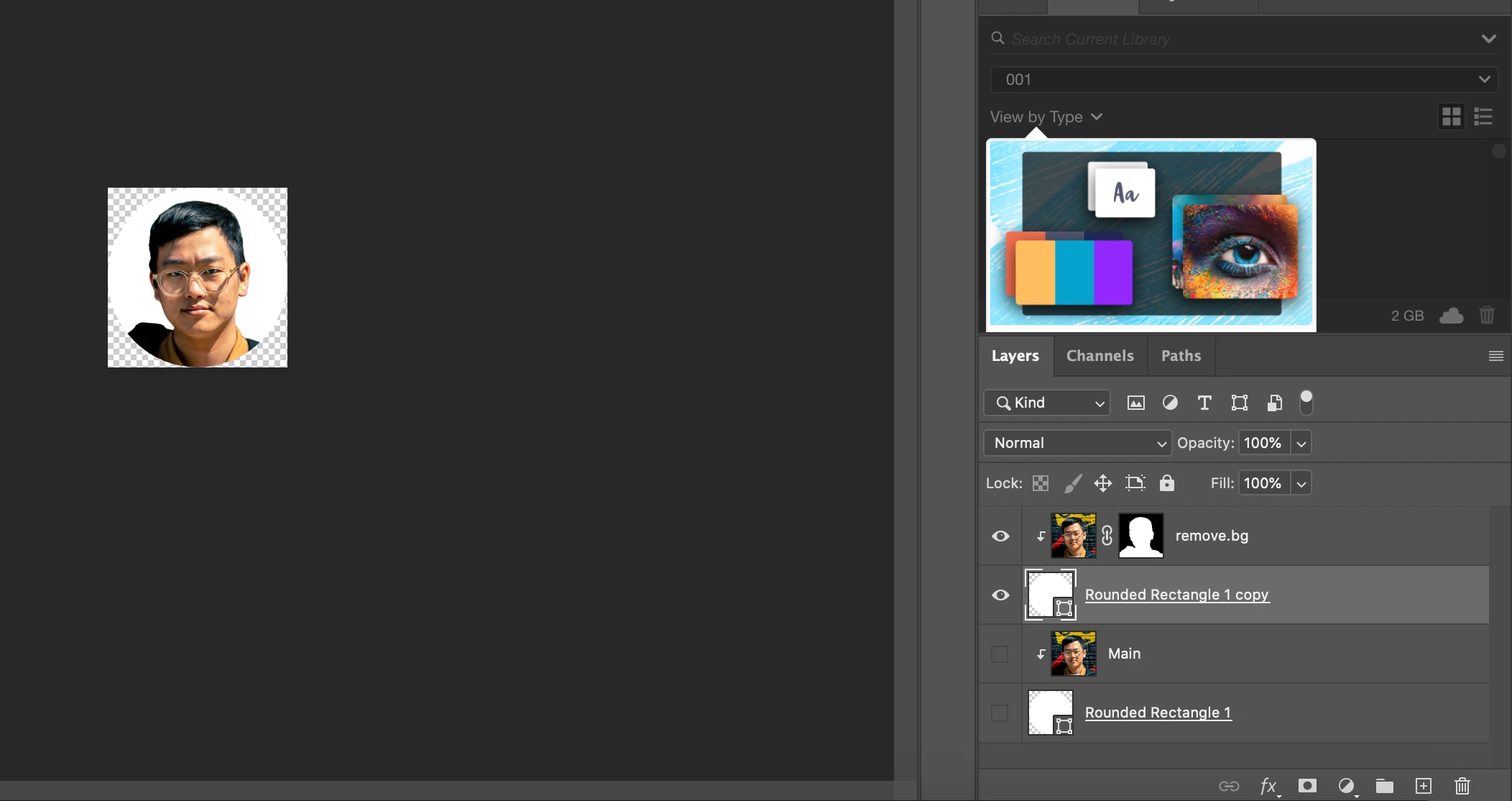
Layer masks and clipping maks have always confused me as it is. Is there a way to apply a clipping mask to a layer mask? In the below attachment, I have an image of a face with the background removed using a layer mask (I used an extension called remove.bg). Then, I have a circle shape as a clipping mask. When I add the clipping mask to image of the face with a layer mask, the background of the image is all white, and I would like it to be transparent.


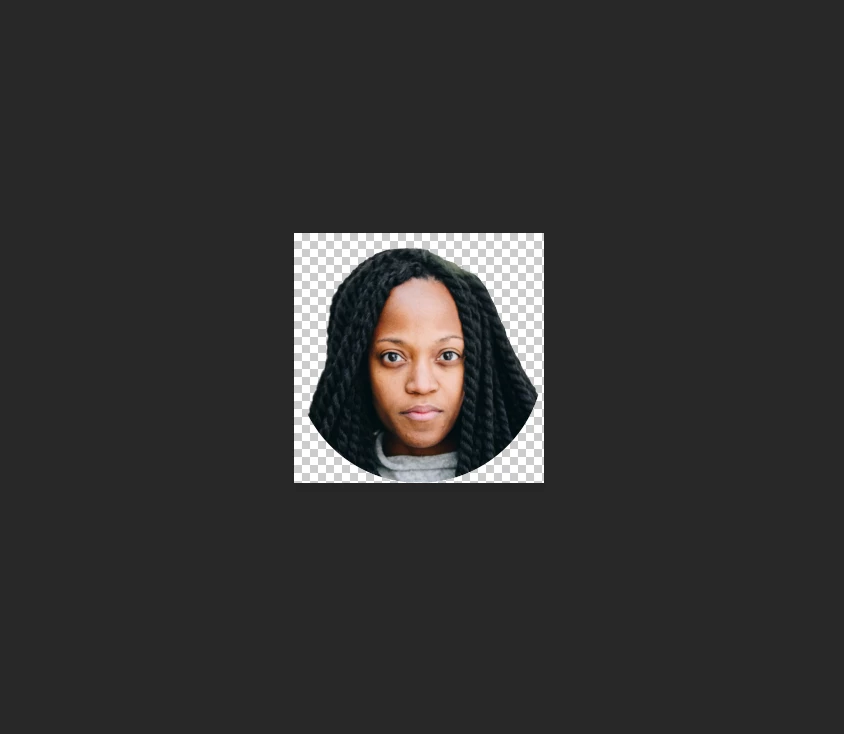
In the end, I would like it to look similar to this image:


Also, I am using this as part of an action if that's helpful. If anyone can offer some help, I would really appreciate it 🙂


Thanks!
This topic has been closed for replies.
Correct answer c.pfaffenbichler

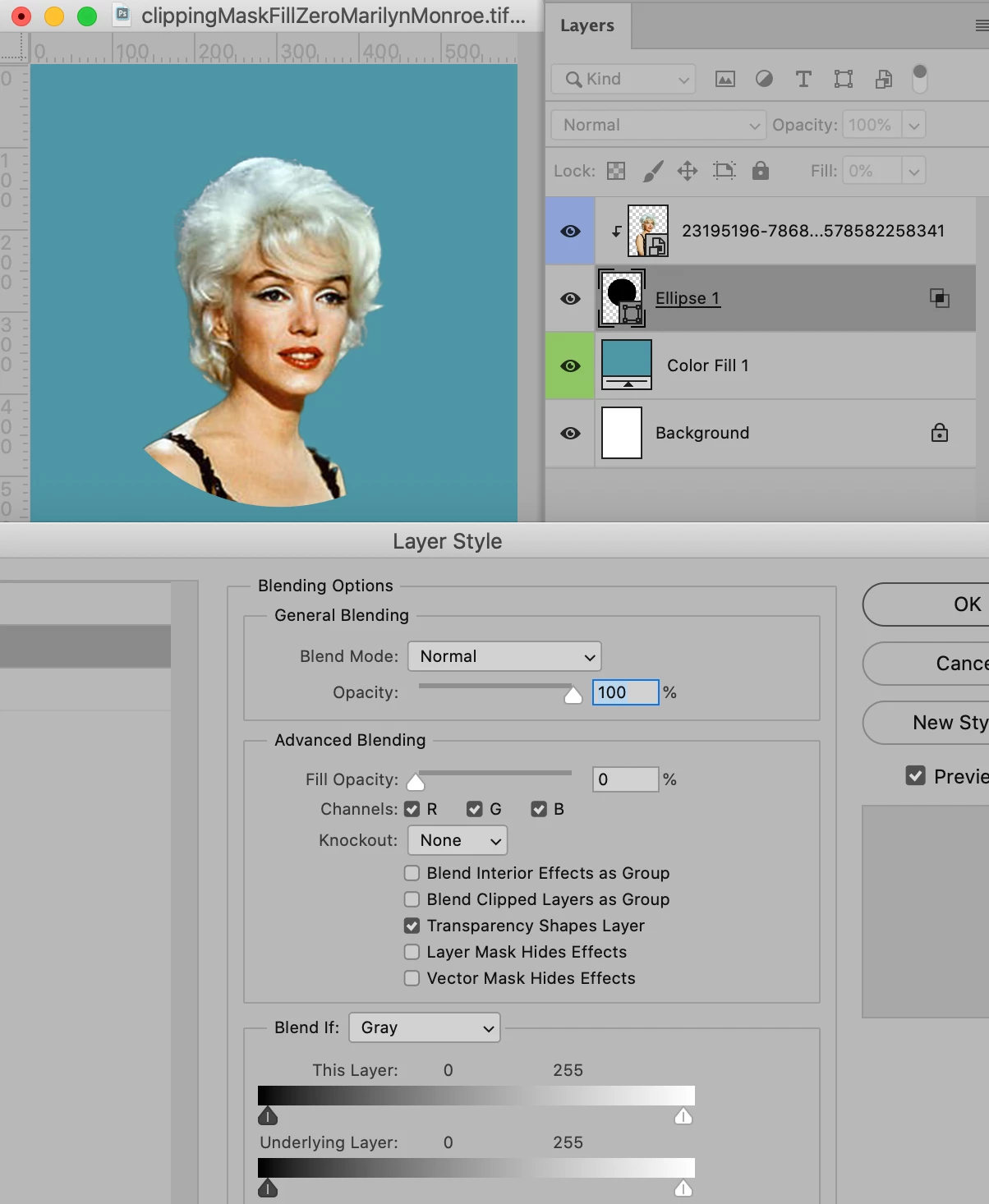
Blend If-settings would not be necessary, setting the Layers Fill to 0% with »Blend Clipped Layers as Group« unchecked would suffuce. 


1 reply

ajabon grinsmith
Community Expert
Community Expert
April 9, 2020

I came up with two solutions.


For one ... see screenshot. Japanese UI, but do you understand the situation?


The other ... It is easy to apply a layer mask to a group without using a clipping mask. I highly recommend this.


Clipping masks are not very suitable for your requirements.

c.pfaffenbichler
Community Expert
c.pfaffenbichlerCommunity ExpertCorrect answer
Community Expert
April 9, 2020

Blend If-settings would not be necessary, setting the Layers Fill to 0% with »Blend Clipped Layers as Group« unchecked would suffuce. 


ajabon grinsmith
Community Expert
Community Expert
April 9, 2020

I confirmed it!
Thank you for correcting my inappropriate proposal.