


Can you scale a selection by a percentage value
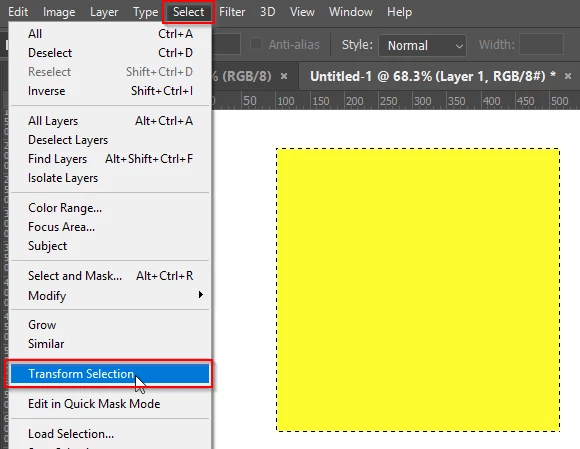
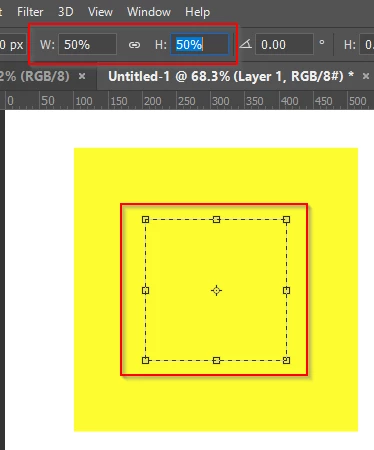
It would be nice if you could type 200% as a value for scaling up a selection. I know how to hit Ctrl + T and drag. What I'm looking for is a consistent way to scale up a selection of text to exactly "X" value of zoom in more than one location, of the same document. Some selections will be rectangular, some circular or oblong. I want the text to always be scaled to the same level.
Other documents contain different font styles and sizes.So my chosen scale changes constantly. I recently moved away from using another program, where I would typically scale and obtain a % value for the given task.Once I had that, the workflow was smooth.
Plus, for this particular task. My mind sees scale in percentage's without a lot of trial and error. I've been doing it this way for so long I'd prefer to stick with it.
Anyway, Thanks for any help with this.
 AdChoices