Chibiberu2
Inspiring
March 15, 2021
Answered

Cannot change the ser interface language. Only English International is available

  • March 15, 2021
  • 2 replies
  • 4835 views

Hi,


I would like to change the language of Adobe apps, especially Photoshop.

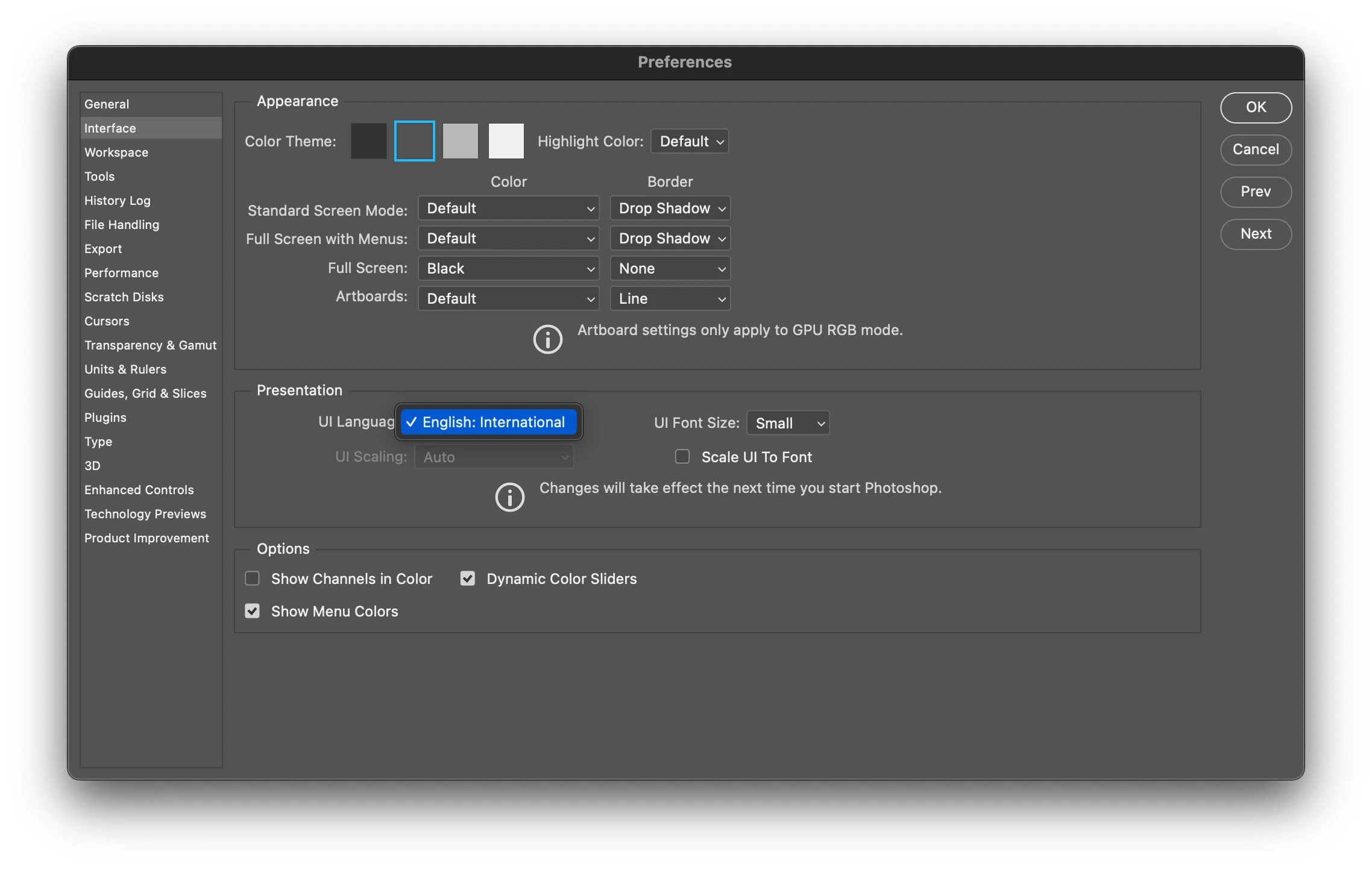
In the Photoshop preferences, I don't have a choice but "English: International" in the UI language menu.

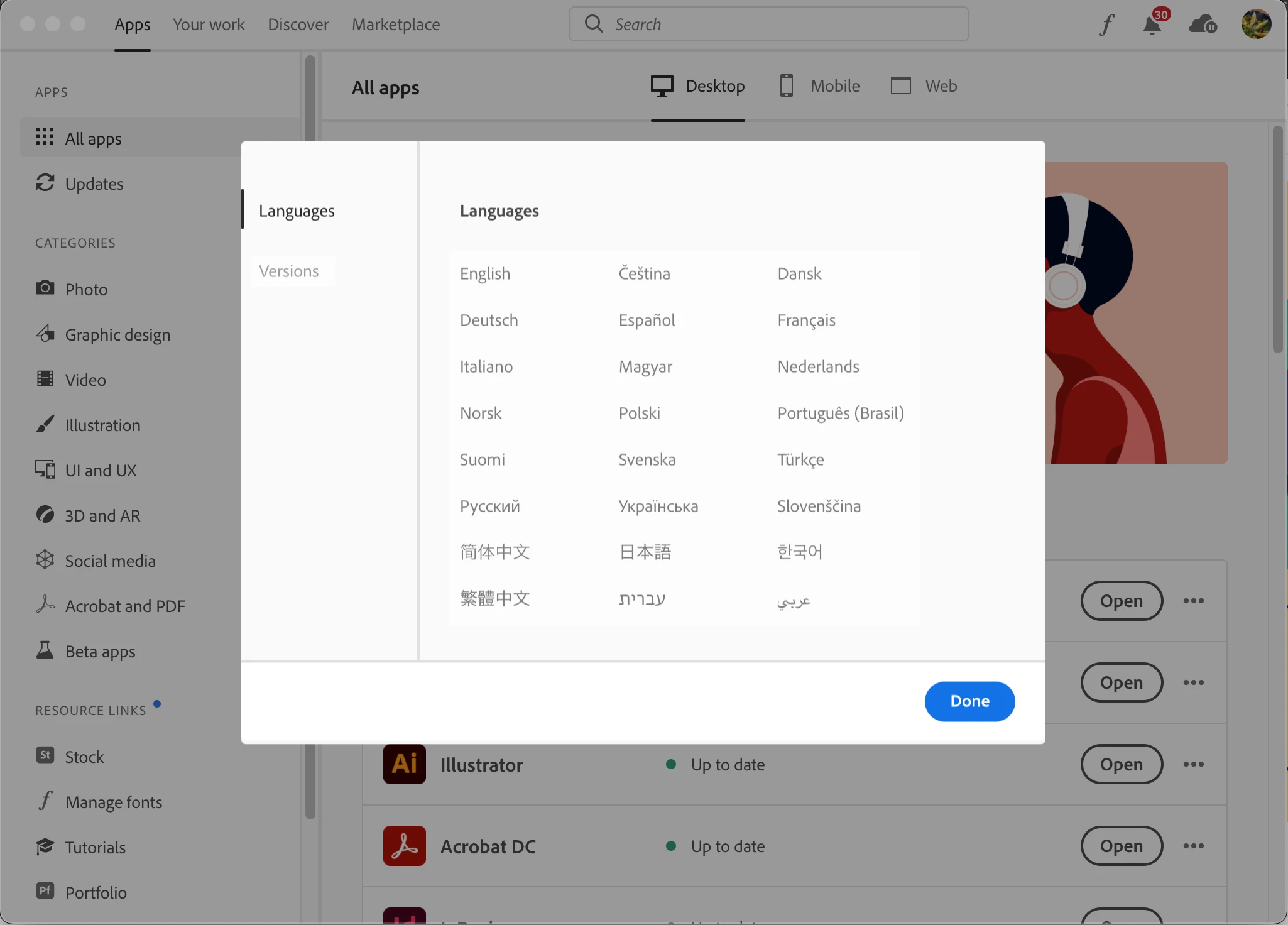
In Creative Cloud, I get a list of various languages for Photoshop, but none of them is available (they all are disabled)


What can I do to make it possible to change the app language?

Many thanks in advance for any help.


Using Photoshop 2021  (v22.3.0) and Creative Cloud 5.4.1.534 on MacOS 12.2.3
This topic has been closed for replies.
Correct answer silk-m

Hi,

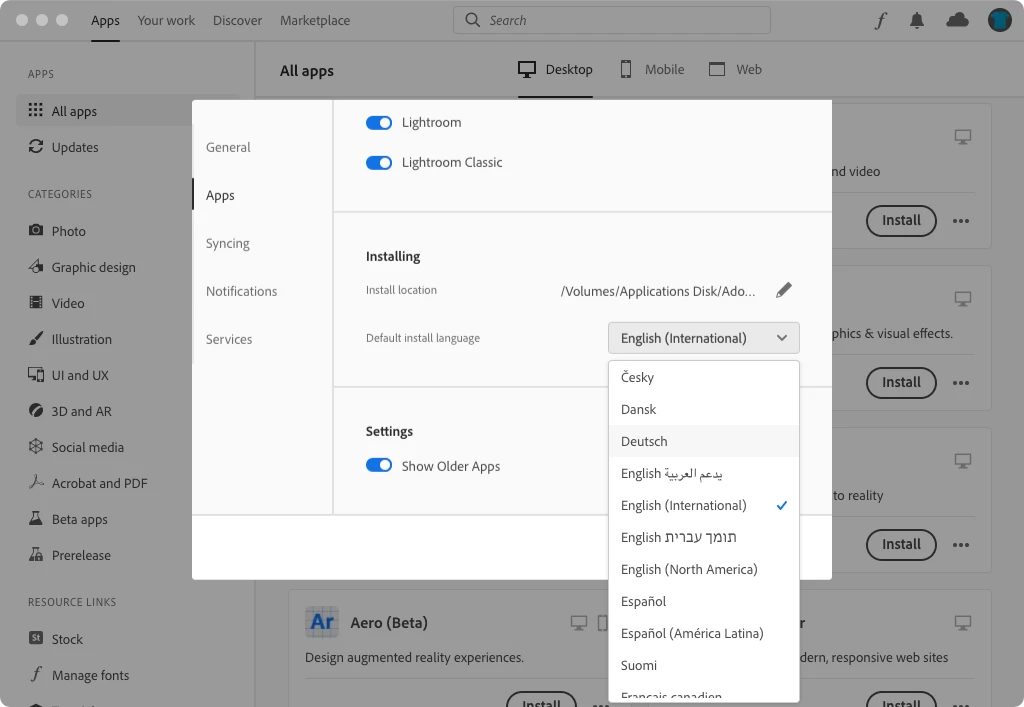
Switch the Creative Cloud Desktop app preferences to the language you want to use.
Please install Photoshop by overwriting.


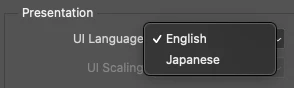
An example of installing English (North America) and Japanese.

2 replies

silk-m
Community Expert
silk-mCommunity ExpertCorrect answer
Community Expert
March 15, 2021

Hi,

Switch the Creative Cloud Desktop app preferences to the language you want to use.
Please install Photoshop by overwriting.


An example of installing English (North America) and Japanese.

--Susumu Iwasaki
Chibiberu2
Inspiring
March 16, 2021

Iwasaki san,


Thank you for your answer. First I didn't find this option because it is located at the bottom of the preference window, not at the top with other options.

But I finally fount it.


By the way, How could you install BOTH English AND Japanese?

I personally need three languages: English, French and Japanese.


どうぞ宜しくお願いします。

ちびベル

davescm
Community Expert
Community Expert
March 15, 2021

Go to the CC desktop app. Uninstall Photoshop.

In the CC desktop app choose the installation language, reinstall Photoshop from the CC desktop app. It should now be installed with your chosen language


Dave

Chibiberu2
Inspiring
March 16, 2021

I couldn't find this installation language option until this morning.
This option is located at the bottom of the apps' options, below a long list of installed apps. It should be located at the top of this window.
Now, I know how to do the job.


In fact, I need to instal several languages, so that I can switch between languages (the Mac I use is shared by three people => three different languages)

Chibiberu2
Inspiring
March 16, 2021

I think I found the way to add languages to apps, using the same method.

I noticed that when I change the default installation languages in the CC preferences, then only apps installed in this language are listed so that I can install apps that are not yet installed in this language.

It seems it works.