Participant
April 9, 2021
Answered

Cannot drag and drop gradients on images in Photoshop 2021 - Windows 10

  • April 9, 2021
  • 2 replies
  • 875 views

I am trying to apply a gradient to the image - I am using the most up to  date photoshop program 2021 on windows 10


I can create a gradient on an image by the "older" method of selecting the gradient and then click and drag the curser on the image and change blend mode to color - the range of editing options at that point seems more limited


When I try to use the newer method to click and drag the selected gradient "out" the box containing the available gradients to drop it on the image, the icon for the gradient will not pass beyond the dark borders of the "box" containing the available gradients ie I cannot perform the "drag and drop" feature. This was previously working well - I have not changed anything within the computer or programme (that I am aware of anyway).


{Thread title edited by Moderator}
This topic has been closed for replies.
Correct answer Trevor.Dennis

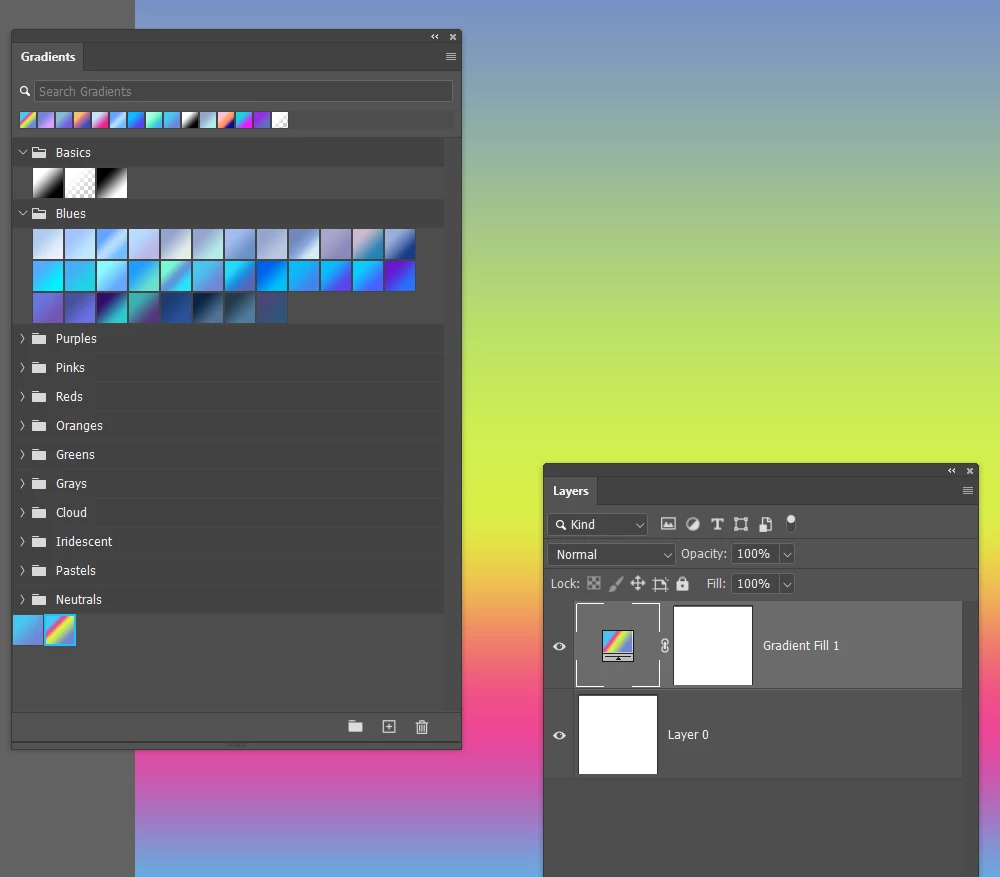
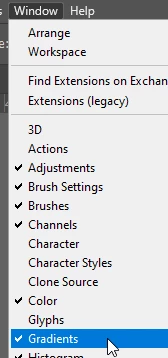
My guess is that you are trying to drag gradients from the drop down panel when using the Gradient tool.  That doesn't work.  You need to open the Gradient panel from the Windows panel

You can then create a new layer and select it, and simply click one of the gradients.  It's actually a really cool feature.

2 replies

Trevor.Dennis
Community Expert
Trevor.DennisCommunity ExpertCorrect answer
Community Expert
April 10, 2021

My guess is that you are trying to drag gradients from the drop down panel when using the Gradient tool.  That doesn't work.  You need to open the Gradient panel from the Windows panel

You can then create a new layer and select it, and simply click one of the gradients.  It's actually a really cool feature.

ian98A1Author
Participant
April 11, 2021

Thank you - that was was what was happening - all is well


I must have known that at some point but it had slipped away from my memory


Thank you so very much

Ian


Sahil.Chawla
Adobe Employee
Adobe Employee
April 9, 2021

Hi there,

Sorry to hear that you're not able to apply gradients by dragging and dropping them onto the image. Could you please record and share a video here? It would be helpful for us to review the video because I am able to drag and drop the gradients at my end.

Also, try resetting Photoshop's preferences and see how it goes. 

https://helpx.adobe.com/photoshop/using/preferences.html


Note: Make sure that you back up all your custom presets, brushes & actions before restoring Photoshop's preferences. https://helpx.adobe.com/photoshop/using/preset-migration.html


Regards,
Sahil