Participating Frequently
June 16, 2018
Answered

Cannot make a path

  • June 16, 2018
  • 2 replies
  • 320 views

Hi

I am following the instructions at w.youtube.com/watch?v=_EItRc7j58M at 4:50 to make a circular path but it's not cooperating.

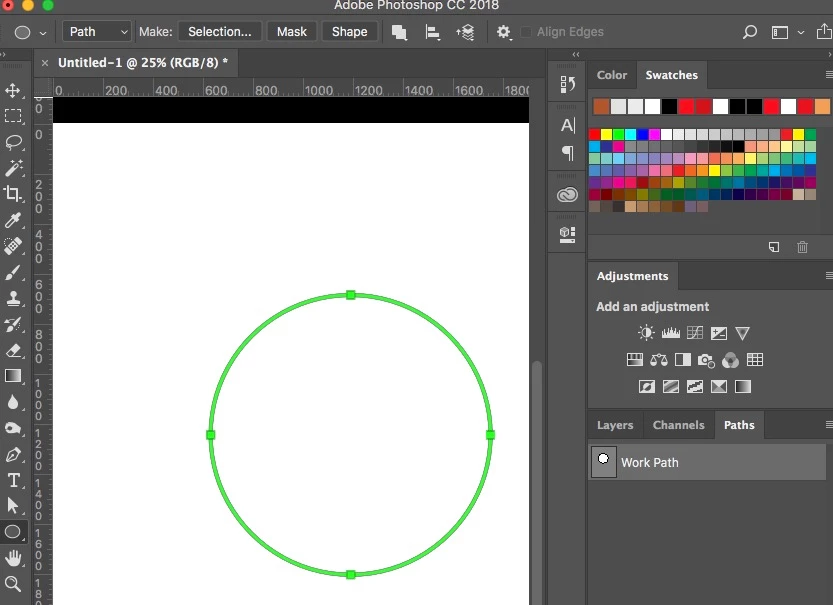
I select ellipse, change the tool mode from shape to path, then begin to draw.  I see the outline of the circle, but when I release the mouse button the circle vanishes.  Also I want the circle centered like in the video, but it draws the circle into one corner of the guide lines.

Will entertain any and all suggestions.

Thank you.
This topic has been closed for replies.
Correct answer melissapiccone

The path should show up in your paths panel - what version of PS are you using?

2 replies

Semaphoric
Community Expert
Community Expert
June 16, 2018

To get the path to go out from center, Alt+Drag from the point. Or, open the little cogwheel menu in the Options, and check "Out from center":


In this case, Alt+Dragging will pull the Path out from the corner.

melissapiccone
Community Expert
melissapicconeCommunity ExpertCorrect answer
Community Expert
June 16, 2018

The path should show up in your paths panel - what version of PS are you using?

Melissa Piccone | Adobe Trainer | Online Courses Author | Fine Artist