Cannot see changes made unless I click a different tool
System Specs: Windows 10 | CPU: intel i7-4770 | GPU: NVidia GeForce RTX 2060 | 36GB Ram | 3 Drives - 1TB SSD C drive, 4TB J Drive and 4TB K Drive.
Last week when I opened Photoshop CS5, I tried to add type to a layer over a photo, I could not see what I was typing in real time. I had to switch to another tool to see what I typed. I also noticed that some fonts in the font preview were missing.
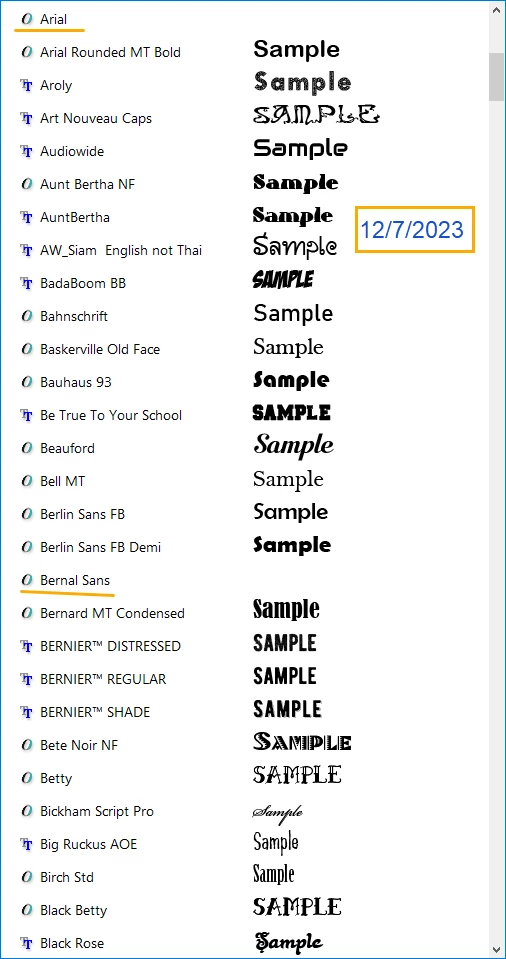
Today I noticed that most of the 972 of the font previews are gone, except for 7. 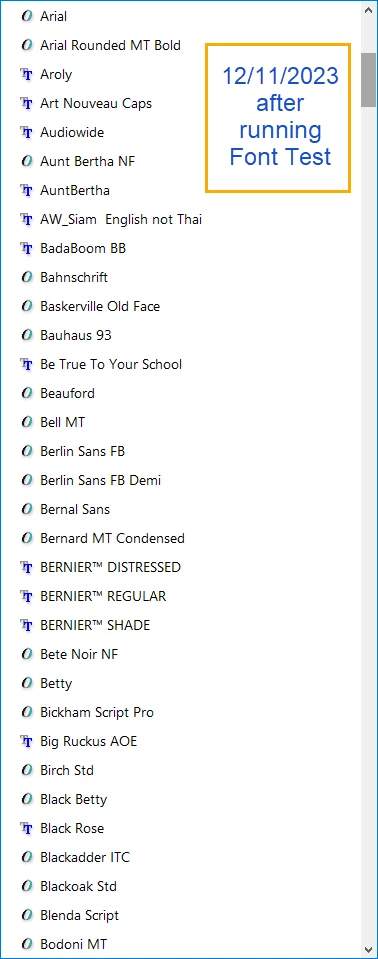
I have reset the text tool several times and I even followed the steps here: https://helpx.adobe.com/photoshop/kb/troubleshoot-fonts-photoshop.html
and ran the test, it passed, there are no problematic fonts on my computer.
How can I get the font preview back?
Also, there are other issues, not just the font preview missing. Please view this video:
This problem is not just isolated to text. I was mirroring and clipping images to text and custom shapes yesterday and could not see in real time what I was doing. I had to mask, accept, then go to another tool and click the layer to see what was masked, or clipped, etc. This basically makes it nearly impossible to edit any images in Photoshop, because I cannot see in real time anything I am doing.
I have also changed the performance settings as have been recommended by a few articles and videos. As well as resetting tools. Nothing fixes it. Mind you, I have not had any issues with performance with Photoshop over the years.
(Yes I own an older version of Photoshop. No I cannot subscribe to the latest version, because I am disabled and on a limited income.)
Thanks for your assistance.
 AdChoices