
AntoniaAgain
Inspiring
July 7, 2021
Question

Cannot see fill or stroke when using 2021 rounded rectangle

  • July 7, 2021
  • 2 replies
  • 396 views

I click on the rectangle tool, pull in the corners just fine. I have watched two videos and on both, when one is using the rectangle tool, you can see the fill choice in the bar above (sorry, not familiar with the actual term for it). The guy then clicks on the color he wants and the rectagle fills. I have been trying to make this color choice box come up.  In both videos it seems to be automatic. Attached is a SS. In the Properties box, both fill and stroke have a red line through them.  TIA
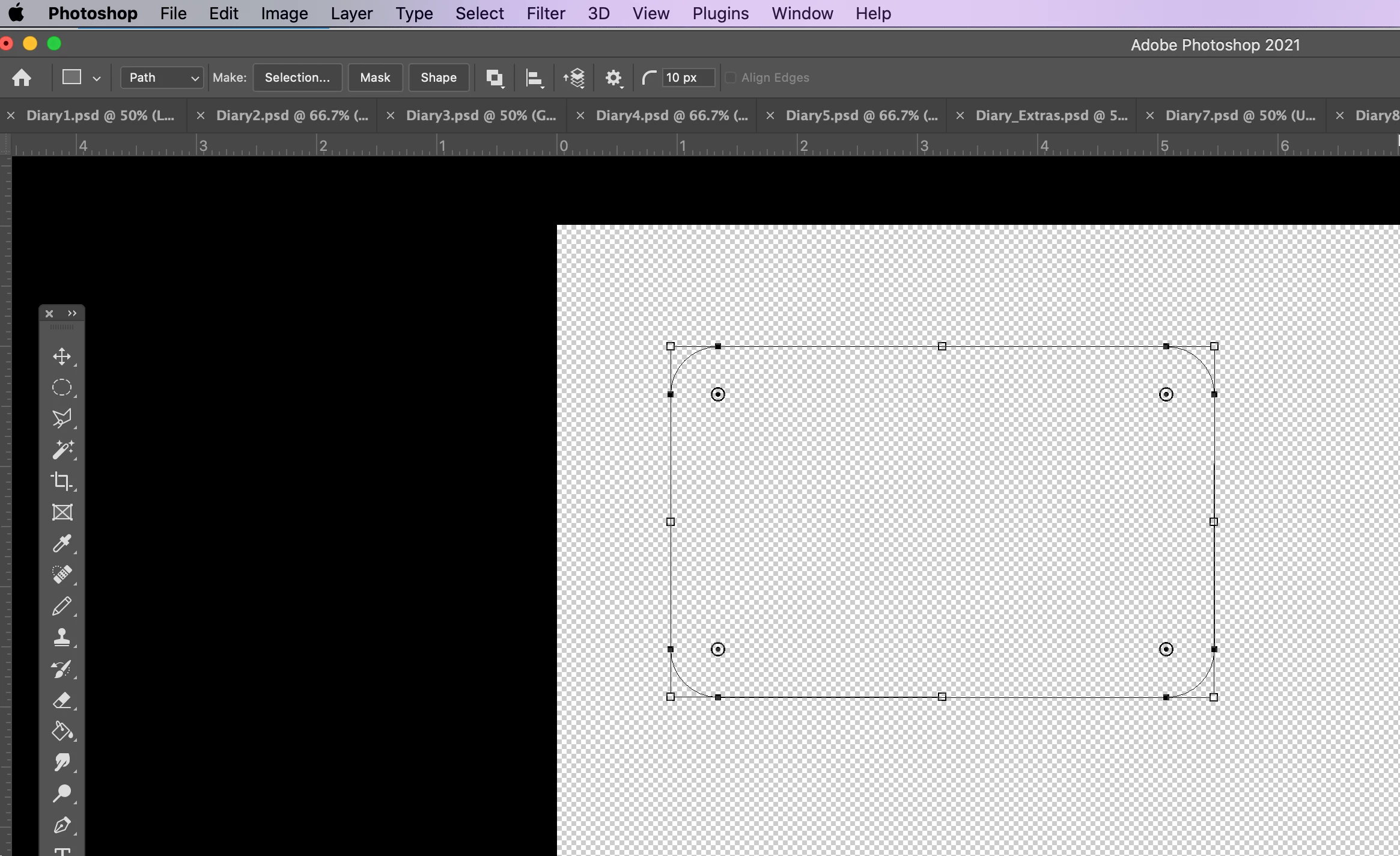
This topic has been closed for replies.

2 replies

Barb Binder
Community Expert
Community Expert
July 8, 2021

In your screen shot you have Path selected on the Options bar. You can't dynamically fill a path. I suspect you switched it to Shape and now it is working as expected. 

https://helpx.adobe.com/in/after-effects/using/overview-shape-layers-paths-vector.html


~Barb

~Barb at Rocky Mountain Training
AntoniaAgain
Inspiring
July 8, 2021

That is it....thank you, Barb.

AntoniaAgain
Inspiring
July 8, 2021

Finally sorted it out. Is there a way to remove posts? 


jane-e
Community Expert
Community Expert
July 8, 2021

How did you fix it?

~ Jane

AntoniaAgain
Inspiring
July 8, 2021

Sorry, Jane, I have just tried to replicate it, but cannot do so because the rectangle is now materializing with all the previous attributes. It was a toggle, that is all I can say.