
bartonlew
Legend
March 20, 2019
Answered

cannot select layer in file

  • March 20, 2019
  • 1 reply
  • 978 views

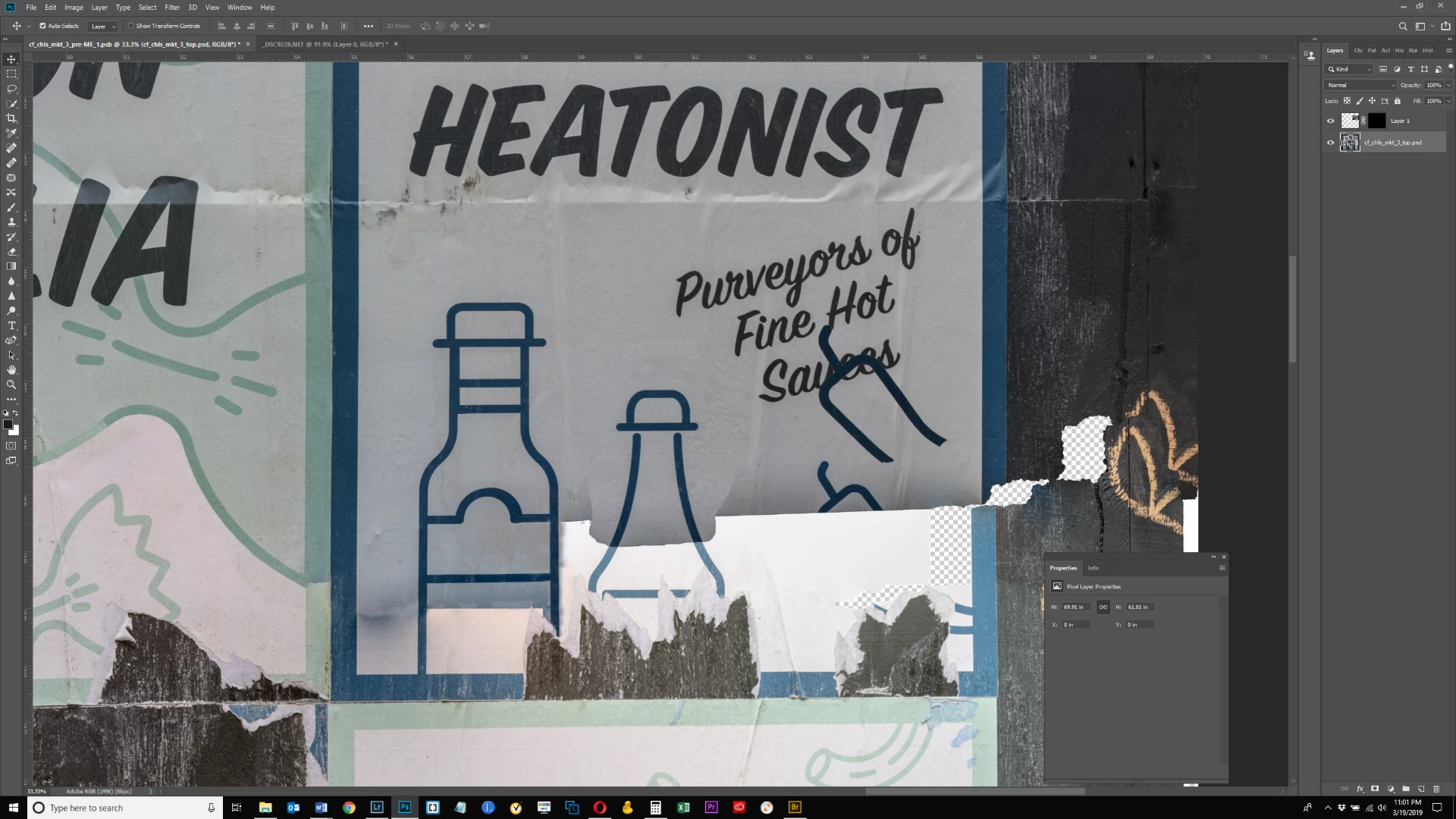
In this screen shot, there is a selection that I masked and brought into my main document.  The selection is the outline of the pepper over the word "sauces."  I am trying to move the pepper into place slightly lower where it actually appears in this image which is a composite of 2 images, one of which overwrote the other.  When I drag the pepper into place, the cursor jumps to the layer below (the main image layer) and moves that entire layer.  Why will it not stay on the upper layer (the single half pepper) and move it into place?  Thanks.
    This topic has been closed for replies.
    Correct answer Michael Bullo

    Could this be related to the Auto-Select option in the Options bar? When using the Move Tool with Auto-Select turned on, whatever is selected in the Layers panel is ignored and whatever is below the cursor is selected when pressing the mouse button.

    If I'm wanting to move something around very precisely I will often use the keyboard arrows instead of the mouse. You still need to choose the Move Tool and select the layer you want to move but at this point just start pressing the arrow keys to move the layer. To move in larger increments use the Shift key in combination with the arrow keys.

    1 reply

    Michael Bullo
    Community Expert
    Michael BulloCommunity ExpertCorrect answer
    Community Expert
    March 20, 2019

    Could this be related to the Auto-Select option in the Options bar? When using the Move Tool with Auto-Select turned on, whatever is selected in the Layers panel is ignored and whatever is below the cursor is selected when pressing the mouse button.

    If I'm wanting to move something around very precisely I will often use the keyboard arrows instead of the mouse. You still need to choose the Move Tool and select the layer you want to move but at this point just start pressing the arrow keys to move the layer. To move in larger increments use the Shift key in combination with the arrow keys.

    bartonlew
    bartonlewAuthor
    Legend
    March 20, 2019

    Thanks, that was it.  (Incidentally, I did not mark the answer as correct although it was my intention to do so.  Apparently someone other than the original poster can mark an answer as correct, which seems wrong to me.)

    Michael Bullo
    Community Expert
    Community Expert
    March 20, 2019

    Thanks mate. Happy it's now working for you.