Cant close gaps in photoshop timeline 2D Animation
Hi everyone hope you're having a good day. I've been working on a 2D animation in photoshop using the video timeline features and i've encountered frame gaps that I can't seem to close? No matter if I drag the first frame before the gap to try fill it, or the second frame to fill it instead it just doesn't seem to want to ever fill. It always ends up being too short or too long of a frame never the right amount to align to the other frame that I want.
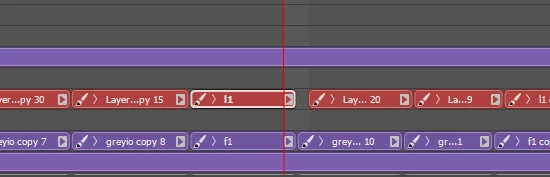
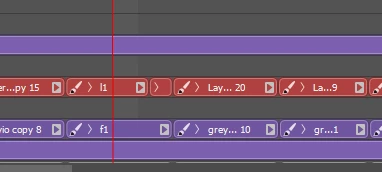
My some what inelagant solution so far has been to duplicate the frame I want shown and make it a weird 1.x frame timing to fill it but that only works sometimes.
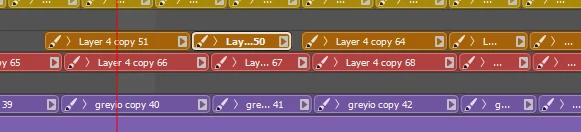
Is this screenshot no matter If i shortened, lengthened, made an extra frame or anything It never wants to align with the frames below. What confuses me is that they USED to align but I edited the timings of a few frames in one of the video layer groups and now it doesn't want to anymore?
Anyone got any ideas on how to fix this?
 AdChoices