


Participant
March 30, 2023
Answered

Cant Find Simple selection attribute of Document object

  • March 30, 2023
  • 2 replies
  • 571 views

Hello.

Photoshop 2023

App Version : 24.1.0

UXP Version : 6.4.0

Javascript


I want to use a simple app.activeDocument.selection.select().

The debugger is telling me there is no definition for ".selection".

I also dont see it listed in the debug console:

console.log("Active Document Obj : " + app.activeDocument)


var docRef = app.activeDocument
var shapeRef = [
[0,0],
[0,500],
[500,500],
[500,0]
]
docRef.selection.Select(shapeRef)
=============================
 
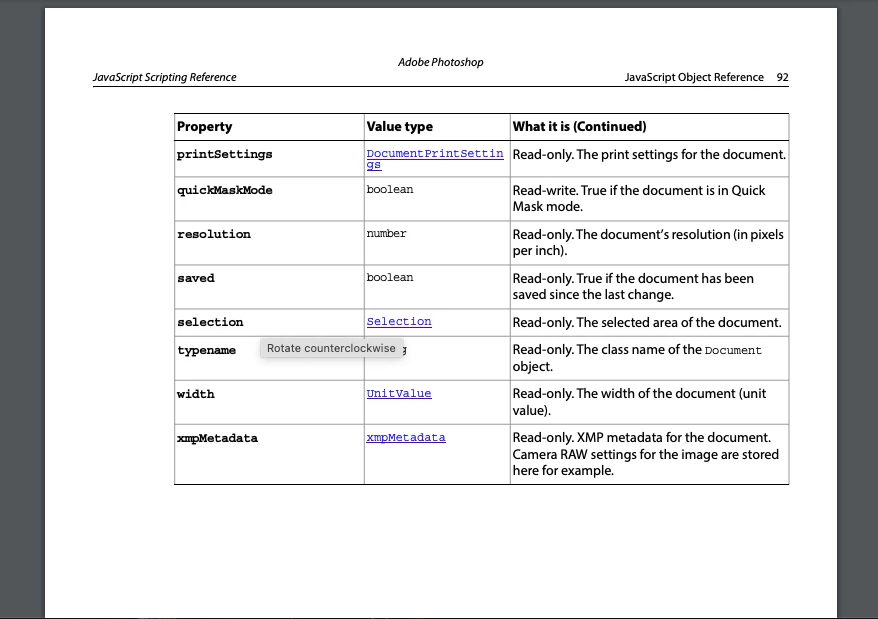
The Scripting Reference 2020 on page 92 shows selection as an attribute of document.
But id dont see that in my debugger and my code sees it as undefined
Thanks for any advice.
 
 
This topic has been closed for replies.
Correct answer jazz-y

You are writing code using ExtendScript and the Photoshop Object Model while trying to run it in the UXP Developer Tool which works with the Photoshop UXP API. This is are different scripting systems.


You can read more about UXP object models here: Photoshop API


You can also use the ExtendScript debugger for VSCode to work with the code you wrote (ExtendScript)


2 replies

Participant
April 10, 2023

Thankyou.  I will follow that advice.

jazz-yCorrect answer
Legend
March 31, 2023

You are writing code using ExtendScript and the Photoshop Object Model while trying to run it in the UXP Developer Tool which works with the Photoshop UXP API. This is are different scripting systems.


You can read more about UXP object models here: Photoshop API


You can also use the ExtendScript debugger for VSCode to work with the code you wrote (ExtendScript)