
Cant get photoshop to print properly
Hi I am trying to print borderless and non borderless photo prints on tabbed hp photo paper with photoshop and I cant get them properly centered or scaled. I have tried many/every possible combination of print settings.
When I print borderless it makes the image bigger than the paper, printed off center and also its printing past the serrated tab that you rip off. like so:
(note that I have selected the exact paper i'm using in the print options "borderless 4 x 6 hp premium plus photo paper tab". I have also tried checking or unchecking photoshops "center" and "Scale to fit media" options. I have also tried changing the paper type to the non tabbed 4x6 option.
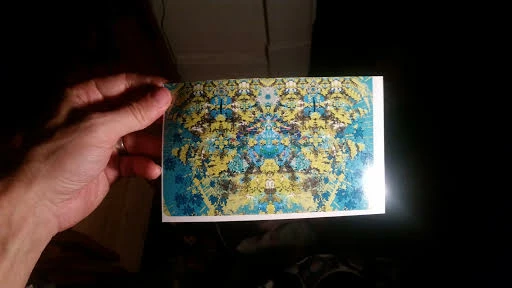
when I print non borderless the whole image is printed but again its off center completely like so:
.jpg)
Please help I really need to be able to print things properly this is so aggravating!
 AdChoices