
Participant
November 8, 2017
Answered

Cant print from CC 2018 - Photoshop

  • November 8, 2017
  • 3 replies
  • 1925 views

When I try to print from CC for Photoshop 2018, either the print option is greyed out, or I get a modal saying "Adobe Photoshop CC 2018 in the title, and a warning icon, but no message..
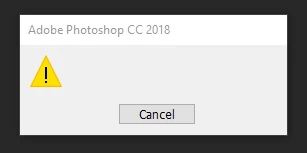
Can print from Word, etc, but not from Photoshop.  Have restarted computer, uninstalled then reinstalled photoshop, but same result

any ideas?

    This topic has been closed for replies.
    Correct answer DelphiZoa

    Hi Richardd,

    What is the image mode of the file you're trying to print? Make sure it's 8 bit or 16 bits/channel under Image > Mode.

    It it's already 8 or 16, is your printer driver up to date?

    3 replies

    Participant
    September 2, 2024

    Hi,


    I would like to share my experience regarding to this matter.

    I have the same problem and some of the tips I saw here aren't solving my issue.

    I even install different versions of photoshop but i still receive the same issue.


    The only thing I try and help me with this issue is going to Control Panel > Device and Printers > Set Default Printer.


    I hope this might help.

    jane-e
    Community Expert
    Community Expert
    September 2, 2024
    quote

    I hope this might help.

    By @jmar7371


    Thank you for your input, jmar. You replied to a seven-year-old thread from 2017 that was solved by changing the image mode.


    Jane


    DelphiZoa
    DelphiZoaCorrect answer
    Participating Frequently
    November 8, 2017

    Hi Richardd,

    What is the image mode of the file you're trying to print? Make sure it's 8 bit or 16 bits/channel under Image > Mode.

    It it's already 8 or 16, is your printer driver up to date?

    jillr84894611
    Participant
    November 14, 2017

    Fixing the mode corrected the problem for me.  THANK YOU.

    Kanikas
    Legend
    November 8, 2017