zewtastic
Participant
November 9, 2017
Question

CC 2017 unable to print using Epson SC-P800 Roll Paper Settings

  • November 9, 2017
  • 1 reply
  • 621 views

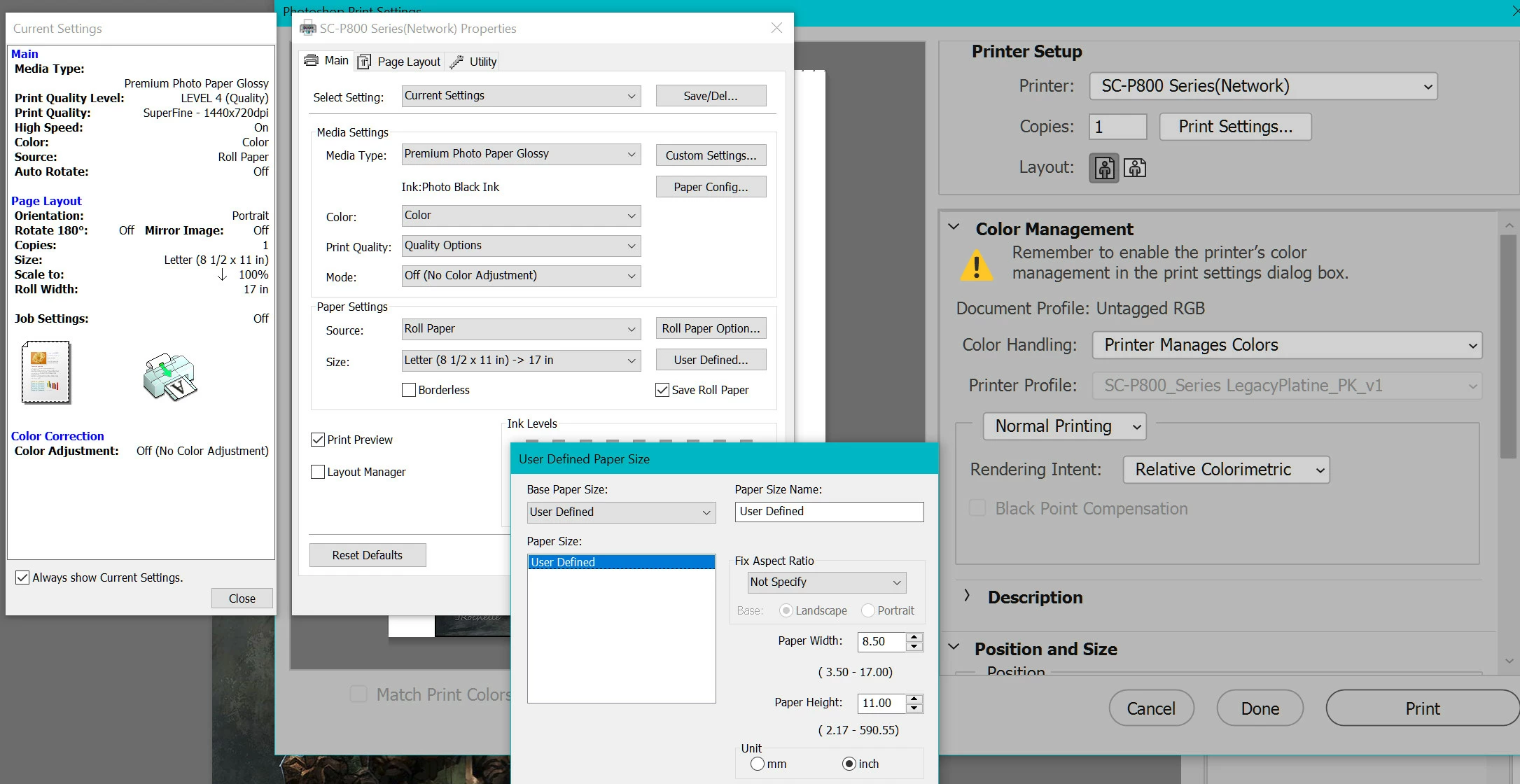
Going insane trying to get photoshop to read the roll settings for my Epson SC-P800.

I am unable to print to the 17" wide roll paper at all.

Photoshop just ignores any custom roll paper settings set for the printer defaults. It just wants to do 8.5 x 11.

If I manually define them through the Photoshop printer settings it immediately forgets them for whatever image I am working with.

This is maddening and making Photoshop useless.
    This topic has been closed for replies.

    1 reply

    JJMack
    Community Expert
    Community Expert
    November 9, 2017

    What OS are you using?  Does it work with the latest version of Photoshop CC 2018.   Photoshop CC 2017 is not longer supported by Adobe. an You screen capture is has a hidden Print Preview.  CC 2017 worked with mu Epson 48oo and now CC 2018 works with  my Epson but I will admot I use CC 2014.

    JJMack
    zewtastic
    zewtasticAuthor
    Participant
    November 9, 2017

    I'm on WIN 10. I have been struggling using the layout function for printing.

    Since I get my PS from Adobe Creative Cloud why has it not updated it to 2018?

    zewtastic
    zewtasticAuthor
    Participant
    November 9, 2017

    I'm going to close this as using layout is helping, but it is so clunky.