
MichaelCluff
Participating Frequently
June 17, 2015
Answered

CC2015 Error on PC: "Something went wrong initializing Creative Cloud Libraries" - how to repair?

  • June 17, 2015
  • 38 replies
  • 27184 views

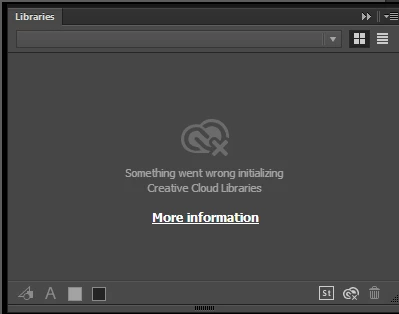
Upgraded all of my apps to CC2015, but when trying to use the Libraries features I get the error (pictured below): "Something went wrong initializing Creative Cloud Libraries".


The tooltip over the Creative Cloud logo says "Failed to Initialize." While the "more information" link (Creative Cloud Help | Creative Cloud Libraries) redirects to the generic Libraries Help.


How to repair? So far this is the case for Illustrator and Photoshop on my PC. (This is not a problem on my Mac.)

This topic has been closed for replies.
Correct answer danny_jack_johnson

This worked for me. With Photoshop or Illustrator running (If on a mac), go to your activity monitor and look for CCLibrary. Click the X to stop the the service, it will automatically restart and your library will reappear.

38 replies

shamanrawb
Participating Frequently
August 4, 2015

Any update on this? Anyone, Bueller? Anyone?

Paula Shin
Inspiring
August 4, 2015

This seems to be mostly a windows problem than adobe problem. So the fix for killing the "CCLibrary.exe" process seems to work pretty fine in Win7 at least for me.

shamanrawb
Participating Frequently
August 4, 2015

I'm on a mac. Newest OS version. None of those things fixed it. Happening in all apps.

Participant
August 4, 2015

This worked for me

sleepingcatnz
Participating Frequently
August 4, 2015

Same issues for me - Color Themes okay but Creative Cloud Library not working, altho it has intermittently. Shame because in theory it's a brilliant idea.

Participant
August 4, 2015

Thanks! This worked.

Kathy

Participant
August 3, 2015

Thank you!!!

sébastienp48044759
Participant
August 3, 2015

Tried killing the CCLibrary process and it doesn't work.

shamanrawb
Participating Frequently
August 4, 2015

Me too. Need some suggestions. Also checked host file. This is also the case in Premiere

jbm007
Community Expert
Community Expert
August 4, 2015

For those that are missing your libraries

Can you go into your ACC profile on the web and check under library to see if your libraies are even present?

Participant
July 31, 2015

Hello everyone, I had this problem too and tried everything suggested and nothing worked.  The solution i found was to close the adobe programs, disable my antivirus software, and restart the applications and the library came right on.  Unfortunately, as soon as i activate my antivirus again and restart the application, the libraries won't open.  Hopefully someone has a solution for that. 

jbm007
Community Expert
Community Expert
July 31, 2015

You need to go into your antivirus settings and allow adobe services to communicate with its servers.

One of your firewall settings is blocking the service that links with the cloud services.

Jim

determined_Mirage15A9
Participant
July 30, 2015

Hi! I'm having the same problem with the library panel but in every app not just in Photoshop I tryed everything that I was reading but nothing worked... Help!!!

Participant
July 29, 2015

+1 on Killing CCLibrary.exe *32 Window 7 64bit. Fixed my libraries.

CPS_Artist
Participant
July 29, 2015

Same thing is happening with me and I seem to have lost critical assets that I use every day. So damn mad! I have deadlines! I haven't read everyones comments but sincerely hoping that someone has a solution. I've synced all my files