
MichaelCluff
Participating Frequently
June 17, 2015
Answered

CC2015 Error on PC: "Something went wrong initializing Creative Cloud Libraries" - how to repair?

  • June 17, 2015
  • 38 replies
  • 27184 views

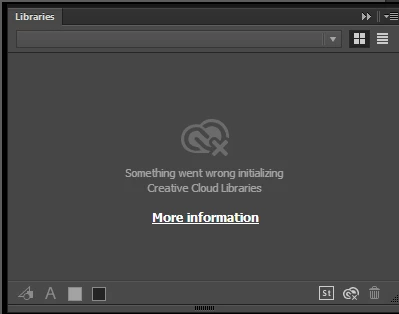
Upgraded all of my apps to CC2015, but when trying to use the Libraries features I get the error (pictured below): "Something went wrong initializing Creative Cloud Libraries".


The tooltip over the Creative Cloud logo says "Failed to Initialize." While the "more information" link (Creative Cloud Help | Creative Cloud Libraries) redirects to the generic Libraries Help.


How to repair? So far this is the case for Illustrator and Photoshop on my PC. (This is not a problem on my Mac.)

This topic has been closed for replies.
Correct answer danny_jack_johnson

This worked for me. With Photoshop or Illustrator running (If on a mac), go to your activity monitor and look for CCLibrary. Click the X to stop the the service, it will automatically restart and your library will reappear.

38 replies

AshutoshChaturvedi
Legend
June 20, 2015

Do you have any other CC 2015 application on the same machine. e.g. Photoshop CC 2015? is the issue there as well. Just wanted to make sure if we are talking about an Illustrator issue or a Creative Cloud application issue.

bagels.talons5t
Participant
June 20, 2015

I have all the CC apps running on my Mac. All those apps with libraries windows showed "Something went wrong initializing Creative Cloud Libraries".

Even when I tried root user with no proxy set and with no entries related to *.adobe.com in the hosts file. There used to be an "retry" button on the libraries window, it worked.

bagels.talons5t
Participant
June 19, 2015

Same problem here. Happened in all Adobe CC 2015 apps.

I tried root user with no proxy set, and unfortunately this problem still exists.

jE5Qxot.png

In former versions of CC apps, a "retry" button appears when libraries fails to initialise. It works well, however in CC 2015, that "retry" button disappeared.

Mrinmay Majhi
Participating Frequently
June 20, 2015

Hi ynyounuo,

Please go ahead and check for the host file on your computer.

If you find any entries related to *.adobe.com, please rename the host file and restart the computer.

Follow the below link for more information.

Sign in, activation, or connection errors | CS5.5 and later, Acrobat DC

~Mrinmay

bagels.talons5t
Participant
June 20, 2015

I cannot find any entries related to *.adobe.com in my hosts file.

Mrinmay Majhi
Participating Frequently
June 19, 2015

Hi MichaelCluff,

Please go ahead and check for the host file and proxy settings on your computer.

If you find any entries related to *.adobe.com, please rename the host file and restart the computer.

If you find any proxy enabled, please go ahead and disable it.

Follow the below link for more information.

Sign in, activation, or connection errors | CS5.5 and later, Acrobat DC

~Mrinmay

MichaelCluff
Participating Frequently
June 20, 2015

Thanks -- there were no entries in my host file or proxy, however.

Jahnu_AU
Inspiring
June 18, 2015

Having this issue as well, although not been lucky enough for it to come back, just not been there since the update.

Participating Frequently
June 17, 2015

Having this same issue. It goes away and comes back. Goes away and comes back.

Jacob Bugge
Community Expert
Community Expert
June 17, 2015

Michael,

You could reinstall using the full three step way (otherwise strange things may linger):

Uninstall (ticking the box to delete the preferences), run the Cleaner Tool, and reinstall.

http://www.adobe.com/support/contact/cscleanertool.html

Participant
June 17, 2015

I did this, Jacob, and it did not work.  Thanks for your suggestion though.

Participant
June 17, 2015

Also having this issue.  So far rebooting and signing in and out have yet to work.  If I figure it out before you I'll let you know.

Atul_Saini
Legend
June 17, 2015

moving the discussion to Illustrator